How do I use the Sophisticated Oil Portrait Painting template?
Choose the primary action to open PicX Studio with the available template settings. Review the model and format, personalize the creative direction, and generate when ready.
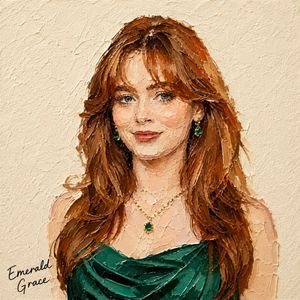
An artistic prompt for creating contemporary oil paintings with expressive brushwork and an intentionally unfinished aesthetic. Change the subject, setting, or lighting one variable at a time.

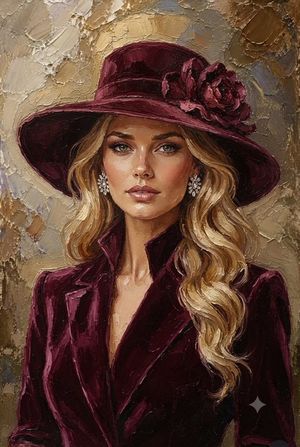
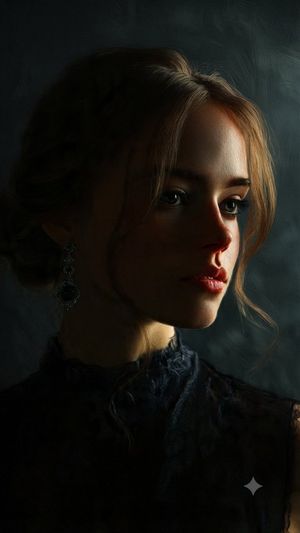
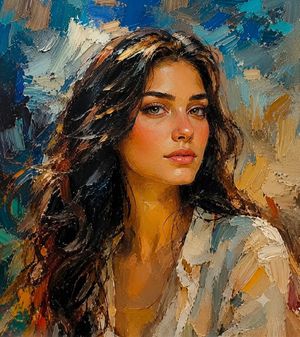
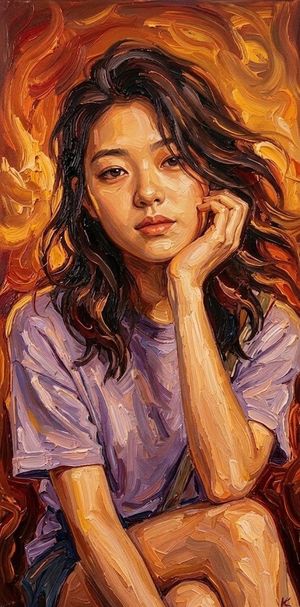
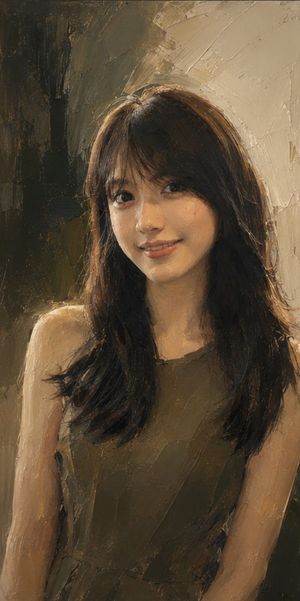
{argument name="style" default="Sophisticated contemporary oil portrait painting"} with expressive loose brushwork, combining refined semi-realistic portraiture, classical fine-art painting, and modern editorial painterly aesthetics. The subject is rendered with highly controlled yet visibly handcrafted oil strokes, layered pigments, soft impasto, delicate dry-brush marks, and expressive directional brushwork that follows the natural anatomy and volume of the face. Facial features are detailed and semi-realistic, with luminous skin, natural texture, expressive eyes, carefully modeled nose and lips, and richly layered hair built from flowing individual brushstrokes. Use {argument name="color palette" default="warm brown, deep umber, burnt sienna, ochre, muted peach, cream, ivory, soft gray-blue, charcoal, and subtle muted gold accents"}, matching the reference palette precisely. Highlights are predominantly warm ivory and creamy white, while shadows remain deep but soft and painterly. The background uses the same desaturated blue-gray and warm ivory palette, appearing like an unfinished classical painted canvas. Broad vertical and horizontal brushstrokes, translucent paint layers, softly scraped areas, subtle dry-brush textures, and irregular painterly patches create an atmospheric studio-like backdrop. Keep the background simple, quiet, and organically integrated with the portrait rather than sharply separated. The lower portion of the figure intentionally becomes unfinished and gradually dissolves into loose white and ivory brushstrokes. Clothing, shoulders, chest, and lower contours progressively lose definition, breaking into scattered semi-transparent strokes and fading pigment. Edges become incomplete, soft, irregular, and partially disappear into the background, creating the unmistakable impression of an intentionally unfinished oil painting. Do not create a hard bottom edge. Maintain a refined balance between highly detailed facial realism and deliberately unfinished painterly abstraction. Visible brushwork, layered oil pigments, soft impasto, subtle canvas texture, natural imperfections, elegant tonal transitions, museum-quality portrait painting, cinematic atmosphere, timeless fine-art character. No photorealistic photography, no 3D CGI, no vector appearance, no hard digital outlines, no glossy rendering, no completely finished lower body, no sharp background separation. --ar {argument name="aspect ratio" default="9:16"}
Choose the primary action to open PicX Studio with the available template settings. Review the model and format, personalize the creative direction, and generate when ready.
Yes. You can change the subject, setting, lighting, mood, format, and available model controls before creating your image.
This template is free to open and customize. Generation usage is shown in PicX Studio before you create.
Start with gemini-3-pro-image-preview, which is the model associated with this template. You can compare another compatible model for a different finish.
Follow a topic to a crawlable collection of related PicX Studio templates.
43,449 public templates available. Verified via the PicX Studio public templates API; refreshed hourly.



![118-google-nano-banana-pro-skincare-product- — A professional skincare shot of a [product container] with [cap/lid], labeled [brand, product, descriptor, volume](/_next/image?url=https%3A%2F%2Fcdn.picxstudio.com%2Fuploads%2Fpost118_img0_332898b8-29ea-42a9-87ab-9ed746a3f944.jpg&w=828&q=100)
![Impasto Oil Painting Portrait — Impasto oil painting portrait of a young woman [use the uploaded photo as reference], with red lips, and long brown hair. She we](https://pbs.twimg.com/media/HDtII3oXAAAkND6.jpg)




![Impasto Oil Architectural Painting — Create a sophisticated fine-art architectural painting of [STRUCTURE / LANDMARK], presented as a highly tactile, three-dime](https://cms-assets.youmind.com/media/1788163891448_cwh0eu_HQ8zY0FaUAAXBua-300x375.jpg)


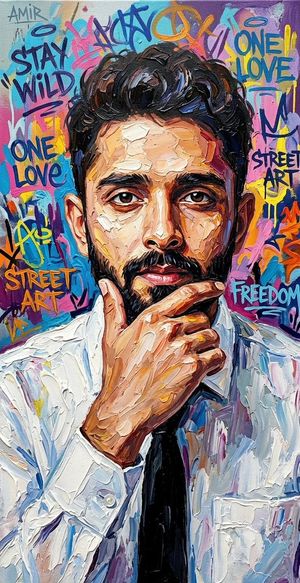
![Urban Street Mixed Media Portrait — Transform this image [Upload Your Image] into a 64K DSLR shot resolution of A creative urban street portrait featuring a you](https://cms-assets.youmind.com/media/1785137834120_1a6fgj_HOH_vMobUAAAZf1-300x224.jpg)






![Clay-Style Soft Minimal 3D Illustration Template — Illustrate {argument name="subject" default="[SUBJECT]"} in a minimal clay-style 3D look, with soft…](https://pbs.twimg.com/media/G_LpCaBa4AA2YgX.jpg)