How do I use the Gothic Alice Anime Portrait template?
Choose the primary action to open PicX Studio with the available template settings. Review the model and format, personalize the creative direction, and generate when ready.
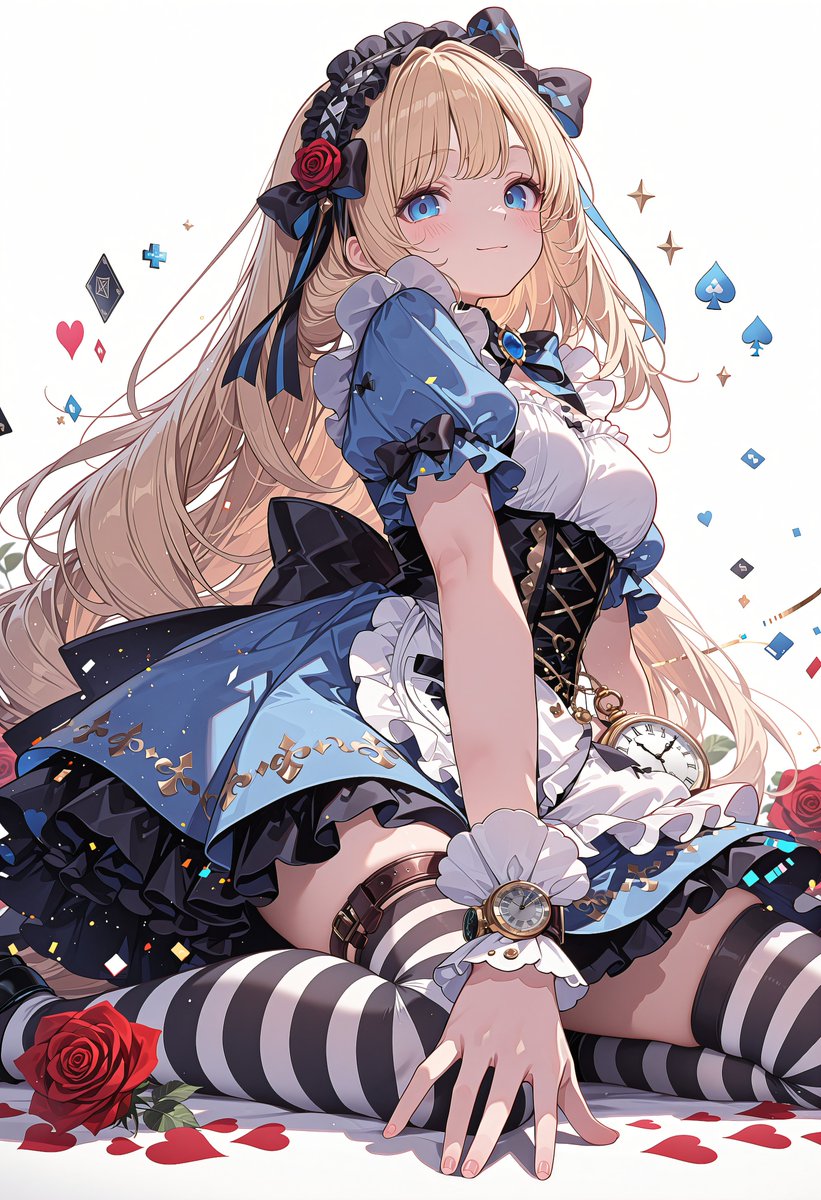
Generates a detailed vertical anime illustration of an Alice-inspired gothic lolita girl with ornate costume details, roses, card symbols, and a censored face block. (free to use) — Free AI image template on PicX Studio.
Create a highly detailed vertical anime illustration of {argument name="character name" default="an Alice in Wonderland inspired gothic lolita girl"} seated on a clean white background, shown in a dramatic three-quarter pose with her face intentionally covered by a centered opaque square censor block in muted beige-pink. She has very long flowing {argument name="hair color" default="pale blonde"} hair with soft curls and loose strands, decorated with black and navy bows, lace headband details, and a red rose hair ornament. Dress her in an ornate {argument name="dress color" default="blue, black, and white"} frilled lolita dress with puff sleeves, layered ruffles, black corset lacing, gold embroidery, heart motifs, a blue gemstone bow at the collar, and a flared skirt lifted by the seated pose. Add Alice-themed accessories: a gold pocket watch hanging at her waist, a wristwatch over a white ruffled cuff, striped black-and-white thigh-high stockings, black garters, and small bow accents. She sits with one hand extended toward the viewer in the foreground, knees bent outward, creating strong depth and foreshortening. Surround her with {argument name="floating symbols" default="playing-card suits, blue spades, red hearts, diamond icons, tiny stars, confetti, and geometric card fragments"}, plus red roses and scattered heart-shaped petals near the floor. Use polished modern anime rendering with crisp line art, glossy highlights, intricate fabric folds, luminous pastel lighting, high saturation blue-black contrast, elegant fantasy details, and a clean studio-white background.
Use Gothic Alice Anime Portrait to plan an AI image around gpt-image-2 generation, themes such as en and gpt-image-2. Match the preview's composition first, then personalize the subject, setting, and mood for your own project.
Use the primary action to load the template settings in PicX Studio.
Adjust the subject and creative details for your destination.
Create the image, compare the result with the preview, and refine one variable at a time.
A continuous mix — similar concepts first, woven with same-model prompts and fresh picks from the catalog.
Choose the primary action to open PicX Studio with the available template settings. Review the model and format, personalize the creative direction, and generate when ready.
Yes. You can change the subject, setting, lighting, mood, format, and available model controls before creating your image.
This template is free to open and customize. Generation usage is shown in PicX Studio before you create.
Start with gpt-image-2, which is the model associated with this template. You can compare another compatible model for a different finish.
Follow a topic to a crawlable collection of related PicX Studio templates.
39,157 public templates available. Verified via the PicX Studio public templates API; refreshed hourly.
A continuous mix — similar concepts first, woven with same-model prompts and fresh picks from the catalog.