How do I use the Honeybee Macro Photography template?
Choose the primary action to open PicX Studio with the available template settings. Review the model and format, personalize the creative direction, and generate when ready.
A macro photography prompt for a highly detailed honeybee with translucent wings and visible pollen grains.
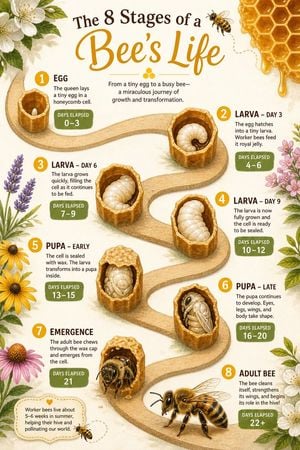
Create a photorealistic photograph of a {argument name="subject" default="single honeybee"} resting on a {argument name="surface" default="weathered wooden hive frame"}, its translucent wings catching {argument name="lighting" default="soft morning light"}. shot on 85mm f/1.4, shallow depth of field, overcast golden hour. visible pollen grains dusting its fuzzy thorax, delicate wax cells blurred in background, dew droplets on wood grain featuring in a photorealistic photography style, under silver moonlight, romantic tender atmosphere, slow push-in. perfect motion blur only on moving elements consistent identity across frames movie-level temporal coherence fluid cloth simulation sharp focus rich background detail.
Choose the primary action to open PicX Studio with the available template settings. Review the model and format, personalize the creative direction, and generate when ready.
Yes. You can change the subject, setting, lighting, mood, format, and available model controls before creating your image.
This template is free to open and customize. Generation usage is shown in PicX Studio before you create.
Start with GPT Image 2, which is the model associated with this template. You can compare another compatible model for a different finish.
Follow a topic to a crawlable collection of related PicX Studio templates.