How do I use the Playful Escalator Selfie Portrait template?
Choose the primary action to open PicX Studio with the available template settings. Review the model and format, personalize the creative direction, and generate when ready.
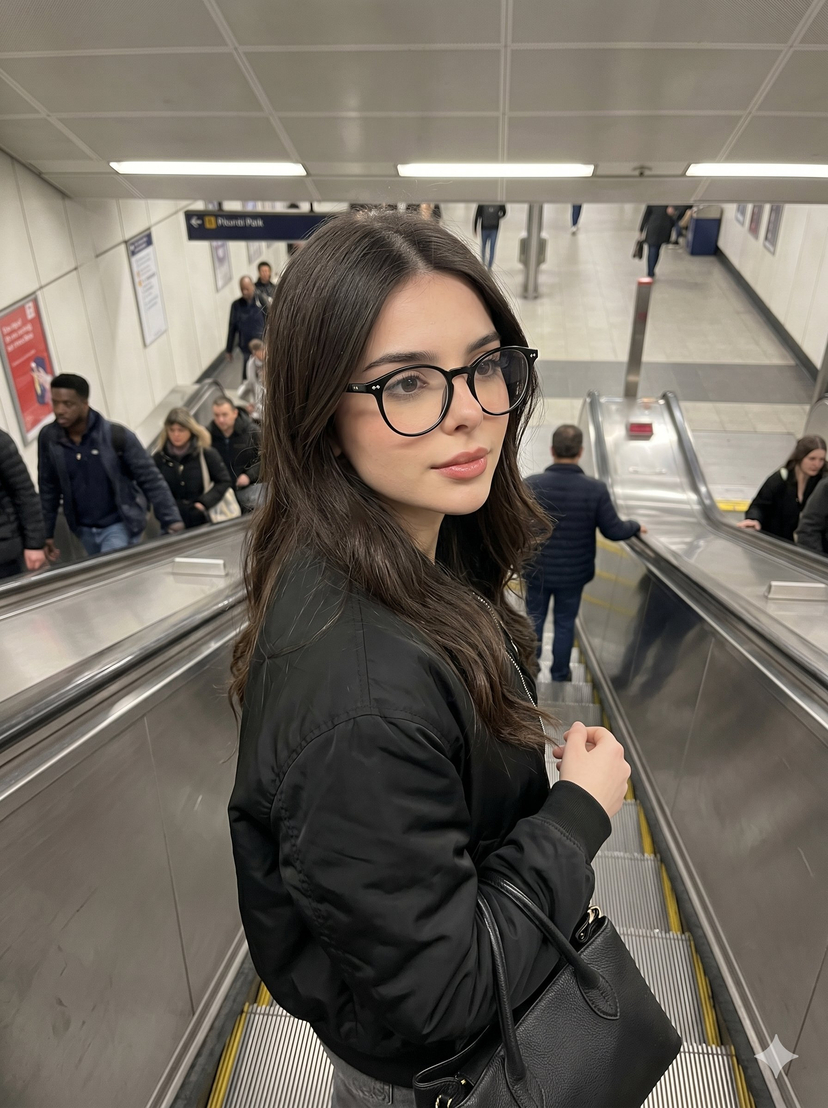
A detailed JSON prompt structure for generating a playful, high-angle selfie portrait of a young woman on an escalator. The prompt specifies detailed subject features, wardrobe, setting, lighting (natural indoor ambient), and a candid, social media content style. It includes a negative prompt to ensure the desired mood and setting are maintained. (free to use) — Free AI image template on PicX Studio.
{ "prompt": "Playful escalator selfie from above, young woman with platinum white blonde short wavy bob hair, looking up at camera sticking tongue out in silly fun expression, light blue grey eyes, natural minimal makeup, fair porcelain skin, wearing cream beige tank top with thin straps, black leather shoulder bag strap visible across chest, standing on metal escalator steps, another person partially visible behind wearing polka dot pattern shirt, shopping mall or metro station setting, high angle overhead selfie perspective looking down, natural indoor lighting, candid playful moment, social media content style, fun casual mood", "negative_prompt": "serious expression, outdoor, studio lighting, dark hair, full body shot, professional formal setting", "style": "candid playful selfie, social media content, fun casual moment, overhead angle portrait", "aspect_ratio": "3:4", "camera": { "type": "smartphone front camera selfie", "angle": "high overhead angle looking down at subject looking up", "framing": "close-up portrait from above, face and upper body visible" }, "lighting": { "type": "natural indoor ambient light", "quality": "soft even lighting from mall or station ceiling lights", "atmosphere": "casual everyday indoor public space" }, "mood": "playful, fun, silly, casual, spontaneous, youthful, carefree", "color_palette": "platinum white blonde, cream beige top, black bag strap, silver metal escalator, neutral tones", "subject_features": { "hair": "platinum white blonde, short wavy bob length, natural texture, middle parted", "skin": "fair, porcelain, clear, natural", "eyes": "light blue grey, looking up at camera, natural lashes, subtle eye makeup", "lips": "natural pink, tongue sticking out playfully", "eyebrows": "natural brown, soft groomed shape", "expression": "playful silly, tongue out, fun candid moment" }, "makeup": { "style": "natural minimal everyday makeup", "base": "natural skin, light coverage", "eyes": "subtle neutral eyeshadow, natural lashes", "lips": "natural pink, no heavy lipstick" }, "wardrobe": { "top": "cream beige tank top or camisole, thin spaghetti straps", "accessories": "black leather shoulder bag with strap across chest" }, "pose": { "expression": "sticking tongue out at camera in playful silly pose", "head": "tilted slightly looking up at camera above", "body": "standing on escalator facing forward" }, "setting": { "location": "escalator in shopping mall or metro station", "background": "metal escalator steps, black handrail, another person behind in polka dot shirt, black and white abstract art on wall", "atmosphere": "busy public indoor space, casual everyday moment" } }
Use Playful Escalator Selfie Portrait to plan an AI image around nano-banana-2 generation. Match the preview's composition first, then personalize the subject, setting, and mood for your own project.
Use the primary action to load the template settings in PicX Studio.
Adjust the subject and creative details for your destination.
Create the image, compare the result with the preview, and refine one variable at a time.
A continuous mix — similar concepts first, woven with same-model prompts and fresh picks from the catalog.
Choose the primary action to open PicX Studio with the available template settings. Review the model and format, personalize the creative direction, and generate when ready.
Yes. You can change the subject, setting, lighting, mood, format, and available model controls before creating your image.
This template is free to open and customize. Generation usage is shown in PicX Studio before you create.
Start with nano-banana-2, which is the model associated with this template. You can compare another compatible model for a different finish.
A continuous mix — similar concepts first, woven with same-model prompts and fresh picks from the catalog.
Follow a topic to a crawlable collection of related PicX Studio templates.
32,032 public templates available. Verified via the PicX Studio public templates API; refreshed hourly.