How do I use the Gothic Lolita Mirror Selfie Prompt template?
Choose the primary action to open PicX Studio with the available template settings. Review the model and format, personalize the creative direction, and generate when ready.
A detailed JSON prompt for generating a mirror selfie of a young woman wearing an elaborate deep purple Gothic Lolita corset dress in a bright, modern luxury bathroom setting, emphasizing the contrast between the dark fashion and the airy environment. Change the subject, setting, or lighting one variable at a time.

{ "subject": { "description": "Young woman with pale skin and long, straight platinum blonde hair reaching past her shoulders", "pose": "Standing mirror selfie pose, holding a black smartphone in one hand to capture the reflection, body slightly angled", "features": "Soft, neutral expression, minimal makeup, delicate facial features" }, "fashion_and_apparel": { "garment": "Elaborate deep {argument name="dress color" default="purple"} Gothic Lolita-style corset dress", "bodice_details": "Satin corset structure with front ribbon lacing, asymmetric neckline adorned with fabric roses, and a connecting lace choker/collar piece", "skirt_details": "Voluminous, multi-tiered skirt featuring layers of dark purple satin ruffles and lace trim", "style": "Gothic glamour, Victorian-inspired, cosplay aesthetic" }, "composition_and_setting": { "environment": "Bright, modern luxury bathroom with white interiors", "key_elements": [ "White marble vanity countertop", "Large white freestanding soaking tub in the background", "Lit candle in a brown glass jar on the counter", "Silver faucet", "Crystal chandelier hanging from the ceiling" ], "framing": "Medium shot (thigh-up) captured via a mirror reflection" }, "lighting_and_aesthetic": { "lighting": "High-key natural daylight filling the room, soft shadows, bright and airy atmosphere contrasting with the dark dress", "color_palette": "Dominant white and cool grays in the background, contrasting with the deep eggplant and violet tones of the dress" }, "technical_details": { "perspective": "First-person mirror selfie perspective", "focus": "Sharp focus on the outfit textures (satin, lace) and the subject", "device_visibility": "Black smartphone visible in hand blocking part of the torso" } }
Choose the primary action to open PicX Studio with the available template settings. Review the model and format, personalize the creative direction, and generate when ready.
Yes. You can change the subject, setting, lighting, mood, format, and available model controls before creating your image.
This template is free to open and customize. Generation usage is shown in PicX Studio before you create.
Start with Nano Banana 2, which is the model associated with this template. You can compare another compatible model for a different finish.
© 2026 PicX Studio. All rights reserved.

Follow a topic to a crawlable collection of related PicX Studio templates.
43,474 public templates available. Verified via the PicX Studio public templates API; refreshed hourly.


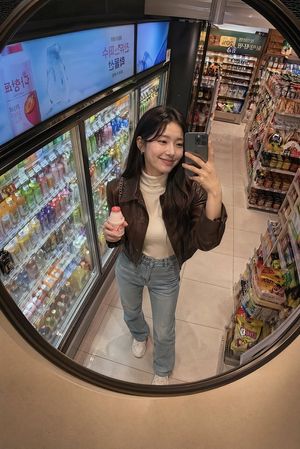
![nano-banana-grwm-mirror-selfie-pink — Nano Banana 2
Prompt (JSON):
{
"type": "image_prompt",
"description": {
"subject": {
"main": "[NAME] com o](/_next/image?url=https%3A%2F%2Fcdn.picxstudio.com%2Fuploads%2Ftweet_img_10a_612da6f9-cf6d-417e-bdd5-cc1300d1d830.jpg&w=828&q=100)















![Naive doodle-style subject illustration — A doodle-style {argument name="subject" default="[subject]"}, naive lines, humorous shape exaggeration](https://pbs.twimg.com/media/G6Wl2YxbsAARB2b.jpg)











![9-Scene Fashion Collage Grid Prompt for Nano Banana Pro — Based on [uploaded character image] and strictly maintaining unchanged facial features, generate a hig](https://pbs.twimg.com/media/G7sZ6h1bEAAEjTP.jpg)