
Anime RPG Sword Attack Storyboard
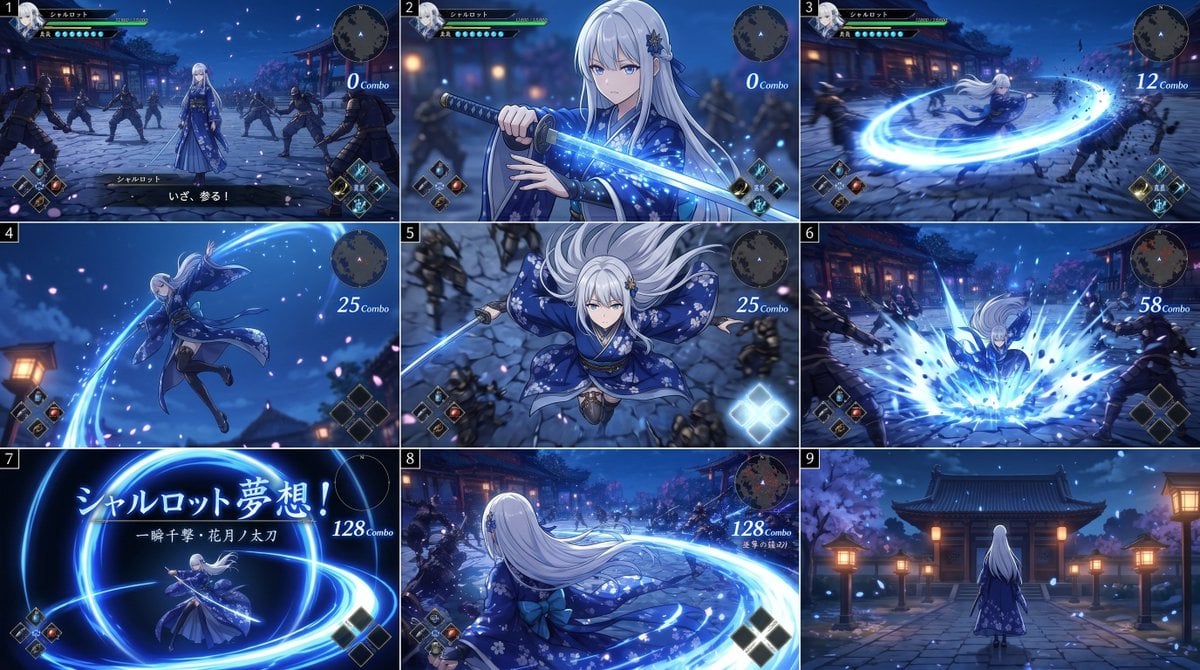
A 9-panel action-game storyboard showing an elegant white-haired swordswoman performing a glowing katana combo in a moonlit Japanese temple courtyard, useful for cinematic game concept art and UI-integrated combat…
- Prompt included
- Model and format preset
- Free template
The prompt behind this image
Copy the exact prompt behind Anime RPG Sword Attack Storyboard, or open it in the studio and make it yours.
- Type
- anime action game storyboard sheet
- Style
- high-end Japanese action RPG cinematic storyboard, polished 3D anime rendering, dramatic blue night lighting, glowing sword effects, sakura petals, motion blur, fantasy samurai atmosphere
- Subject › Character › Name
- {argument name="character name" default="シャルロット"}
- Subject › Character › Gender Presentation
- young woman
- Subject › Character › Hair › Color
- {argument name="hair color" default="silver white"}
- Subject › Character › Hair › Style
- very long straight hair with soft bangs, floral hair ornament on one side
- Subject › Character › Outfit › Primary Color
- deep indigo blue
- Subject › Character › Outfit › Description
- elegant floral kimono-inspired battle dress with long flowing sleeves, layered skirt, obi-style waist, patterned fabric with white blossoms and gold details
- Subject › Character › Weapon
- katana with luminous blue blade
- Subject › Enemies › Count
- 8
- Subject › Enemies › Description
- black-clad ninja swordsmen surrounding her across the courtyard
- Environment › Location
- traditional Japanese temple courtyard at night
- Environment › Details
- stone paving, wooden shrine buildings, warm paper lanterns, cherry blossom trees, falling petals, deep blue sky
- Ui › Components
- character status bar at top left, circular minimap at top right, skill icons at lower corners, combo counter text on right side, subtitle or move text in some panels
- Layout › Grid › Rows
- 3
- Layout › Grid › Columns
- 3
- Layout › Grid › Count
- 9
- Layout › Numbered Panels
- true
- Layout › Sections › 0 › Title
- 1
- Layout › Sections › 0 › Position
- top-left
- Layout › Sections › 0 › Count
- 1
- Layout › Sections › 0 › Description
- wide gameplay view, the heroine stands centered in the temple courtyard while 8 ninja enemies encircle her; game HUD visible; dialogue text at bottom; combo counter reads 0
- Layout › Sections › 1 › Title
- 2
- Layout › Sections › 1 › Position
- top-center
Raw JSON
{"type":"anime action game storyboard sheet","style":"high-end Japanese action RPG cinematic storyboard, polished 3D anime rendering, dramatic blue night lighting, glowing sword effects, sakura petals, motion blur, fantasy samurai atmosphere","subject":{"character":{"name":"{argument name=\"character name\" default=\"シャルロット\"}","gender_presentation":"young woman","hair":{"color":"{argument name=\"hair color\" default=\"silver white\"}","style":"very long straight hair with soft bangs, floral hair ornament on one side"},"outfit":{"primary_color":"deep indigo blue","description":"elegant floral kimono-inspired battle dress with long flowing sleeves, layered skirt, obi-style waist, patterned fabric with white blossoms and gold details"},"weapon":"katana with luminous blue blade"},"enemies":{"count":8,"description":"black-clad ninja swordsmen surrounding her across the courtyard"}},"environment":{"location":"traditional Japanese temple courtyard at night","details":["stone paving","wooden shrine buildings","warm paper lanterns","cherry blossom trees","falling petals","deep blue sky"]},"ui":{"components":["character status bar at top left","circular minimap at top right","skill icons at lower corners","combo counter text on right side","subtitle or move text in some panels"]},"layout":{"grid":{"rows":3,"columns":3,"count":9},"numbered_panels":true,"sections":[{"title":"1","position":"top-left","count":1,"description":"wide gameplay view, the heroine stands centered in the temple courtyard while 8 ninja enemies encircle her; game HUD visible; dialogue text at bottom; combo counter reads 0"},{"title":"2","position":"top-center","count":1,"description":"close-up of the heroine drawing or gripping the glowing katana in front of her chest, blue spark-like particles around the blade, confident pre-attack pose; combo counter reads 0"},{"title":"3","position":"top-right","count":1,"description":"fast spinning horizontal slash, bright circular blue energy ring expands from her sword and knocks enemies back; combo counter reads 12"},{"title":"4","position":"middle-left","count":1,"description":"dynamic midair leap, full-body side view, robe and long hair flowing, a sweeping blue arc trails from the blade; combo counter reads 25"},{"title":"5","position":"middle-center","count":1,"description":"top-down action shot as she descends toward the ground with sword aimed downward, sleeves spread like wings, enemies below; combo counter reads 25"},{"title":"6","position":"middle-right","count":1,"description":"impact frame, she lands and unleashes a large blue energy burst from the ground, enemies thrown outward by the shockwave; combo counter reads 58"},{"title":"7","position":"bottom-left","count":1,"description":"special move title card on a dark blue background with luminous sword circles; large Japanese text includes the character name and attack title; combo counter reads 128","visible_text":["シャルロット夢想!","一瞬十撃・花月ノ太刀","128 Combo"]},{"title":"8","position":"bottom-center","count":1,"description":"rear three-quarter gameplay view, the heroine completes a huge sweeping circular slash across the courtyard, long white hair and kimono trailing behind, enemies scattered at distance; combo counter reads 128"},{"title":"9","position":"bottom-right","count":1,"description":"quiet ending shot from behind, the heroine stands alone facing a temple gate and lanterns in the moonlit courtyard, petals drifting, no active combat motion"}],"reading_order":"left to right, top to bottom"},"color_palette":{"dominant":["midnight blue","electric cyan","silver white","indigo","lantern gold"]},"camera_and_mood":"cinematic action storyboard progression from calm standoff to sword draw, spinning combo attack, aerial strike, finishing special move, then serene aftermath; each panel framed like game screenshots with visible HUD"}How to use Anime RPG Sword Attack Storyboard in 3 steps
- 1Upload ImagePNG, JPG or paste
Add your photo
Upload the photo the template builds on. The prompt, model and format are already set.
- 2…a portrait of your subject in softgolden-hour light, 85mm…
Personalize
Edit the subject and creative details for your destination.
- 3Generate
Generate
Press Generate — your image is created in PicX Studio, so you can compare it with the original and refine one variable at a time.
More like this
Templates with the same subject, style or setup. Open one to see its prompt.








Make it yours
Anime RPG Sword Attack Storyboard works as-is. These are the safest ways to change it without losing the look.
Swap the setting
Keep the rest of the prompt and replace the location block. The current setting is “traditional Japanese temple courtyard at night”.
Change one field
Copy a single group, rewrite it, and generate again so you can see what that field is doing.
Keep the frame, change the subject
Hold the composition and light of Anime RPG Sword Attack Storyboard, then swap wardrobe, props or the person for a new take.
| If the result… | Why | Fix |
|---|---|---|
| The result drifts from the preview | Too many fields changed at once. | Reuse Anime RPG Sword Attack Storyboard as-is first, then change one group — subject, light, or setting. |
| GPT Image 2 ignores part of the JSON | Some models flatten or skip nested keys. | Keep the same values and paste them as a short paragraph instead. |
More GPT Image 2 templates
Other prompts made for GPT Image 2.

Six VTuber Japanese Logo Sheet

Realistic Portrait of Woman and Deer

The Vista Modular Condo Poster

AI Model Routing Comparison Infographic

2.5D Anime Art Board

Isometric Productivity Desk Scene

New York Double Exposure Poster

Four-Panel AI Landscape Comparison

Japanese Tatami Lifestyle Magazine Cover

NESCAFÉ Coffee Map Poster
More image prompts
Fresh picks from across the catalog.
Iridescent Water Phone Wallpaper
Photorealistic Portrait with Whimsical 3D Cartoon Clone Prompt
Cinematic Rainy City Portrait Prompt

Comical Portrait of Woman with Winking Cat
Pakistani Café Fashion Portrait

Grunge Street Photography Portrait with a Sports Car
Fashion Portrait in Burgundy and Camel
Censored Dark Fantasy Treasure Hunter
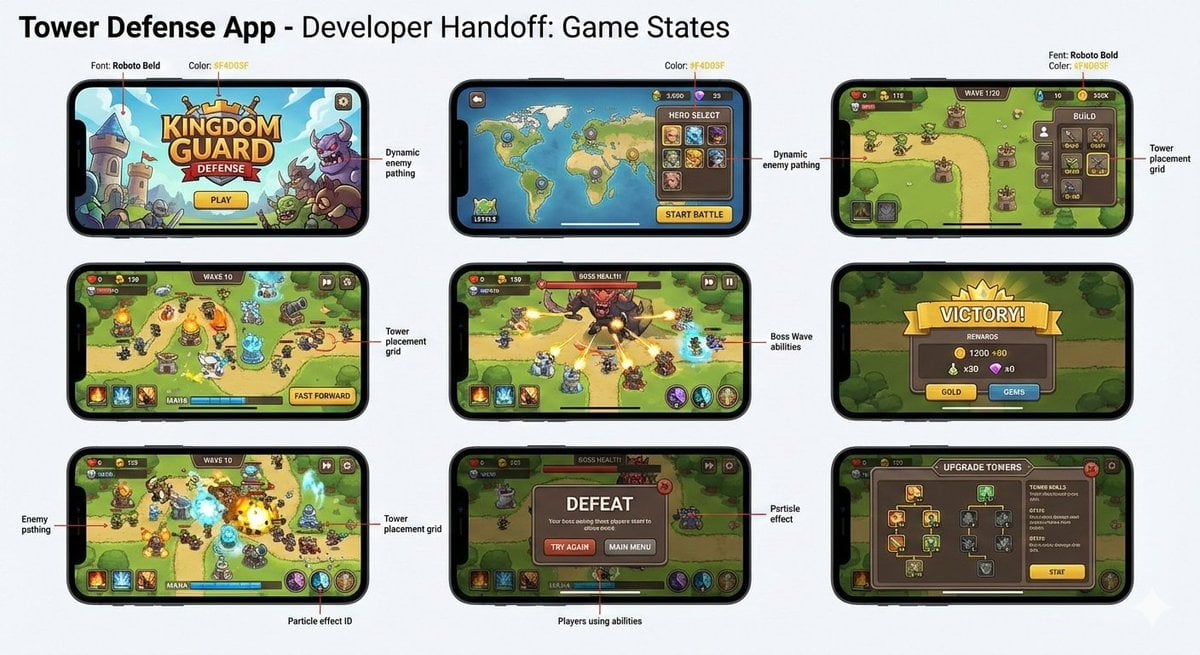
Tower defense mobile app design mockup grid

Luxury Fashion Executive Portrait
Browse template categories
Anime RPG Sword Attack Storyboard questions
How do I use the Anime RPG Sword Attack Storyboard template?
Add your photo if the template asks for one, edit the prompt if you like — the template's model and format are already selected — and press Generate. Your version opens in PicX Studio.
Can I customize the Anime RPG Sword Attack Storyboard template?
Yes. You can change the subject, setting, lighting, mood, format, and available model controls before creating your image.
Is the Anime RPG Sword Attack Storyboard template free?
Opening and editing this template is free. Generating uses credits, shown on the Generate button when you are signed in.
Which AI model should I use?
Start with GPT Image 2, which is the model associated with this template. You can compare another compatible model for a different finish.
Looking for something else? Browse all templates.

Your photo, any look
Thousands of ready templates for every top image and video model, from one credit balance.