How do I use the London Eye 15-shot cinematic sequence template?
Edit the prompt in the box under the preview — the template's model and format are already selected — and press Generate. Your version appears right on this page.
A comprehensive 15-shot video sequence prompt for Seedance 2.0 focusing on the London Eye and its atmospheric transition from day to night.
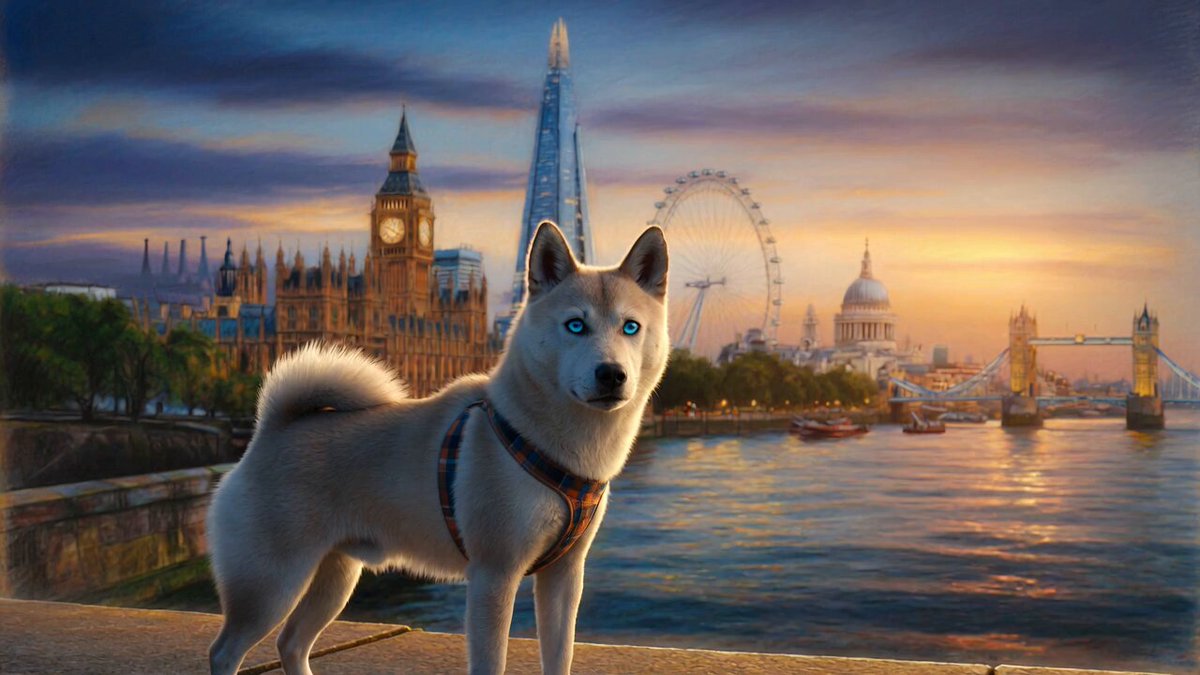
Create a cinematic 15-shot video sequence centered around the London Eye, capturing the transition from calm daytime elegance to vibrant, electric night energy along the Thames.\n\nStyle & Tone:\nUltra-realistic, cinematic, soft film grain, shallow depth of field, anamorphic lens flares, dramatic sky, London’s moody atmosphere with warm highlights and cool shadows.\n🎥 Shot List:\nAerial drone shot of London skyline at sunrise, River Thames glowing softly.\nSlow reveal of the London Eye through morning fog.\nClose-up of the rotating capsules reflecting the city.\nWide shot from Westminster Bridge with traffic motion blur.\nLow-angle hero shot emphasizing the scale of the wheel.\nTime-lapse of clouds sweeping across the sky behind it.\nTourists boarding capsules, natural candid movement.\nPOV from inside a capsule rising above the city.\nView of Big Ben and Parliament from above.\nRainy London scene — reflections on wet pavement near the Eye.\nMacro shot of raindrops with blurred city lights.\nTransition to dusk — skyline shifts to deep blues and oranges.\nNight illumination — the Eye glows with changing colors.\nCinematic orbit shot capturing reflections on the Thames.\nFinal aerial pull-away revealing London at night in full glow.\n🎨 Visual Direction:\nLighting: soft morning haze → golden hour → moody blue hour → neon night\nCamera: drone sweeps, dolly-ins, slow pans, stabilized tracking\nColor grade: cinematic teal-orange with muted tones\nMood: calm, urban, slightly dramatic and atmospheric\n\nSettings:\nAspect Ratio: 16:9\nFPS: 24fps\nMotion: smooth, cinematic stabilization\nDetail: ultra-realistic textures, high dynamic range
Create a cinematic 15-shot video sequence centered around the London Eye, capturing the transition from calm daytime elegance to vibrant, electric night energy along the Thames.\n\nStyle & Tone:\nUltra-realistic, cinematic, soft film grain, shallow depth of field, anamorphic lens flares, dramatic sky, London’s moody atmosphere with warm highlights and cool shadows.\n🎥 Shot List:\nAerial drone shot of London skyline at sunrise, River Thames glowing softly.\nSlow reveal of the London Eye through morning fog.\nClose-up of the rotating capsules reflecting the city.\nWide shot from Westminster Bridge with traffic motion blur.\nLow-angle hero shot emphasizing the scale of the wheel.\nTime-lapse of clouds sweeping across the sky behind it.\nTourists boarding capsules, natural candid movement.\nPOV from inside a capsule rising above the city.\nView of Big Ben and Parliament from above.\nRainy London scene — reflections on wet pavement near the Eye.\nMacro shot of raindrops with blurred city lights.\nTransition to dusk — skyline shifts to deep blues and oranges.\nNight illumination — the Eye glows with changing colors.\nCinematic orbit shot capturing reflections on the Thames.\nFinal aerial pull-away revealing London at night in full glow.\n🎨 Visual Direction:\nLighting: soft morning haze → golden hour → moody blue hour → neon night\nCamera: drone sweeps, dolly-ins, slow pans, stabilized tracking\nColor grade: cinematic teal-orange with muted tones\nMood: calm, urban, slightly dramatic and atmospheric\n\nSettings:\nAspect Ratio: 16:9\nFPS: 24fps\nMotion: smooth, cinematic stabilization\nDetail: ultra-realistic textures, high dynamic range
Edit the prompt in the box under the preview — the template's model and format are already selected — and press Generate. Your version appears right on this page.
Yes. You can change the subject, setting, lighting, mood, format, and available model controls before creating your video.
Opening and editing this template is free. Generating uses credits, shown on the Generate button when you are signed in.
Start with Seedance 2.0, which is the model associated with this template. You can compare another compatible model for a different finish.
Follow a topic to a crawlable collection of related PicX Studio templates.