How do I use the City Time Freeze Cinematic Sequence template?
Edit the prompt in the box under the preview — the template's model and format are already selected — and press Generate. Your version appears right on this page.
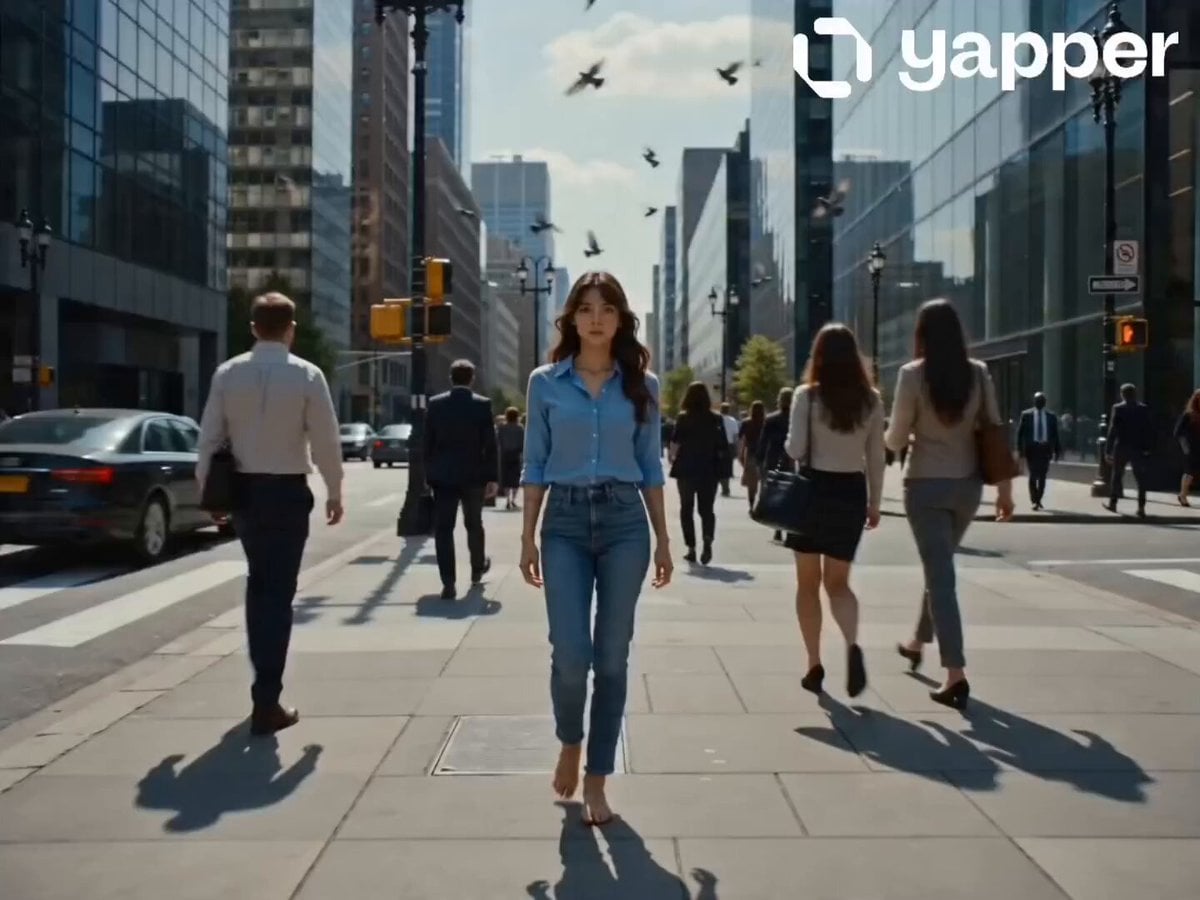
A detailed 15-second cinematic prompt involving a girl freezing a city street in time using a shockwave, with specific camera and lighting details.
Cinematic ultra-realistic 15-second short film, western girl in a dark jacket walking through a busy city sidewalk, natural daylight, hard shadows, shallow depth of field, shot on Arri Alexa Mini, 50mm lens. She walks confidently through moving pedestrians, phones, conversations, and pigeons flying in a bright sky. She snaps her fingers — a white spherical shockwave expands outward, freezing everything instantly: people mid-step, dust and leaves suspended, pigeons frozen mid-flight. Silence. She calmly walks through the frozen world, observing everything, gently touching a suspended pigeon. She stops in front of a fully clothed woman in a flowing red dress frozen mid-motion, studies her with a calm expression. She then snaps again — a stronger reverse shockwave restores motion across the city. Pedestrians resume walking, pigeons scatter into flight, leaves fall naturally. She turns and walks away as the camera pulls back into a wide cinematic aerial shot. Fade out.
Cinematic ultra-realistic 15-second short film, western girl in a dark jacket walking through a busy city sidewalk, natural daylight, hard shadows, shallow depth of field, shot on Arri Alexa Mini, 50mm lens. She walks confidently through moving pedestrians, phones, conversations, and pigeons flying in a bright sky. She snaps her fingers — a white spherical shockwave expands outward, freezing everything instantly: people mid-step, dust and leaves suspended, pigeons frozen mid-flight. Silence. She calmly walks through the frozen world, observing everything, gently touching a suspended pigeon. She stops in front of a fully clothed woman in a flowing red dress frozen mid-motion, studies her with a calm expression. She then snaps again — a stronger reverse shockwave restores motion across the city. Pedestrians resume walking, pigeons scatter into flight, leaves fall naturally. She turns and walks away as the camera pulls back into a wide cinematic aerial shot. Fade out.
Edit the prompt in the box under the preview — the template's model and format are already selected — and press Generate. Your version appears right on this page.
Yes. You can change the subject, setting, lighting, mood, format, and available model controls before creating your video.
Opening and editing this template is free. Generating uses credits, shown on the Generate button when you are signed in.
Start with Seedance 2.0, which is the model associated with this template. You can compare another compatible model for a different finish.
Follow a topic to a crawlable collection of related PicX Studio templates.