How do I use the Live Streamer UI Mockup template?
Choose the primary action to open PicX Studio with the available template settings. Review the model and format, personalize the creative direction, and generate when ready.
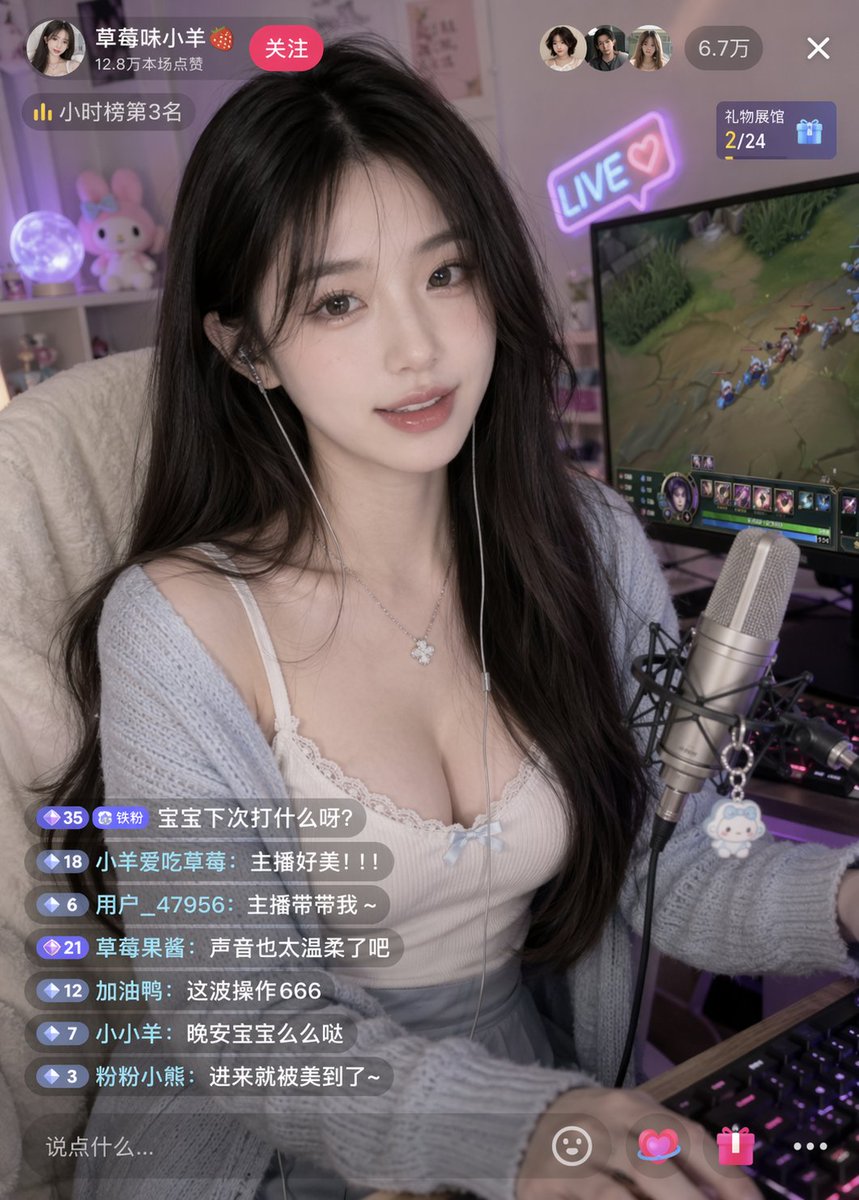
Generates a realistic live streaming interface featuring a female gamer with customizable UI overlays and chat messages. (free to use) — Free AI image template on PicX Studio.
{ "type": "live stream interface mockup", "subject": { "description": "young East Asian woman, long dark wavy hair, gentle smile, silver clover necklace, wired earphones", "clothing": "{argument name=\"clothing\" default=\"white lace-trimmed camisole with a small blue bow, light blue cardigan, grey pleated skirt\"}", "pose": "sitting at a desk, looking directly at the camera, one hand on an RGB mechanical keyboard" }, "environment": { "foreground": "professional condenser microphone on a boom arm with a small white plush keychain attached", "background": "gaming room setup, large computer monitor displaying a {argument name=\"game on monitor\" default=\"MOBA game\"}, shelf with a glowing moon lamp and a pink bunny plushie", "lighting": "soft indoor lighting with purple and blue ambient glow from the monitor and a neon '{argument name=\"neon sign text\" default=\"LIVE ♡\"}' sign on the wall" }, "layout": { "sections": [ { "title": "Top Left Profile", "position": "top-left", "count": 4, "labels": ["{argument name=\"username\" default=\"草莓味小羊 🍓\"}", "12.8万本场点赞", "关注", "小时榜第3名"] }, { "title": "Top Right Stats", "position": "top-right", "count": 4, "labels": ["3 viewer avatars", "6.7万", "X", "礼物展馆 2/24"] }, { "title": "Chat Overlay", "position": "bottom-left", "count": 7, "labels": [ "{argument name=\"chat message 1\" default=\"宝宝下次打什么呀?\"}", "主播好美!!!", "主播带带我~", "声音也太温柔了吧", "这波操作666", "晚安宝宝么么哒", "进来就被美到了~" ] }, { "title": "Input Bar", "position": "bottom", "count": 5, "labels": ["说点什么...", "smiley icon", "heart icon", "gift icon", "three dots icon"] } ] } }
Live Streamer UI Mockup needs input media to work. Open it in the studio and these load alongside the prompt — pick whichever ones your chosen model can take.
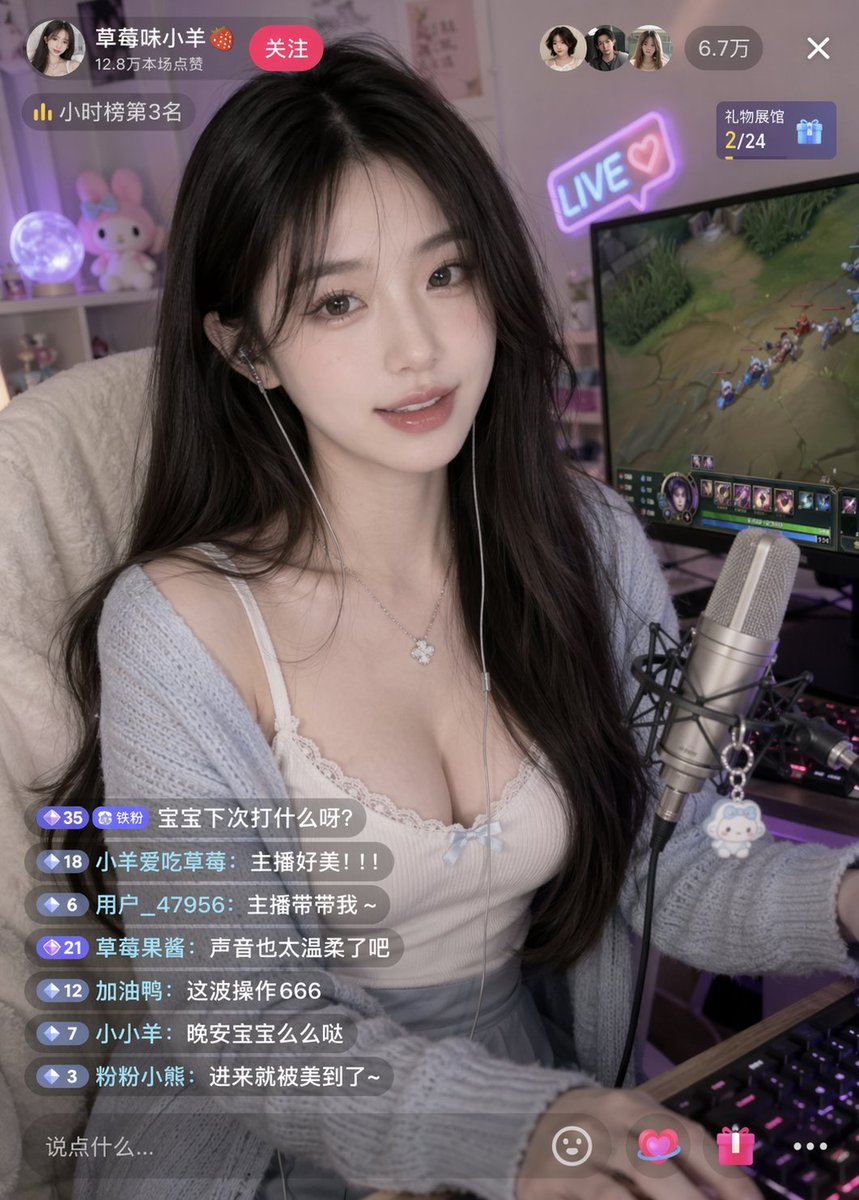
Use Live Streamer UI Mockup to plan an AI image around gpt-image-2 generation, themes such as en and gpt-image-2. Match the preview's composition first, then personalize the subject, setting, and mood for your own project.
Use the primary action to load the template settings in PicX Studio.
Adjust the subject and creative details for your destination.
Create the image, compare the result with the preview, and refine one variable at a time.
A continuous mix — similar concepts first, woven with same-model prompts and fresh picks from the catalog.
Choose the primary action to open PicX Studio with the available template settings. Review the model and format, personalize the creative direction, and generate when ready.
Yes. You can change the subject, setting, lighting, mood, format, and available model controls before creating your image.
This template is free to open and customize. Generation usage is shown in PicX Studio before you create.
Start with gpt-image-2, which is the model associated with this template. You can compare another compatible model for a different finish.
Follow a topic to a crawlable collection of related PicX Studio templates.
39,157 public templates available. Verified via the PicX Studio public templates API; refreshed hourly.
A continuous mix — similar concepts first, woven with same-model prompts and fresh picks from the catalog.