How do I use the Rain Glass Fashion Portrait template?
Choose the primary action to open PicX Studio with the available template settings. Review the model and format, personalize the creative direction, and generate when ready.
Creates a melancholic editorial portrait of a wet-haired woman behind rain-streaked glass for fine-art fashion imagery. Change the subject, setting, or lighting one variable at a time.
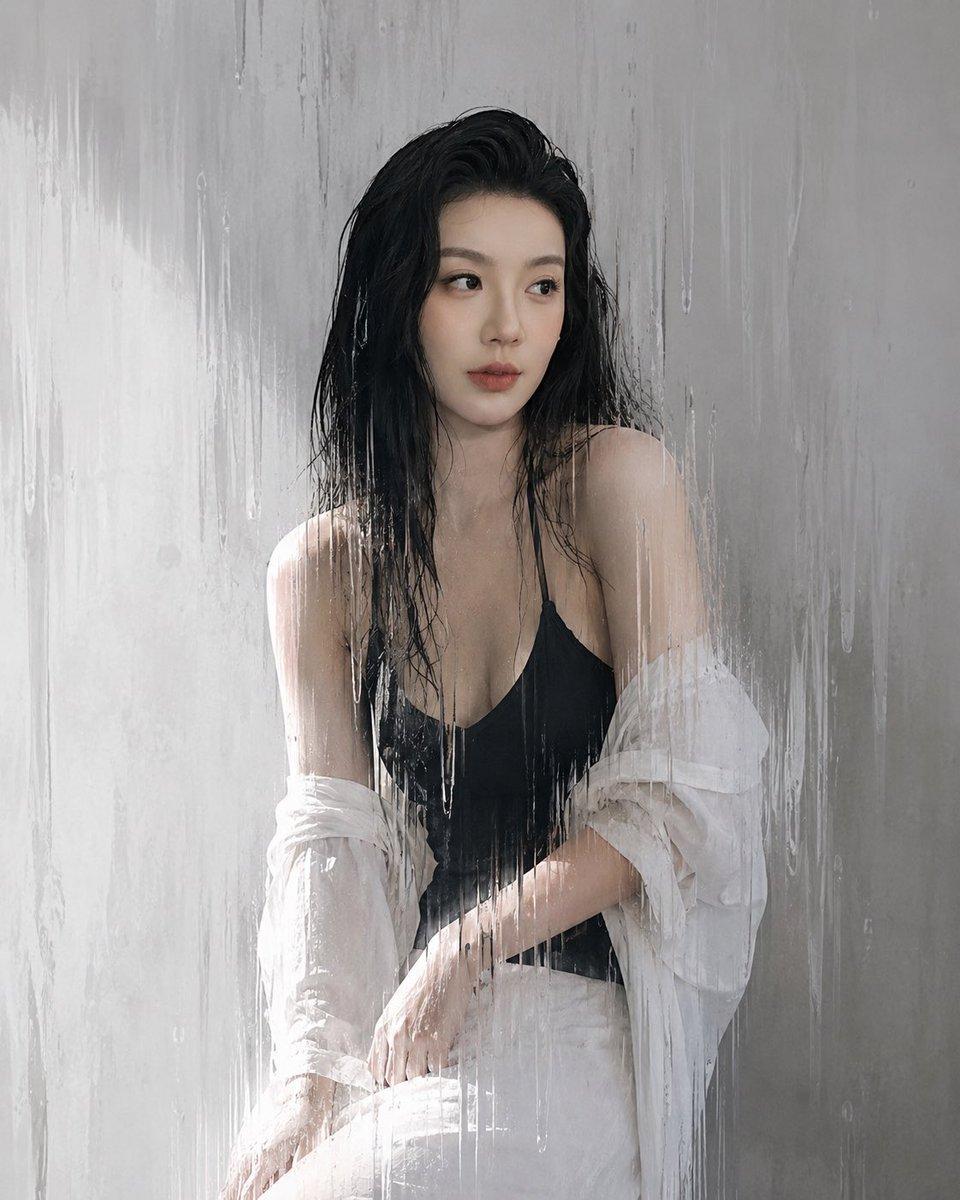
Create a moody fine-art fashion portrait of an adult woman photographed through rain-streaked glass, with a soft gray concrete wall behind her and the feeling of being enclosed by rain, glass, and time. The subject has {argument name="hair color" default="wet black hair"} hanging messily around her face and shoulders, a centered seated pose, bare shoulders, a {argument name="top color" default="black"} deep V camisole, loose white trousers, and an oversized {argument name="shirt color" default="white"} button-up shirt slipped off both shoulders and bunched around her arms. Her face is intentionally obscured by a soft rectangular blur/censor block, while the body and clothing remain sharp enough to read. Shoot vertically in a realistic editorial photography style, muted monochrome palette, cool gray and white tones, soft diffused daylight from the left, high contrast between wet dark hair and pale wall, translucent water trails and droplets running down the glass in front of the camera, subtle reflections, hazy atmosphere, delicate skin highlights, quiet melancholic mood, like a photograph slowly turning into a memory. Use a 4:5 portrait composition, subject centered from thighs to head, minimal background, no text, no watermark, no extra people.
Choose the primary action to open PicX Studio with the available template settings. Review the model and format, personalize the creative direction, and generate when ready.
Yes. You can change the subject, setting, lighting, mood, format, and available model controls before creating your image.
This template is free to open and customize. Generation usage is shown in PicX Studio before you create.
Start with GPT Image 2, which is the model associated with this template. You can compare another compatible model for a different finish.
© 2026 PicX Studio. All rights reserved.

Follow a topic to a crawlable collection of related PicX Studio templates.
43,474 public templates available. Verified via the PicX Studio public templates API; refreshed hourly.


















![Minimalist Flat Vector Travel Poster — Premium minimalist flat-vector travel poster for {argument name="city name" default="[CITY_NAME]"}, 3:4 vertical format.](https://cms-assets.youmind.com/media/1787917359711_3ug846_HQX205cbMAA6F6S-300x400.jpg)


























![Crumpled Fabric Editorial Poster — Vertical editorial poster portrait of {argument name="character" default="[CHARACTER]"} with {argument name="hair style" defa](https://cms-assets.youmind.com/media/1780217219160_7xfa69_HJi4G0kaQAAS75u.jpg)