How do I use the Overlapping Elf Warrior Lineup template?
Choose the primary action to open PicX Studio with the available template settings. Review the model and format, personalize the creative direction, and generate when ready.
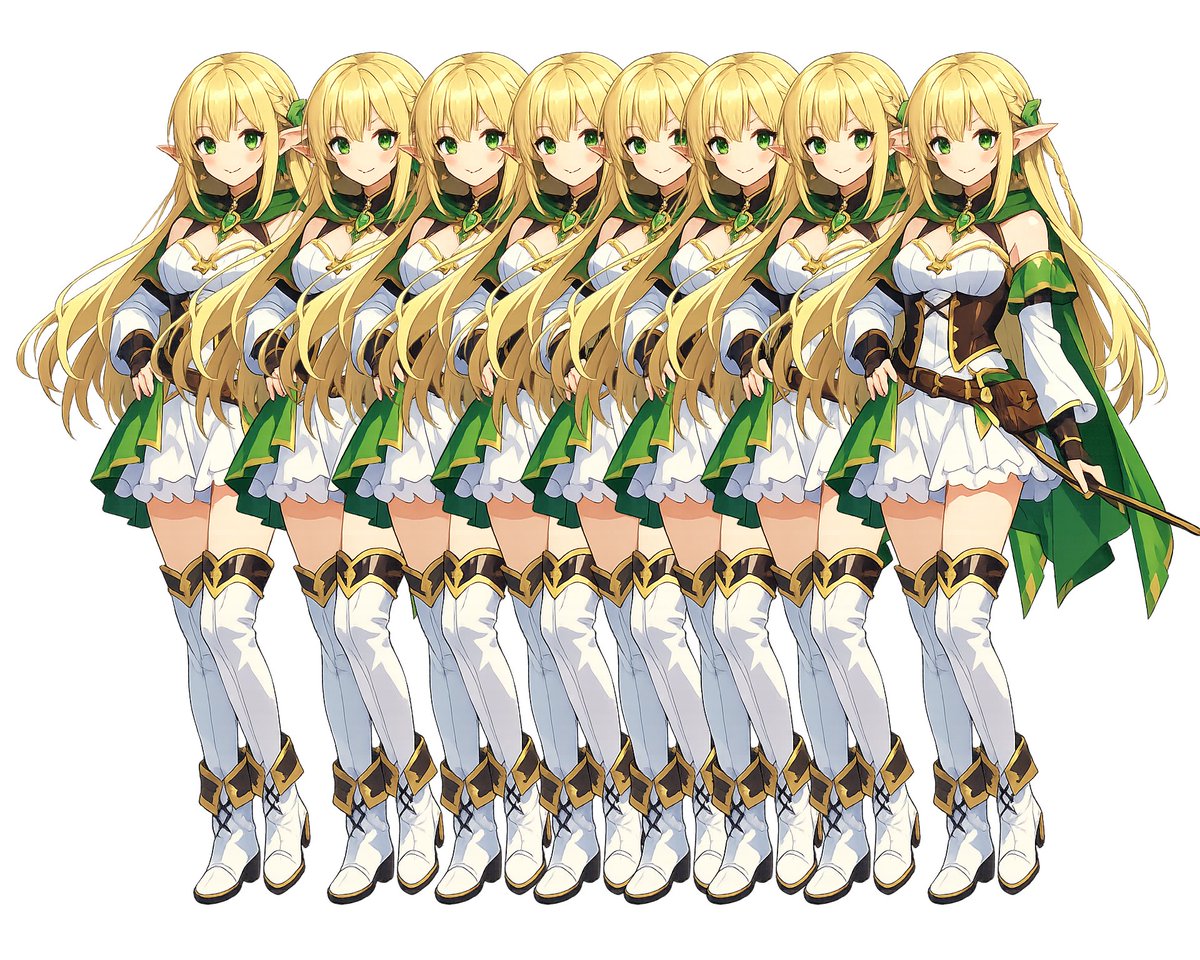
Generates a repeated anime fantasy elf warrior character lineup useful for testing isolated character transparency or background removal. (free to use) — Free AI image template on PicX Studio.
{"type":"anime character lineup sticker sheet","scene":"Create a clean digital anime illustration on a plain white or transparent-looking background, showing eight repeated full-body copies of the same fantasy elf warrior woman arranged side by side in a tight horizontal row, slightly overlapping like duplicated cutouts. Each copy uses the same pose and outfit, with the far-right copy most visible and the others partially hidden behind it.","subject":{"count":8,"character":"{argument name=\"character name\" default=\"blonde elf warrior\"}","style":"polished Japanese fantasy RPG character art, crisp cel shading, clean linework, high detail, bright colors","face":"faces intentionally hidden by soft square beige blur masks, one blur mask centered over each face","ears":"long pointed elf ears visible on the side copies","hair":{"color":"{argument name=\"hair color\" default=\"golden blonde\"}","style":"very long flowing hair past the waist with side braids and loose strands"},"body":"slim curvy adult female fantasy character, full-body view, standing upright with one hand near the skirt and the other holding a weapon"},"outfit":{"main":"white and dark brown fantasy dress armor with gold trim","pieces_count":7,"pieces":["white off-shoulder bodice with dark brown corset panels and gold edging","short layered white skirt with scalloped hem","green cloak or cape draped from the shoulders and trailing behind","green neck scarf with gold brooch and jewel pendant","white thigh-high armored boots with black and gold knee guards","brown gloves and forearm bracers with gold accents","brown belt and side pouch at the waist"]},"weapon":"slender sword or rapier held downward in the right hand of the most visible far-right copy","layout":{"canvas":"landscape 4:3 composition with generous white margins","arrangement":{"count":8,"description":"eight near-identical full-body character duplicates, evenly spaced but strongly overlapping from left to right, forming a dense pasted lineup","visibility":"the rightmost character is clearest; left and center duplicates are partially covered by neighboring copies"}},"rendering":"high-resolution PNG-like isolated character art, no scenery, no shadows or only minimal contact shadow, clean edges suitable for background removal","customization":{"background":"{argument name=\"background type\" default=\"plain white background\"}","number_of_copies":"{argument name=\"number of copies\" default=\"8\"}","face_obscuration":"{argument name=\"face obscuration\" default=\"soft square beige blur masks over every face\"}"}}
Use Overlapping Elf Warrior Lineup to plan an AI image around gpt-image-2 generation, themes such as en and gpt-image-2. Match the preview's composition first, then personalize the subject, setting, and mood for your own project.
Use the primary action to load the template settings in PicX Studio.
Adjust the subject and creative details for your destination.
Create the image, compare the result with the preview, and refine one variable at a time.
A continuous mix — similar concepts first, woven with same-model prompts and fresh picks from the catalog.
Choose the primary action to open PicX Studio with the available template settings. Review the model and format, personalize the creative direction, and generate when ready.
Yes. You can change the subject, setting, lighting, mood, format, and available model controls before creating your image.
This template is free to open and customize. Generation usage is shown in PicX Studio before you create.
Start with gpt-image-2, which is the model associated with this template. You can compare another compatible model for a different finish.
Follow a topic to a crawlable collection of related PicX Studio templates.
39,157 public templates available. Verified via the PicX Studio public templates API; refreshed hourly.
A continuous mix — similar concepts first, woven with same-model prompts and fresh picks from the catalog.