
Futuristic Rescue Suit Monitoring HUD
A detailed sci-fi dashboard poster showing a red armored rescue suit with bilingual Japanese-English status panels, ideal for generating cinematic control-screen interfaces and mecha support system visuals.
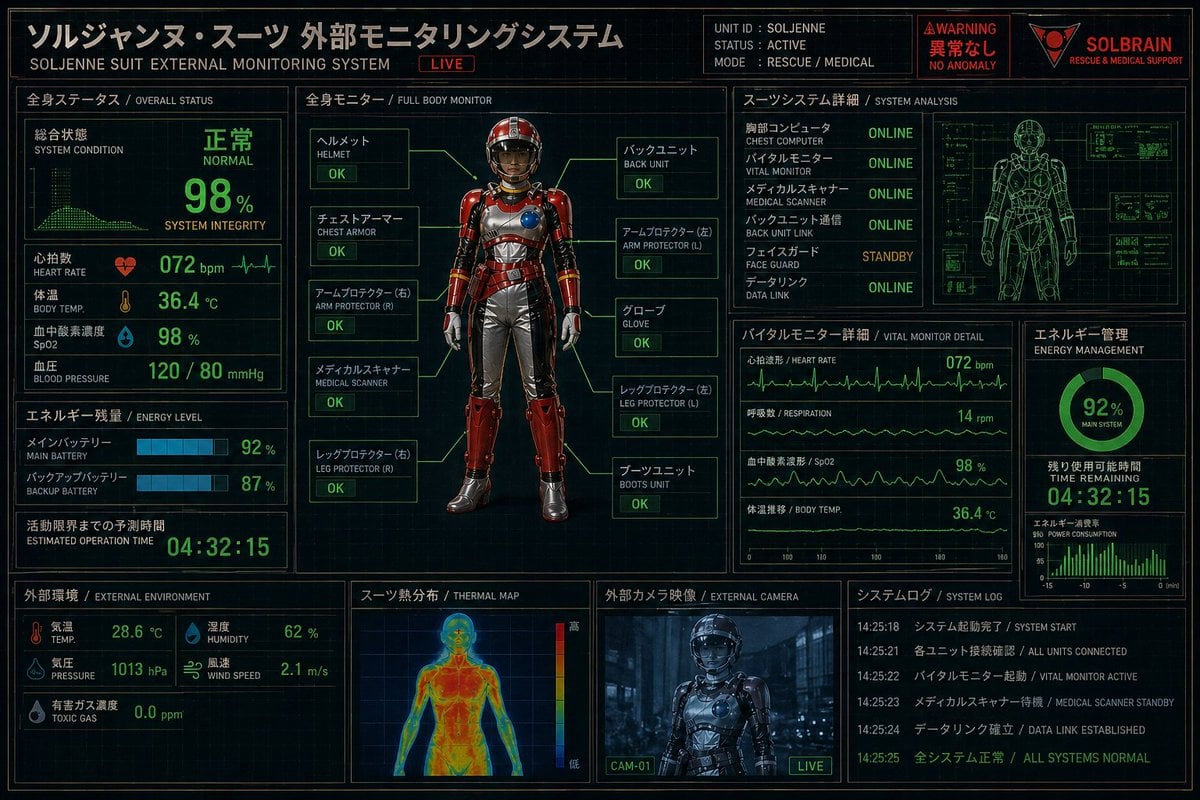
- Prompt included
- Model and format preset
- Free template
The prompt behind this image
Copy the exact prompt behind Futuristic Rescue Suit Monitoring HUD, or open it in the studio and make it yours.
- Type
- futuristic bilingual HUD control panel poster
- Theme
- Japanese sci-fi rescue and medical monitoring interface
- Aspect Ratio
- 3:2 landscape
- Style › Overall
- high-detail cyberpunk dashboard, dark navy-black background with faint grid lines, neon green telemetry, amber-gold headers, red warning accents, technical blueprint overlays, subtle screen glow, crisp UI lines
- Style › Rendering
- clean infographic interface mixed with realistic 3D character render
- Style › Color Palette
- black, deep navy, neon green, amber-gold, warning red, steel gray
- Header › Title Jp
- ソルジャンヌ・スーツ 外部モニタリングシステム
- Header › Title En
- SOLJENNE SUIT EXTERNAL MONITORING SYSTEM
- Header › Live Badge
- LIVE
- Header › Unit Block › Unit Id
- SOLJENNE
- Header › Unit Block › Status
- ACTIVE
- Header › Unit Block › Mode
- RESCUE / MEDICAL
- Header › Alert Block › Warning
- WARNING
- Header › Alert Block › Status Jp
- 異常なし
- Header › Alert Block › Status En
- NO ANOMALY
- Header › Brand › Name
- {argument name="brand name" default="SOLBRAIN"}
- Header › Brand › Tagline
- RESCUE & MEDICAL SUPPORT
- Layout › Sections › 0 › Title
- 全身ステータス
- Layout › Sections › 0 › Subtitle
- OVERALL STATUS
- Layout › Sections › 0 › Position
- left upper
- Layout › Sections › 0 › Count
- 10
- Layout › Sections › 0 › Labels
- 総合状態, SYSTEM CONDITION, 心拍数, HEART RATE, 体温, BODY TEMP., 血中酸素濃度, SpO2, 血圧, BLOOD PRESSURE
- Layout › Sections › 1 › Title
- エネルギー残量
- Layout › Sections › 1 › Subtitle
- ENERGY LEVEL
Raw JSON
{"type":"futuristic bilingual HUD control panel poster","theme":"Japanese sci-fi rescue and medical monitoring interface","aspect_ratio":"3:2 landscape","style":{"overall":"high-detail cyberpunk dashboard, dark navy-black background with faint grid lines, neon green telemetry, amber-gold headers, red warning accents, technical blueprint overlays, subtle screen glow, crisp UI lines","rendering":"clean infographic interface mixed with realistic 3D character render","color_palette":["black","deep navy","neon green","amber-gold","warning red","steel gray"]},"header":{"title_jp":"ソルジャンヌ・スーツ 外部モニタリングシステム","title_en":"SOLJENNE SUIT EXTERNAL MONITORING SYSTEM","live_badge":"LIVE","unit_block":{"unit_id":"SOLJENNE","status":"ACTIVE","mode":"RESCUE / MEDICAL"},"alert_block":{"warning":"WARNING","status_jp":"異常なし","status_en":"NO ANOMALY"},"brand":{"name":"{argument name=\"brand name\" default=\"SOLBRAIN\"}","tagline":"RESCUE & MEDICAL SUPPORT"}},"layout":{"sections":[{"title":"全身ステータス","subtitle":"OVERALL STATUS","position":"left upper","count":10,"labels":["総合状態","SYSTEM CONDITION","心拍数","HEART RATE","体温","BODY TEMP.","血中酸素濃度","SpO2","血圧","BLOOD PRESSURE"]},{"title":"エネルギー残量","subtitle":"ENERGY LEVEL","position":"left middle","count":5,"labels":["メインバッテリー","MAIN BATTERY","バックアップバッテリー","BACKUP BATTERY","活動限界までの予測時間"]},{"title":"外部環境","subtitle":"EXTERNAL ENVIRONMENT","position":"left lower","count":8,"labels":["気温","TEMP.","湿度","HUMIDITY","気圧","PRESSURE","風速","WIND SPEED"]},{"title":"全身モニター","subtitle":"FULL BODY MONITOR","position":"center","count":10,"labels":["ヘルメット","チェストアーマー","アームプロテクター (右)","メディカルスキャナー","レッグプロテクター (右)","バックユニット","アームプロテクター (左)","グローブ","レッグプロテクター (左)","ブーツユニット"]},{"title":"スーツシステム詳細","subtitle":"SYSTEM ANALYSIS","position":"right upper","count":6,"labels":["胸部コンピュータ","バイタルモニター","メディカルスキャナー","バックユニット通信","フェイスガード","データリンク"]},{"title":"バイタルモニター 詳細","subtitle":"VITAL MONITOR DETAIL","position":"right middle left","count":4,"labels":["心拍波形","呼吸数","血中酸素濃度","体温推移"]},{"title":"エネルギー管理","subtitle":"ENERGY MANAGEMENT","position":"right middle right","count":4,"labels":["MAIN SYSTEM","TIME REMAINING","POWER CONSUMPTION","92%"]},{"title":"スーツ熱分布","subtitle":"THERMAL MAP","position":"bottom center left","count":3,"labels":["高","低","thermal color scale"]},{"title":"外部カメラ映像","subtitle":"EXTERNAL CAMERA","position":"bottom center right","count":2,"labels":["CAM-01","LIVE"]},{"title":"システムログ","subtitle":"SYSTEM LOG","position":"bottom right","count":5,"labels":["SYSTEM START","ALL UNITS CONNECTED","VITAL MONITOR ACTIVE","MEDICAL SCANNER STANDBY","ALL SYSTEMS NORMAL"]}],"centerpiece":"full-body front-facing armored rescue suit standing upright in a diagnostic display frame"},"subject":{"character":"anonymous faceless humanoid mannequin in a high-tech powered rescue suit","suit":{"primary_color":"{argument name=\"armor color\" default=\"metallic red\"}","secondary_color":"silver gray","materials":"glossy segmented hard armor over flexible undersuit","design_features":["smooth enclosed helmet with dark opaque visor and no visible face","rounded chest armor with a circular blue module on the right chest","ribbed metallic abdomen panels","red shoulder plates","red forearm guards","silver gloves","silver pants with red thigh and shin armor","heavy armored boots","small mechanical details and gold trim"]},"callouts":{"count":10,"statuses":["OK","OK","OK","OK","OK","OK","OK","OK","OK","OK"]}},"data":{"overall_status":{"system_condition":"NORMAL","system_integrity":"98%","heart_rate":"072 bpm","body_temp":"36.4 °C","spo2":"98 %","blood_pressure":"120 / 80 mmHg"},"energy":{"main_battery":"92 %","backup_battery":"87 %","estimated_operation_time":"04:32:15"},"environment":{"temperature":"28.6 °C","humidity":"62 %","pressure":"1013 hPa","wind_speed":"2.1 m/s","toxic_gas":"0.0 ppm"},"system_analysis":{"chest_computer":"ONLINE","vital_monitor":"ONLINE","medical_scanner":"ONLINE","back_unit_link":"ONLINE","face_guard":"STANDBY","data_link":"ONLINE"},"vital_detail":{"heart_rate":"072 bpm","respiration":"14 rpm","spo2":"98 %","body_temp":"36.4 °C"},"energy_management":{"main_system":"92%","time_remaining":"04:32:15"}},"additional_visuals":{"right_upper_panel":"green wireframe human body technical scan with small side diagnostic boxes","thermal_panel":"front human heatmap silhouette in blue-green-yellow-red gradient","camera_panel":"dark bluish live camera view of the suit in an industrial corridor","graphs":"multiple ECG-like line graphs, bar meters, circular battery gauge, small monitor grids"},"text_treatment":"all major headings bilingual Japanese and English, with Japanese larger and more prominent","quality":"ultra-detailed, sharp, polished, cinematic screen interface, poster-like composition"}How to use Futuristic Rescue Suit Monitoring HUD in 3 steps
- 1Upload ImagePNG, JPG or paste
Add your photo
Upload the photo the template builds on. The prompt, model and format are already set.
- 2…a portrait of your subject in softgolden-hour light, 85mm…
Personalize
Edit the subject and creative details for your destination.
- 3Generate
Generate
Press Generate — your image is created in PicX Studio, so you can compare it with the original and refine one variable at a time.
More like this
Templates with the same subject, style or setup. Open one to see its prompt.
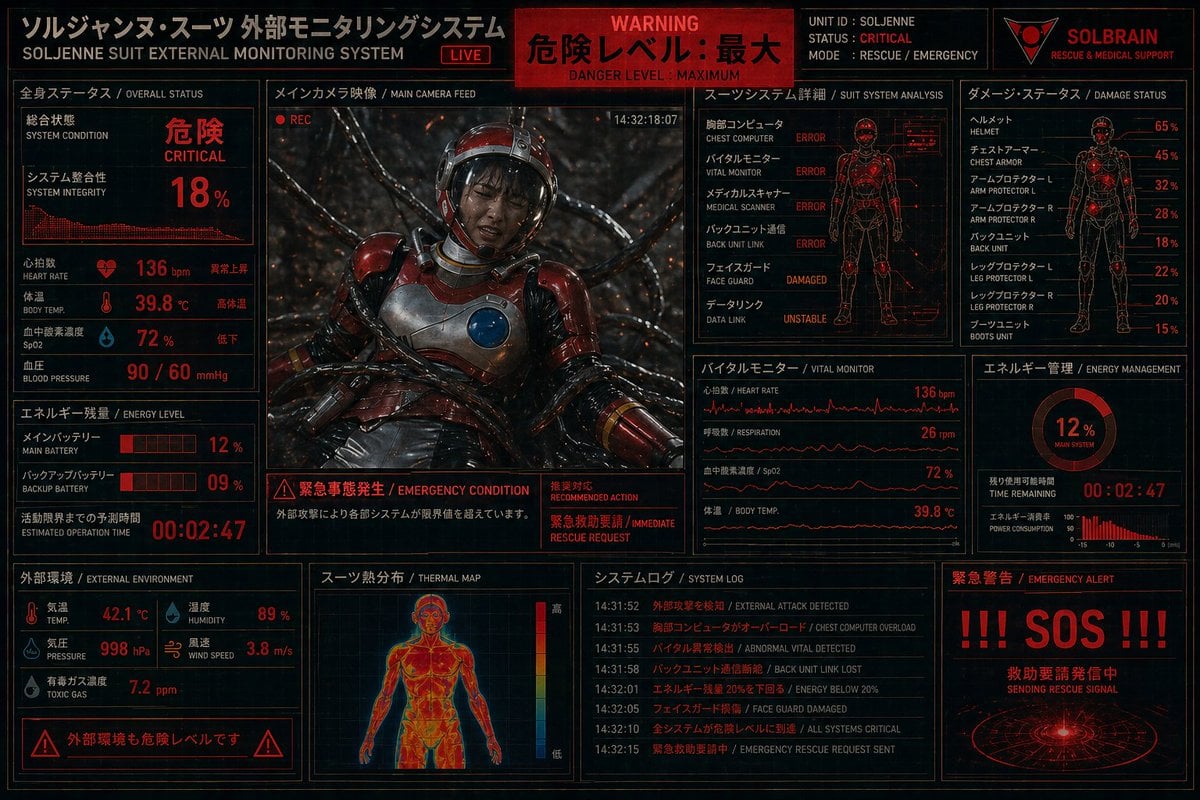
Critical Rescue Suit Monitoring HUD

Minecraft Voxel Pixel Art Aesthetic System

Minecraft Next-Gen Voxel World Screenshot

Futuristic Cyberpunk Sports Portrait with HUD
Futuristic Mobile Suit Pilot

Futuristic Chrome Helmet Fashion Portrait

Cyberpunk Neon Profile Fashion Portrait

Futuristic Studio Neon Ring Minimalist Portrait
Futuristic Chrome Helmet Fashion Portrait
Futuristic Studio Neon Ring Minimalist Portrait

Black Liquid Cyberpunk Portrait Poster

Cyberpunk Neon Brazil World Cup Poster
Make it yours
Futuristic Rescue Suit Monitoring HUD works as-is. These are the safest ways to change it without losing the look.
Swap the setting
Keep the rest of the prompt and replace the location block. The current setting is “28.6 °C”.
Change one field
Copy a single group, rewrite it, and generate again so you can see what that field is doing.
Keep the frame, change the subject
Hold the composition and light of Futuristic Rescue Suit Monitoring HUD, then swap wardrobe, props or the person for a new take.
| If the result… | Why | Fix |
|---|---|---|
| The result drifts from the preview | Too many fields changed at once. | Reuse Futuristic Rescue Suit Monitoring HUD as-is first, then change one group — subject, light, or setting. |
| GPT Image 2 ignores part of the JSON | Some models flatten or skip nested keys. | Keep the same values and paste them as a short paragraph instead. |
More GPT Image 2 templates
Other prompts made for GPT Image 2.

Six VTuber Japanese Logo Sheet

Realistic Portrait of Woman and Deer

The Vista Modular Condo Poster

AI Model Routing Comparison Infographic

2.5D Anime Art Board

Isometric Productivity Desk Scene

New York Double Exposure Poster

Four-Panel AI Landscape Comparison

Japanese Tatami Lifestyle Magazine Cover

NESCAFÉ Coffee Map Poster
More image prompts
Fresh picks from across the catalog.

Futuristic AI Creator Poster
Levi’s shopping mirror selfie edit

Change an existing image to a Santa theme
Childlike Crayon Drawing Re-creation

Comparison of Nano Banana Pro and Seedre

Quiet Luxury Editorial Photobook Spread
Cinematic Fashion Shoot in Rocky Landscape
Brand Merch Drop Generator
Minimal Studio Portrait in Neutral Tones
Mirror Selfie of Two Women in Velour Tracksuits
Browse template categories
Futuristic Rescue Suit Monitoring HUD questions
How do I use the Futuristic Rescue Suit Monitoring HUD template?
Add your photo if the template asks for one, edit the prompt if you like — the template's model and format are already selected — and press Generate. Your version opens in PicX Studio.
Can I customize the Futuristic Rescue Suit Monitoring HUD template?
Yes. You can change the subject, setting, lighting, mood, format, and available model controls before creating your image.
Is the Futuristic Rescue Suit Monitoring HUD template free?
Opening and editing this template is free. Generating uses credits, shown on the Generate button when you are signed in.
Which AI model should I use?
Start with GPT Image 2, which is the model associated with this template. You can compare another compatible model for a different finish.
Looking for something else? Browse all templates.

Your photo, any look
Thousands of ready templates for every top image and video model, from one credit balance.