
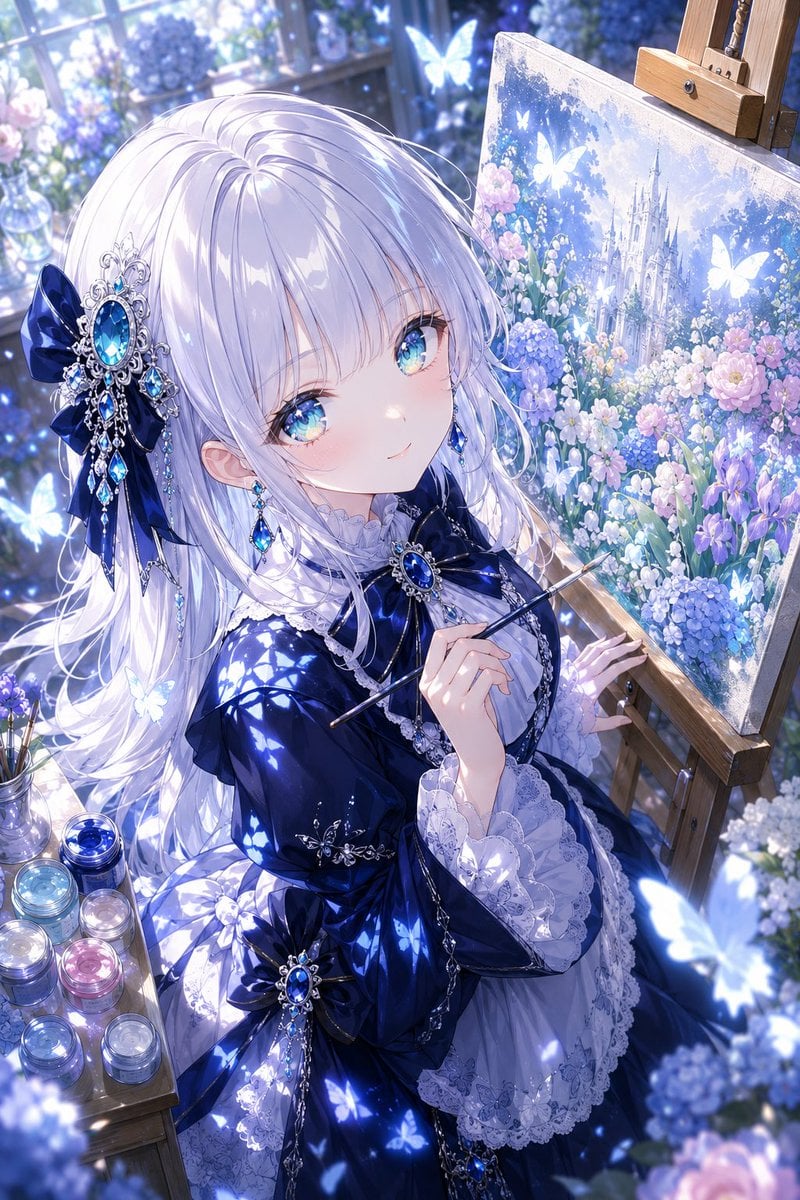
Anime Fantasy Painter in Blue Atelier
A polished vertical anime illustration prompt for creating a jeweled gothic-lolita painter in a luminous floral conservatory studio.
- Prompt included
- Model and format preset
- Free template
The prompt behind this image
Copy the exact prompt behind Anime Fantasy Painter in Blue Atelier, or open it in the studio and make it yours.
Create a highly detailed vertical anime-style fantasy illustration of {argument name="character name" default="a young noble painter girl"} seated in a sunlit glass conservatory studio, shown from a high three-quarter angle while painting at an easel. She has very long flowing {argument name="hair color" default="silvery white"} hair with soft lavender-blue shadows, partly covering her shoulders, and her face is intentionally hidden by a centered flat pale-lavender square censor block. She wears an elegant deep {argument name="dress color" default="midnight blue"} gothic-lolita dress with glossy satin folds, white lace cuffs, layered ruffles, silver chains, and large sapphire jewel ornaments. Add two prominent hair accessories: one large navy ribbon with an ornate silver filigree sapphire brooch and dangling blue gems on the left side of her hair, and one matching sapphire brooch bow at her chest. She holds a thin paintbrush in her right hand near the canvas, with her left hand touching the wooden easel. The easel holds a square canvas painting of a luminous fairytale castle surrounded by hydrangeas, roses, irises, and glowing butterflies, in the same blue-purple floral palette. Surround her with a dreamy atelier environment: tall window panes behind her, soft morning light, bokeh, glass vases of flowers, scattered hydrangeas, and a small wooden side table holding exactly 8 glass paint jars in blue, cyan, silver, pink, lavender, and clear tones. Include exactly 12 glowing butterflies: 3 inside the painted canvas, 4 around the window and background, 3 around the girl's dress and hair, and 2 large blurred foreground butterflies near the lower right and lower left edges. Use a rich {argument name="color palette" default="cool sapphire blue, lavender, white, and pale pink"} palette, sparkling highlights, smooth polished fabric rendering, delicate linework, ornate jewelry, luminous particles, shallow depth of field, and a magical ethereal atmosphere. No text, no watermark, no extra characters, keep the composition portrait-oriented with the girl occupying the left and center and the easel canvas on the right.
How to use Anime Fantasy Painter in Blue Atelier in 3 steps
- 1Upload ImagePNG, JPG or paste
Add your photo
Upload the photo the template builds on. The prompt, model and format are already set.
- 2…a portrait of your subject in softgolden-hour light, 85mm…
Personalize
Edit the subject and creative details for your destination.
- 3Generate
Generate
Press Generate — your image is created in PicX Studio, so you can compare it with the original and refine one variable at a time.
More like this
Templates with the same subject, style or setup. Open one to see its prompt.








Make it yours
Anime Fantasy Painter in Blue Atelier works as-is. These are the safest ways to change it without losing the look.
Change one field
Copy a single group, rewrite it, and generate again so you can see what that field is doing.
Keep the frame, change the subject
Hold the composition and light of Anime Fantasy Painter in Blue Atelier, then swap wardrobe, props or the person for a new take.
| If the result… | Why | Fix |
|---|---|---|
| The result drifts from the preview | Too many fields changed at once. | Reuse Anime Fantasy Painter in Blue Atelier as-is first, then change one group — subject, light, or setting. |
| The model over-stylizes the scene | The prose prompt leaves finish and camera underspecified. | Add one camera or lighting sentence and stay on GPT Image 2. |
More GPT Image 2 templates
Other prompts made for GPT Image 2.

Six VTuber Japanese Logo Sheet

Realistic Portrait of Woman and Deer

The Vista Modular Condo Poster

AI Model Routing Comparison Infographic

2.5D Anime Art Board

Isometric Productivity Desk Scene

New York Double Exposure Poster

Four-Panel AI Landscape Comparison

Japanese Tatami Lifestyle Magazine Cover

NESCAFÉ Coffee Map Poster
More image prompts
Fresh picks from across the catalog.
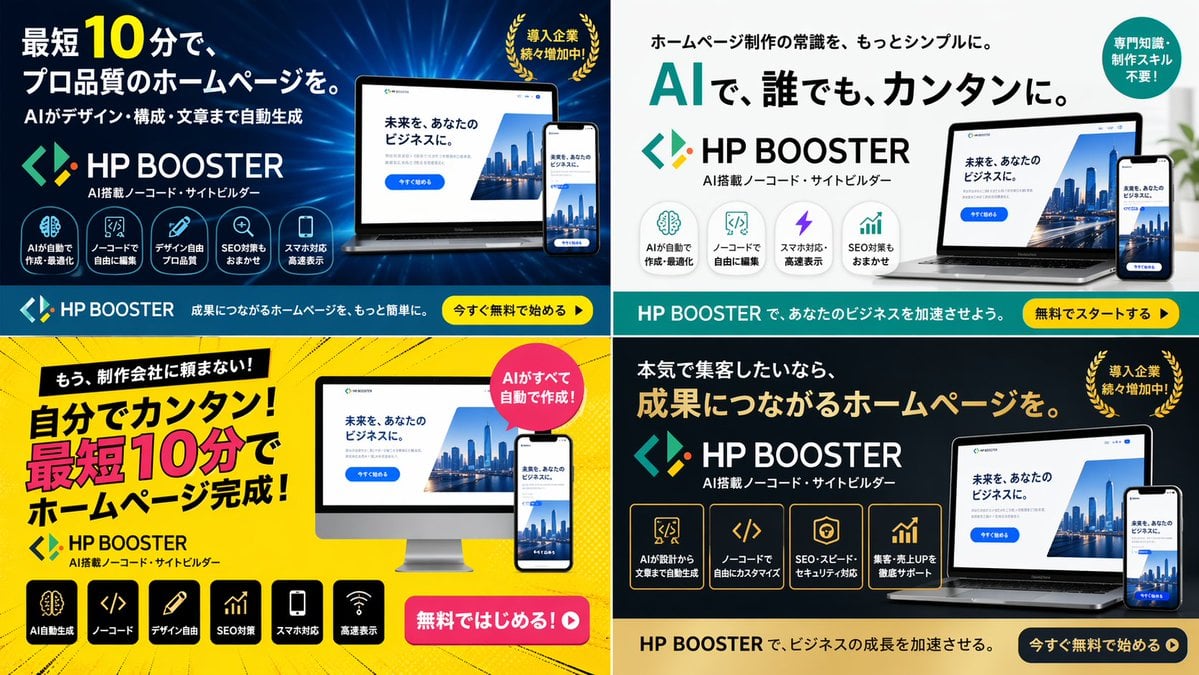
Panel SaaS Ad Banner Variations
Couture Leather Runway Model
3D CG Oriental Fantasy Goddess
Chinese Calligraphy Scroll on Aged Paper
Retro Futurism smart watch prompt

Nano Banana Pro Prompt for High-Visibility 3D Thumbnail Design
Fine Art Low-Key Portrait in Vintage Dress
Clean Girl Aesthetic Selfie in Upscale Apartment (JSON Format)
Casual Street Style Portrait Prompt for Nano Banana Pro
Tang Dynasty Empress in Paris Fashion Magazine Cover Prompt
Browse template categories
Anime Fantasy Painter in Blue Atelier questions
How do I use the Anime Fantasy Painter in Blue Atelier template?
Add your photo if the template asks for one, edit the prompt if you like — the template's model and format are already selected — and press Generate. Your version opens in PicX Studio.
Can I customize the Anime Fantasy Painter in Blue Atelier template?
Yes. You can change the subject, setting, lighting, mood, format, and available model controls before creating your image.
Is the Anime Fantasy Painter in Blue Atelier template free?
Opening and editing this template is free. Generating uses credits, shown on the Generate button when you are signed in.
Which AI model should I use?
Start with GPT Image 2, which is the model associated with this template. You can compare another compatible model for a different finish.
Looking for something else? Browse all templates.

Your photo, any look
Thousands of ready templates for every top image and video model, from one credit balance.