Blue Pinstripe Shirt Fashion Outfit
Wardrobe:
Wardrobe assembly rule:
Each FINAL WORN STATE overrides conflicting wearing-state wording only for the item descriptions it explicitly scopes or names, and only for wearing role or use, count, position, side, orientation, routing, fastening, layering, folds, tucking, and draping. Preserve those descriptions for identity, design, material, color, pattern, construction, and proportions.
Top:
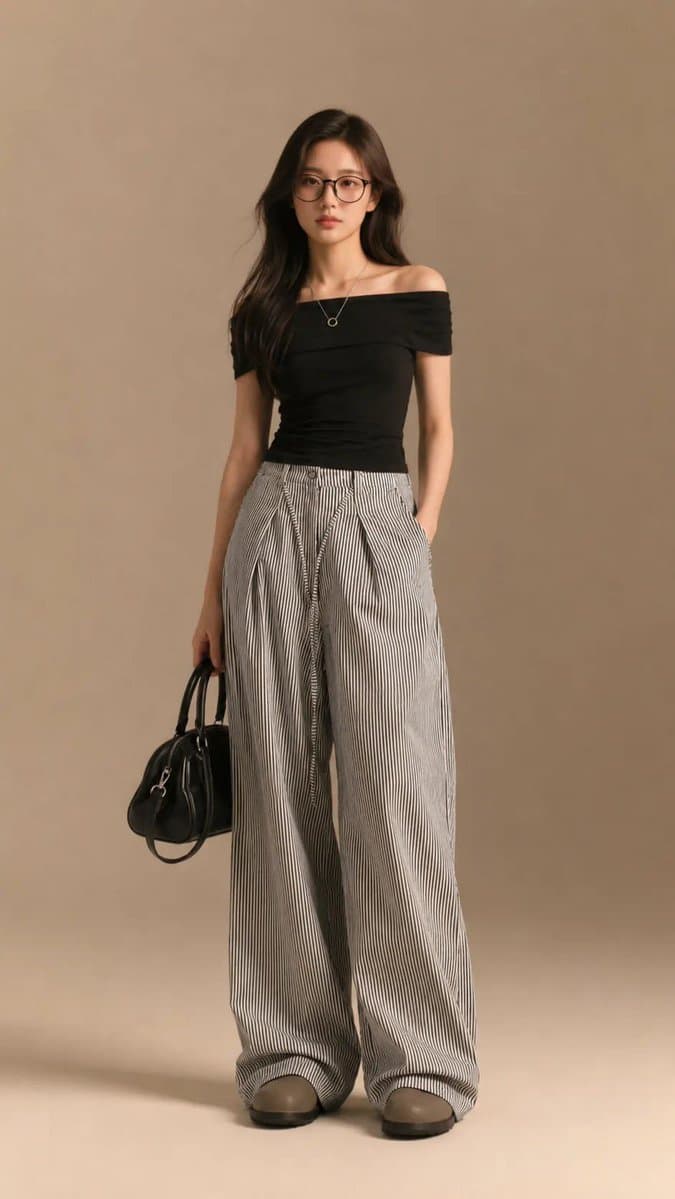
One solid white cropped bustier top constructed from fine translucent floral lace and narrow opaque woven binding. The silhouette is close and compact, with a shallow rectangular front envelope, two broad straight straps, and a continuous narrow lower band. A low softly squared neckline spans between the straps. The front is divided into two shallow curved lace panels by a narrow center bridge, with a horizontal opaque binding defining the lower edge of the panels and a second binding completing the base. Dense floral-and-leaf lace fills every framed panel, retaining small irregular transparent cells between the embroidered threads. The broad straps continue into the rear band, where two narrow white tie extensions form one compact bow with two balanced loops and two short finished tails. Keep the lace panels flat and distinct, the binding widths consistent, the strap paths independent, the rear bow compact, and the open lacework crisp rather than blurred into solid white fabric.
One pale sky-blue and white pinstripe longline button-front shirt in fine, lightly crinkled cotton shirting, with dense narrow white stripes running longitudinally across the main panels and sleeves and following the cut direction of the collar, placket, and cuffs. The cut is relaxed and spacious, with dropped shoulders, a straight upper section, and softly expanding volume through the lower section. A broad pointed collar frames a short exposed upper placket that continues into a full center-front opening. Long sleeves follow a generous straight line from low armscyes and narrow into deep rectangular cuffs. Clean side seams, a narrow stitched front placket, and an extended shirttail hem with curved front and rear edges and short side separations complete the panels. Small matte cream four-hole buttons are evenly spaced along the placket. Preserve the fine stripe spacing, crisp pattern alignment, airy shirt volume, clean collar points, controlled cuff structure, and dry woven surface without swollen seams, melted stripes, or fuzzy edges.
Final worn state:
For the second item description above only:
- Front closure: Engage every existing front closure from the top edge to the bottom edge and align the two front edges continuously on the anatomical center front. Leave no open interval, offset panel, or invented fastening. FINAL FASTENING STATE: every selected closed position is physically connected to its matching receiver; every selected open position is visibly disconnected, and panel overlap does not imitate a fastening.
- Sleeves: Release both cuff and sleeve-placket closures, then turn each sleeve outward in broad folds. Position both rolled bands immediately below the elbow points. Preserve both cuffs and keep every fold below the elbows. Do not push either roll above an elbow, hide a cuff, or leave one sleeve at the wrist.
- Layering: Layer this garment underneath the first item description under Top across the upper body regardless of whether either garment has a front opening. Preserve each garment's selected or source-default closure state and expose only the inner garment's neckline, collar, cuffs, sleeves, or hem where the outer garment does not physically cover them. Change only the inside-outside order; do not invent an opening or fastening, merge the garments, or route either garment through the other's neckline, armhole, sleeve, seam, or panel.
- Finish — Natural: Use a few broad soft folds with modest overlap and small large-scale asymmetry while preserving every cuff, hem, seam, and hardware component.
For the second item description under Top and the first item description under Top together only:
- Finish — Relaxed: At the real upper-body overlap at the neckline, armholes, sides, and hems, compress mainly this covered inner garment and let the outer target yield only locally; let only a few broad folds leave those boundaries and descend within each garment's own panels. Preserve both garments' necklines, armholes, straps, sleeves, seams, closures, and hems. Use light stable contact and broader material-correct ease without changing the selected layer order.
Bottom: One charcoal-grey two-tier pleated mini skirt made from lightweight opaque woven fabric with a smooth matte-to-soft-luster face, crisp fold memory, and fluid movement. A clean fitted waistband supports a full upper tier formed from broad regular knife pleats that open into a short circular flare. A second pleated tier is joined beneath the first tier and expands to a slightly deeper lower flare, producing two clearly separated horizontal levels without merging their pleat systems. Every tier edge is finished with one narrow white gathered ruffle tape that remains continuously visible as a bright border against the grey ground. One small muted lavender-grey rectangular woven label is centered on a lower-front outer section, framed by a narrow white scalloped border and carrying the exact two-line inscription “Moonlit” in large white cursive above “Daydream” in smaller white cursive. Keep both tiers evenly distributed, the pleat ridges sharply legible, the white edge trims narrow and continuous, and the rear construction consistent with the same two-tier pleated assembly.
Legwear: One matching pair of warm-ivory knee-high socks, displayed side by side as complete footed products. Opaque fine-rib knit with a soft matte finish, straight tubular shafts, gently shaped heels and toes, and wide plain elasticized cuffs with a subtle folded appearance. Uniform warm-ivory color throughout, tonal linking at the toes, no logos, no stripes, no lace, no graphics.
Footwear: Create one anatomically mirrored matching pair of white low-top lace-up sneakers with rounded shell toes and flat white rubber cupsoles. Build each upper from smooth white leather panels with a low padded collar, seven paired lace positions, flat white laces, a straight central tongue, and a ribbed molded rubber shell covering the complete toe cap. Apply three parallel black stepped bands to the outer quarter, each band formed from two solid diagonal rectangular segments separated by one narrow vertical gap; keep the three bands equal in width and evenly spaced. Add one compact white rectangular tongue label printed with the clearly legible uppercase word “SOLSTICE” in black condensed lettering. Finish the sole with a fine textured sidewall and shallow dark outsole edge, keeping the complete pair identical except for anatomical mirroring, with precise panel stitching, balanced lacing, clean black-white separation, and no graphics outside the confirmed quarter and tongue zones.
Bag:
One compact metallic-silver mini tote bag with a softly structured rectangular body, narrow side gussets, rounded lower corners, and a flat reinforced base. Smooth reflective synthetic leather covers the body with crisp silver edge binding and tonal stitching. Two short rolled top handles attach through rectangular stitched tabs, while one long narrow adjustable strap connects to small silver swivel clasps at the upper side rings and includes a matching slider buckle. A single silver zipper closes the straight top opening and terminates at compact end tabs. Keep the broad faces plain and uninterrupted, with pale-gray lining and no text, patches, appliqués, or decorative ornaments.
Final worn state:
- Bag carry: VIEW: FRONT/NEAR-FRONT SUPPO


![79-cinematic-sport-logo-render-in-midjourne — 3d render of [logo name/ shape,...] made out of clear glass, glowing and sparkling with light reflections, on a bl](/_next/image?url=https%3A%2F%2Fcdn.picxstudio.com%2Fuploads%2Fpost79_img0_a5057526-9cc7-4a02-805f-4faa62dd929b.jpg&w=828&q=100)

![69-untitled — FORMAT: 15s / 145 BPM / 14 SHOTS
SUBJECT: @[image1]
WARDROBE: Clean modern outfit
ENVIRONMENT: Street / indoor transitions
MOOD: Discovery → contr](/_next/image?url=https%3A%2F%2Fcdn.picxstudio.com%2Fuploads%2Fpost69_img0_d45faecf-38c3-4bcb-81a4-f6eb1cf42bb2.jpg&w=828&q=100)
![118-google-nano-banana-pro-skincare-product- — A professional skincare shot of a [product container] with [cap/lid], labeled [brand, product, descriptor, volume](/_next/image?url=https%3A%2F%2Fcdn.picxstudio.com%2Fuploads%2Fpost118_img0_332898b8-29ea-42a9-87ab-9ed746a3f944.jpg&w=828&q=100)


















![Minimalist Flat Vector Travel Poster — Premium minimalist flat-vector travel poster for {argument name="city name" default="[CITY_NAME]"}, 3:4 vertical format.](https://cms-assets.youmind.com/media/1787917359711_3ug846_HQX205cbMAA6F6S-300x400.jpg)





























![Engineering Assembly Documentation Layout — 16:9, do this for a {argument name="object" default="Tesla Optimus Robot"}<assembly_seq> OBJECT: [INSERT OBJECT] STA](https://cms-assets.youmind.com/media/1778315774222_d7zlg8_HHmGWxdXEAI1zMP.jpg)