How do I use the Wooden Impossible City Knot template?
Choose the primary action to open PicX Studio with the available template settings. Review the model and format, personalize the creative direction, and generate when ready.
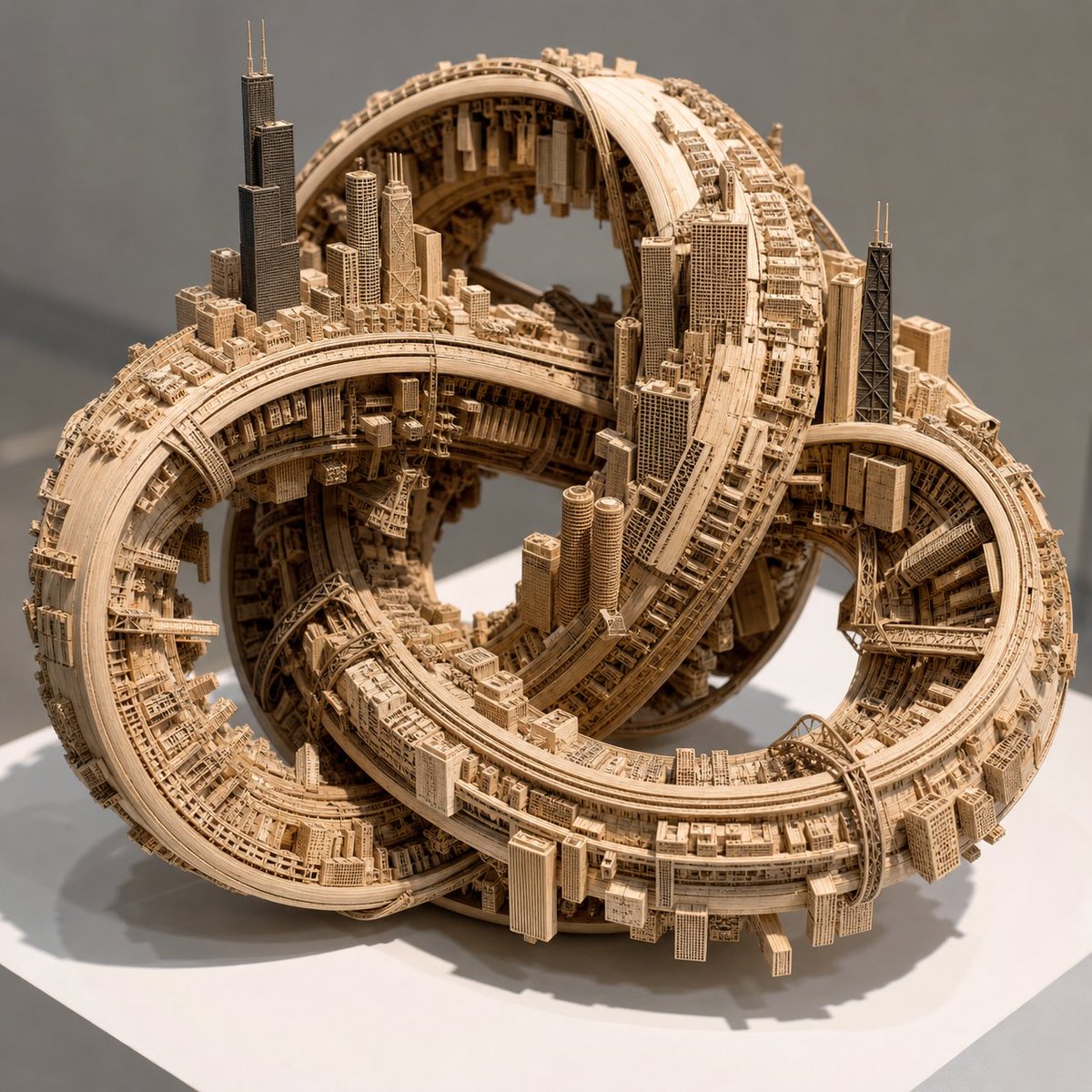
A realistic macro studio prompt for generating a pale wooden tabletop sculpture where an impossible self-intersecting city manifold carries an extruded urban sk
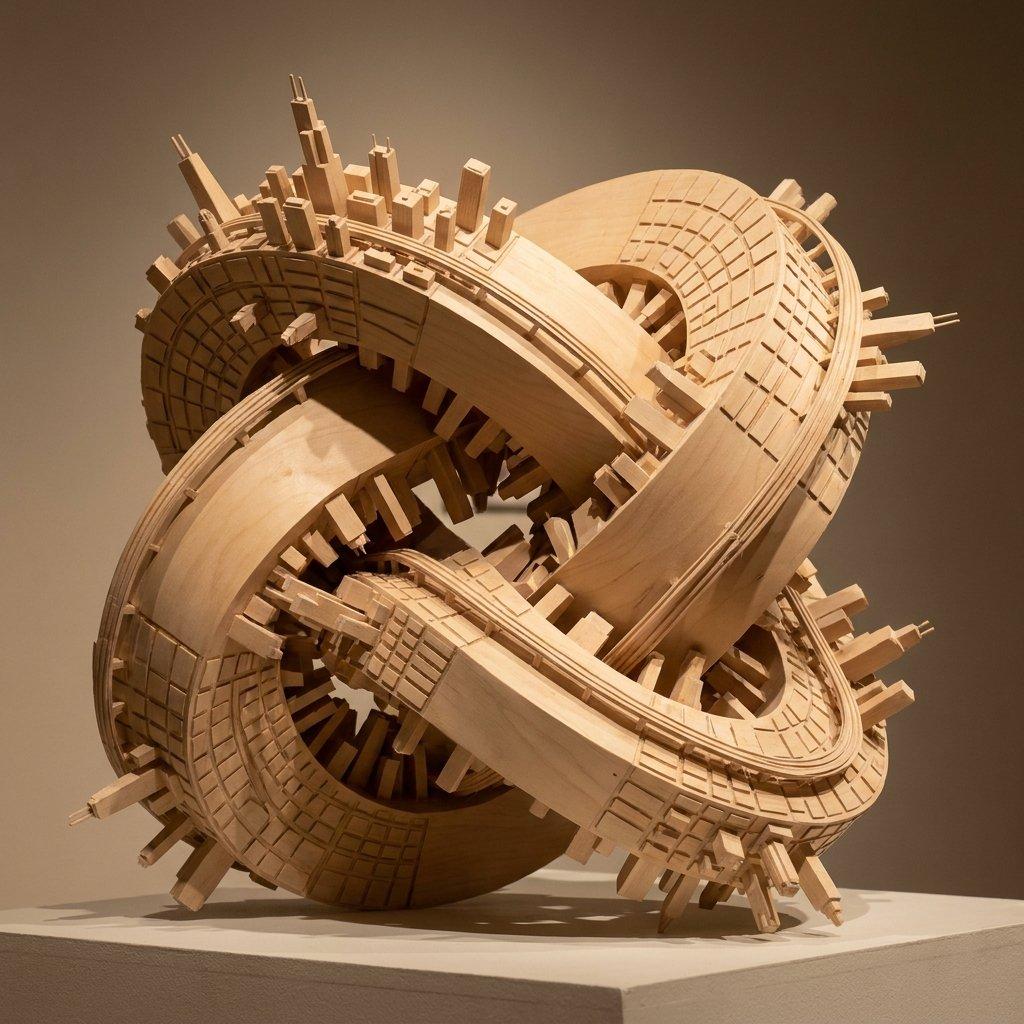
Create a macro-lens studio photograph of a tabletop sculpture: a closed, continuous, self-intersecting impossible-city manifold shaped like a thick wooden knot or tangled torus, constructed entirely from pale, smooth architectural modeling wood. Uniformly map the urban center of {argument name="urban center" default="Chicago"} across every curved surface of the manifold, with the recognizable skyline, dense downtown blocks, gridded streets, raised rails, and bridge-like infrastructure physically extruded from the wood. Emphasize the spatial paradox that there is no true up direction: skyscrapers, rectangular buildings, street grids, and rail strips protrude inward into hollow openings, outward from the outer rim, and sideways along twisting bands simultaneously, while roads loop back onto themselves around the knot. The sculpture sits on a simple white gallery pedestal, undeniably small-scale and hand-built, with visible wood grain, precise laser-cut grooves, clean beveled edges, and miniature architectural details. Use pristine warm gallery illumination with sharp, complex intersecting shadows cast through the hollow gaps, a neutral taupe background, shallow depth of field, and a three-quarter view that reveals the central voids, overlapping ribbons, and impossible geometry. The mood is elegant, mathematical, architectural, and surreal, rendered as a highly realistic product-style museum photograph.
Choose the primary action to open PicX Studio with the available template settings. Review the model and format, personalize the creative direction, and generate when ready.
Yes. You can change the subject, setting, lighting, mood, format, and available model controls before creating your image.
This template is free to open and customize. Generation usage is shown in PicX Studio before you create.
Start with GPT Image 2, which is the model associated with this template. You can compare another compatible model for a different finish.
© 2026 PicX Studio. All rights reserved.

Follow a topic to a crawlable collection of related PicX Studio templates.