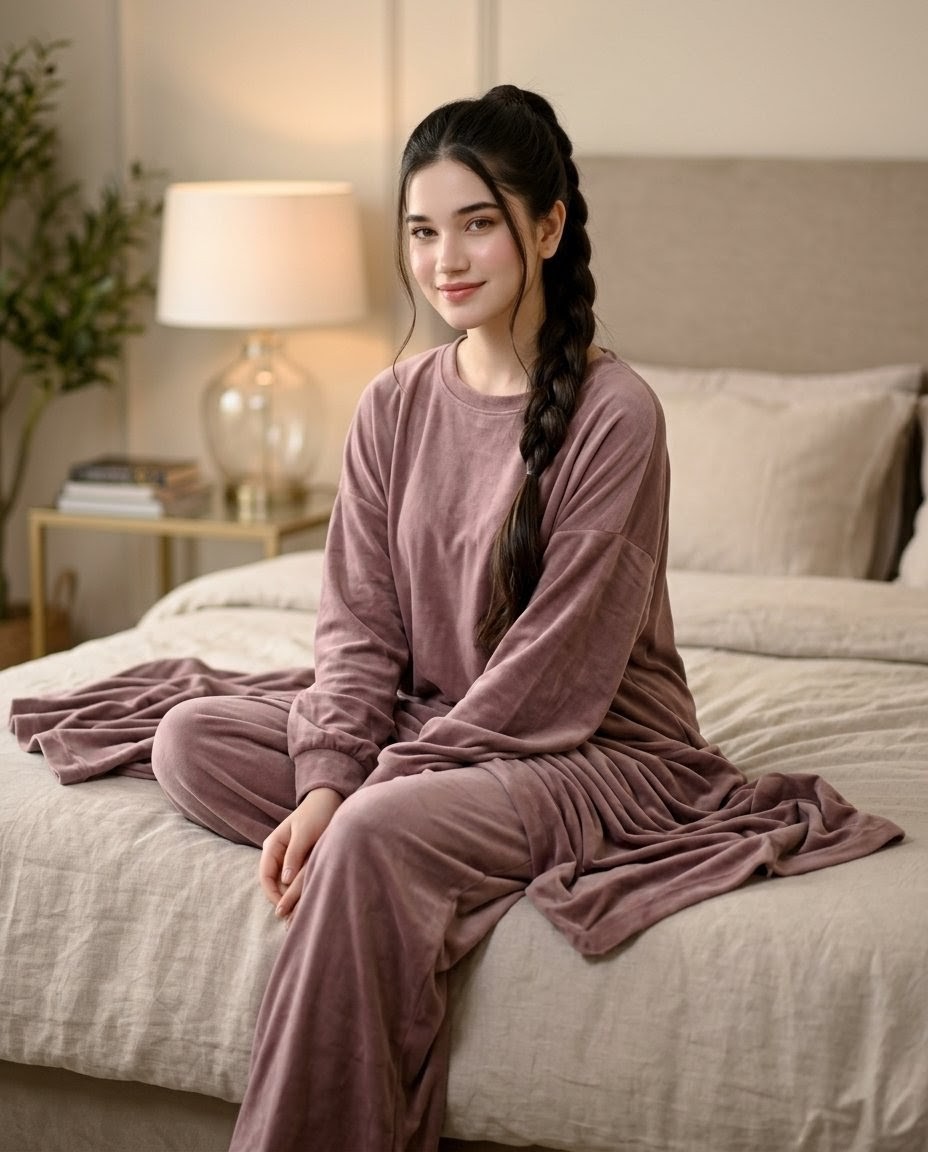
How do I use the Professional Corporate Headshot Poster Creator template?
Choose the primary action to open PicX Studio with the available template settings. Review the model and format, personalize the creative direction, and generate when ready.
A transformation prompt that turns any selfie into a professional corporate headshot with an information bar and formal attire. Change the subject, setting, or lighting one variable at a time.
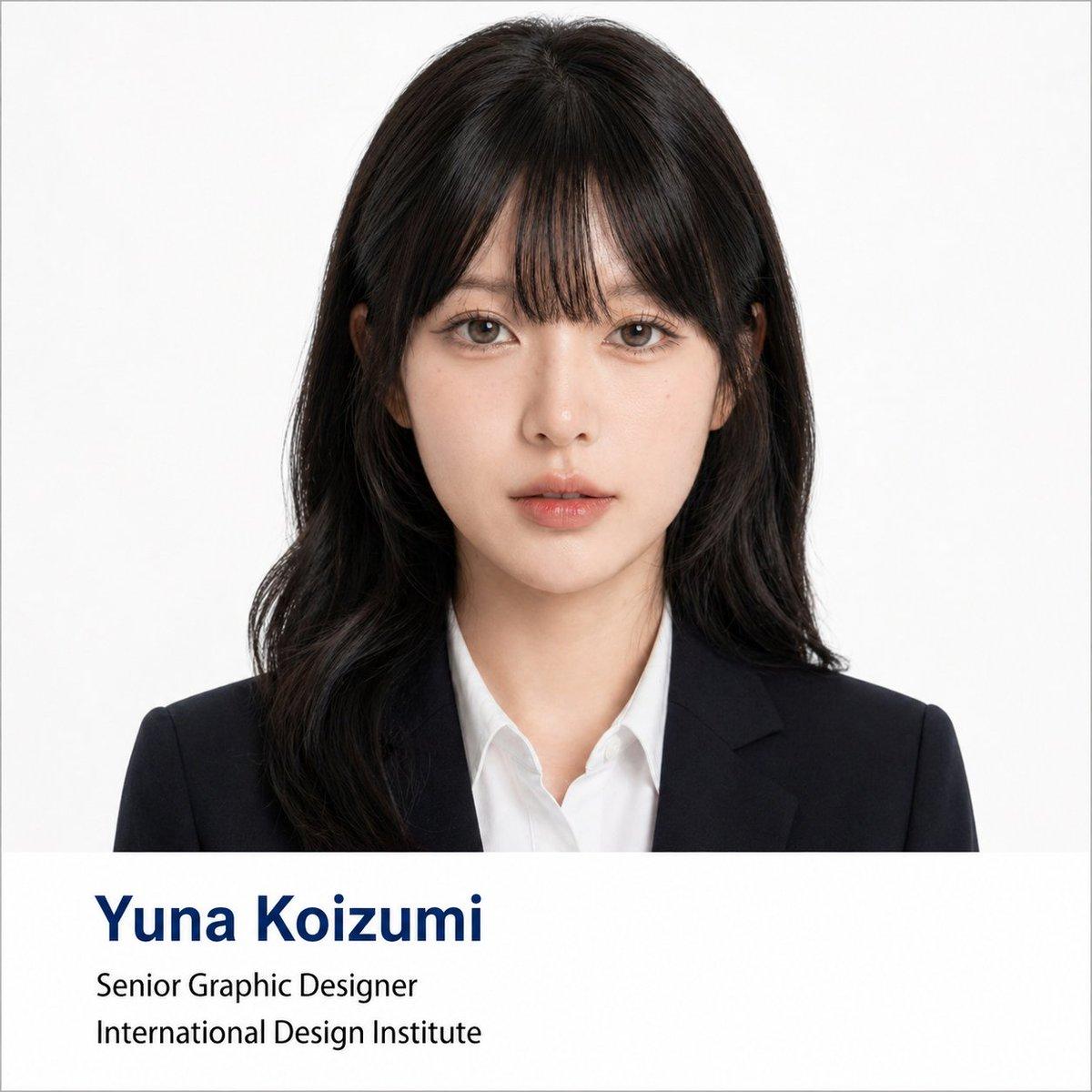
Using the portrait photo you upload, create a polished formal business headshot poster. Keep the person's real facial features, proportions, face shape, and overall presence intact — do not change who they look like. Lightly refine the facial contour to look cleaner and more photogenic. Smooth skin texture and reduce blemishes or uneven tone without over-retouching — preserve natural skin detail and realistic lighting. Give the subject a business hairstyle tailored to their face shape: neat, professional, and natural-looking, not exaggerated. Dress them in formal business attire — dark suit jacket, white or light shirt, optional tie — for a premium, minimal, trustworthy appearance. Composition: frontal half-body portrait, subject centered, looking directly at the camera with a calm, confident expression. Plain solid white background with soft, even lighting — similar to a professional ID photo or corporate headshot. Style: clean, formal, photorealistic, square 1:1 ratio. Include a clean info bar at the bottom with modern minimal typography: Name: {argument name="name" default="[Yuna Koizumi]"} Title: {argument name="job title" default="[Senior Graphic Designer]"} Department / Institution: {argument name="institution" default="[International Design Institute]"} Text rule: if any label text is in Chinese or another language, translate it to formal English before placing it in the image. Do not display Chinese in the image unless explicitly asked. Typography: Name in dark navy bold large font (first line); Title and Department in black regular weight (second and third lines). Layout should reference university faculty profile pages or professional conference speaker cards.
Choose the primary action to open PicX Studio with the available template settings. Review the model and format, personalize the creative direction, and generate when ready.
Yes. You can change the subject, setting, lighting, mood, format, and available model controls before creating your image.
This template is free to open and customize. Generation usage is shown in PicX Studio before you create.
Start with GPT Image 2, which is the model associated with this template. You can compare another compatible model for a different finish.
© 2026 PicX Studio. All rights reserved.

Follow a topic to a crawlable collection of related PicX Studio templates.
43,474 public templates available. Verified via the PicX Studio public templates API; refreshed hourly.


![Hyper-realistic professional automotive commercial ad poster — Hyper-realistic professional automotive commercial ad poster. [BRAND] [MODEL] in [COLOR] parked a](https://images.meigen.ai/tweets/2041366564516368436/0.jpg)



![clean-minimalist-player-editorial-poster — A professional sports graphic design poster of [Player Name], designed in a clean, modern, and minimalist editorial s](/_next/image?url=https%3A%2F%2Fcdn.picxstudio.com%2Fuploads%2Fmeigen_5524a0a10196_94b81982-ef58-45e9-8d49-9b017a7f26cb.jpg&w=828&q=100)








![Japan Travel Brochure Poster — Create a vertical vintage travel-brochure infographic poster titled “[COUNTRY/DESTINATION]: [TAGLINE]”, using a warm parchment-pa](/_next/image?url=https%3A%2F%2Fcdn.picxstudio.com%2Fuploads%2Fp0_982bf820-bb34-4c43-8a6d-42d799d7282b.jpg&w=828&q=100)

![Cartoon TV Show Poster Pack — A bold Cartoon Network-style promotional poster for [SHOW], featuring the main characters in a flat 2D illustrated style with thic](/_next/image?url=https%3A%2F%2Fcdn.picxstudio.com%2Fuploads%2Fimg0_107064d3-b797-488a-a32e-d75dea9d3b4c.jpg&w=828&q=100)
![vertical-football-star-campaign-poster — Create a vertical 9:16 high-resolution football star campaign poster.
Player: [Player Name]
Player concept: [football](/_next/image?url=https%3A%2F%2Fcdn.picxstudio.com%2Fuploads%2Fmeigen_996a192156cb_45d1d198-bb81-4272-be3f-df0eda9f0a74.jpg&w=828&q=100)

![campaign-smoke-national-symbols-world-cup — A hyper-realistic cinematic campaign poster for [Country]. Thick [Color One] and [Color Two] smoke e…](/_next/image?url=https%3A%2F%2Fcdn.picxstudio.com%2Fuploads%2Fmeigen_ce5bae0e0712_50be07ac-9537-419b-9c47-694fe49ef3d8.jpg&w=828&q=100)


![Minimalist Flat Vector Travel Poster — Premium minimalist flat-vector travel poster for {argument name="city name" default="[CITY_NAME]"}, 3:4 vertical format.](https://cms-assets.youmind.com/media/1787917359711_3ug846_HQX205cbMAA6F6S-300x400.jpg)































![Fashion Portrait with TikTok Frame Overlay — 时尚的坐姿人物肖像,背景为白色 3D[TikTok]边框剪影,带有标志。深色背景,电影级灯光,超逼真。[TikTok]账号:'{argument name="TikTok账号…](https://pbs.twimg.com/media/G7vZ_TwagAAn9uw.jpg)