How do I use the Crowd-Built Anime Portrait template?
Choose the primary action to open PicX Studio with the available template settings. Review the model and format, personalize the creative direction, and generate when ready.
A cinematic aerial conceptual portrait of a spiky-haired anime figure formed from thousands of tiny people on a minimalist floor. Change the subject, setting, or lighting one variable at a time.
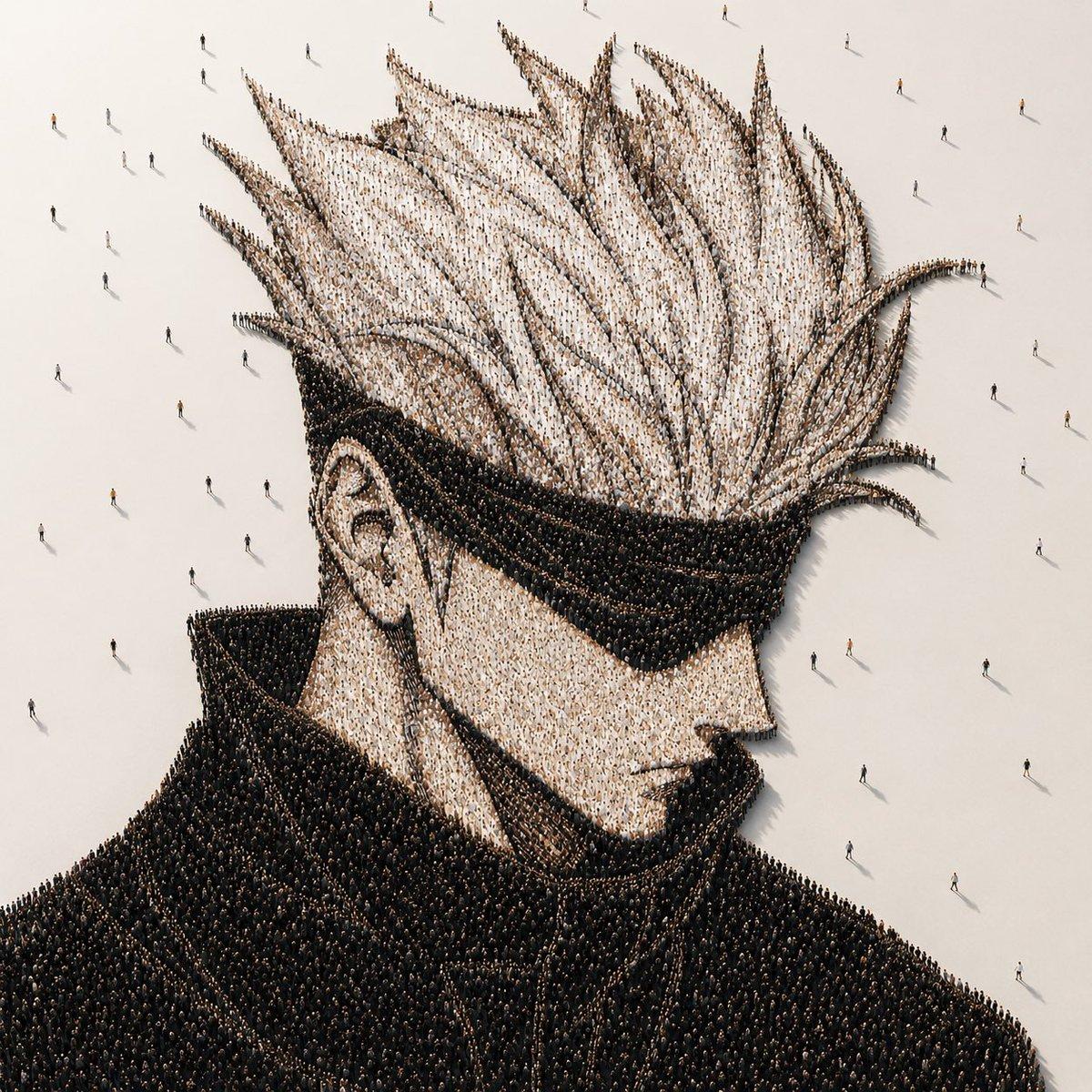
Create a photorealistic conceptual crowd portrait on a square canvas: an aerial/isometric view of a giant anime-inspired male bust formed entirely from thousands of tiny standing people. The character is shown from the shoulders up in three-quarter side profile facing right, with exaggerated tall spiky white hair, a visible left ear, pale skin tones suggested by lighter-clothed crowds, and a massive high black coat collar and dark jacket suggested by densely packed black-clothed crowds. The whole portrait is built from countless individual human figures arranged like pointillist pixels, with the hair spikes and coat edges sharply readable from above. Place the formation on a vast matte off-white floor with empty negative space around it, scattered with a small number of lone pedestrians walking away from the crowd and casting long thin shadows. Add a large opaque warm-gray square censor block centered over the face area, covering most facial features from forehead to chin while leaving the hair, ear, collar, shoulders, and surrounding people visible. Use cinematic minimalist lighting, soft high-angle sunlight, realistic tiny shadows, ultra-detailed installation-art texture, muted beige, white, black, and charcoal palette, no text, no logos, no border. The portrait subject may be customized as {argument name="character archetype" default="spiky-haired anime male with high collar"}, with {argument name="hair color" default="white"}, {argument name="coat color" default="black"}, {argument name="floor color" default="warm off-white"}, and {argument name="censor block color" default="warm gray"}.
Choose the primary action to open PicX Studio with the available template settings. Review the model and format, personalize the creative direction, and generate when ready.
Yes. You can change the subject, setting, lighting, mood, format, and available model controls before creating your image.
This template is free to open and customize. Generation usage is shown in PicX Studio before you create.
Start with GPT Image 2, which is the model associated with this template. You can compare another compatible model for a different finish.
© 2026 PicX Studio. All rights reserved.

Follow a topic to a crawlable collection of related PicX Studio templates.
43,474 public templates available. Verified via the PicX Studio public templates API; refreshed hourly.





![118-google-nano-banana-pro-skincare-product- — A professional skincare shot of a [product container] with [cap/lid], labeled [brand, product, descriptor, volume](/_next/image?url=https%3A%2F%2Fcdn.picxstudio.com%2Fuploads%2Fpost118_img0_332898b8-29ea-42a9-87ab-9ed746a3f944.jpg&w=828&q=100)



![69-untitled — FORMAT: 15s / 145 BPM / 14 SHOTS
SUBJECT: @[image1]
WARDROBE: Clean modern outfit
ENVIRONMENT: Street / indoor transitions
MOOD: Discovery → contr](/_next/image?url=https%3A%2F%2Fcdn.picxstudio.com%2Fuploads%2Fpost69_img0_d45faecf-38c3-4bcb-81a4-f6eb1cf42bb2.jpg&w=828&q=100)












![Minimalist Flat Vector Travel Poster — Premium minimalist flat-vector travel poster for {argument name="city name" default="[CITY_NAME]"}, 3:4 vertical format.](https://cms-assets.youmind.com/media/1787917359711_3ug846_HQX205cbMAA6F6S-300x400.jpg)