How do I use the Tokyo Night Street Fashion Portrait template?
Edit the prompt in the box under the preview — the template's model and format are already selected — and press Generate. Your version appears right on this page.
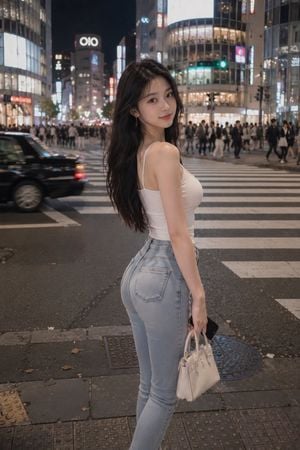
A photorealistic nighttime street-style portrait at a crowded Tokyo crosswalk with a fashionable subject and intentionally obscured face.

This template uses your photo — add one with the + button.
Create a photorealistic 2K street-fashion portrait of a young woman standing in the foreground at a busy neon-lit Tokyo crosswalk at night, resembling Shibuya crossing. She has long wavy {argument name="hair color" default="light brown highlighted"} hair and poses slightly leaning with one hip forward, looking toward the camera, but her entire face is intentionally hidden by a centered opaque soft-edged rectangular blur block in a warm skin-tone brown. She wears a tight white cropped tank top with red trim and a large vintage motorcycle eagle graphic, low-rise distressed denim short shorts, a black studded belt, a black zip hoodie slipped off her shoulders and hanging from her arms, layered silver necklaces including a cross pendant, and casual gyaru-inspired styling. The background shows a crowded urban intersection with zebra-crossing stripes, pedestrians walking in all directions, bright storefront signs and colorful bokeh lights, shallow depth of field, realistic motion blur in the crowd, brick sidewalk foreground, cinematic nighttime lighting, handheld candid photography feel, 35mm lens perspective, natural skin tones, detailed fabric textures, high realism, no text overlays, no watermark.
Create a photorealistic 2K street-fashion portrait of a young woman standing in the foreground at a busy neon-lit Tokyo crosswalk at night, resembling Shibuya crossing. She has long wavy {argument name="hair color" default="light brown highlighted"} hair and poses slightly leaning with one hip forward, looking toward the camera, but her entire face is intentionally hidden by a centered opaque soft-edged rectangular blur block in a warm skin-tone brown. She wears a tight white cropped tank top with red trim and a large vintage motorcycle eagle graphic, low-rise distressed denim short shorts, a black studded belt, a black zip hoodie slipped off her shoulders and hanging from her arms, layered silver necklaces including a cross pendant, and casual gyaru-inspired styling. The background shows a crowded urban intersection with zebra-crossing stripes, pedestrians walking in all directions, bright storefront signs and colorful bokeh lights, shallow depth of field, realistic motion blur in the crowd, brick sidewalk foreground, cinematic nighttime lighting, handheld candid photography feel, 35mm lens perspective, natural skin tones, detailed fabric textures, high realism, no text overlays, no watermark.
Edit the prompt in the box under the preview — the template's model and format are already selected — and press Generate. Your version appears right on this page.
Yes. You can change the subject, setting, lighting, mood, format, and available model controls before creating your image.
Opening and editing this template is free. Generating uses credits, shown on the Generate button when you are signed in.
Start with GPT Image 2, which is the model associated with this template. You can compare another compatible model for a different finish.
Follow a topic to a crawlable collection of related PicX Studio templates.