How do I use the Luxury Neutral Fashion Editorial Diptych template?
Choose the primary action to open PicX Studio with the available template settings. Review the model and format, personalize the creative direction, and generate when ready.
Generates a warm beige two-panel luxury fashion editorial featuring cream resort wear styling and anonymized model portraits. Change the subject, setting, or lighting one variable at a time.
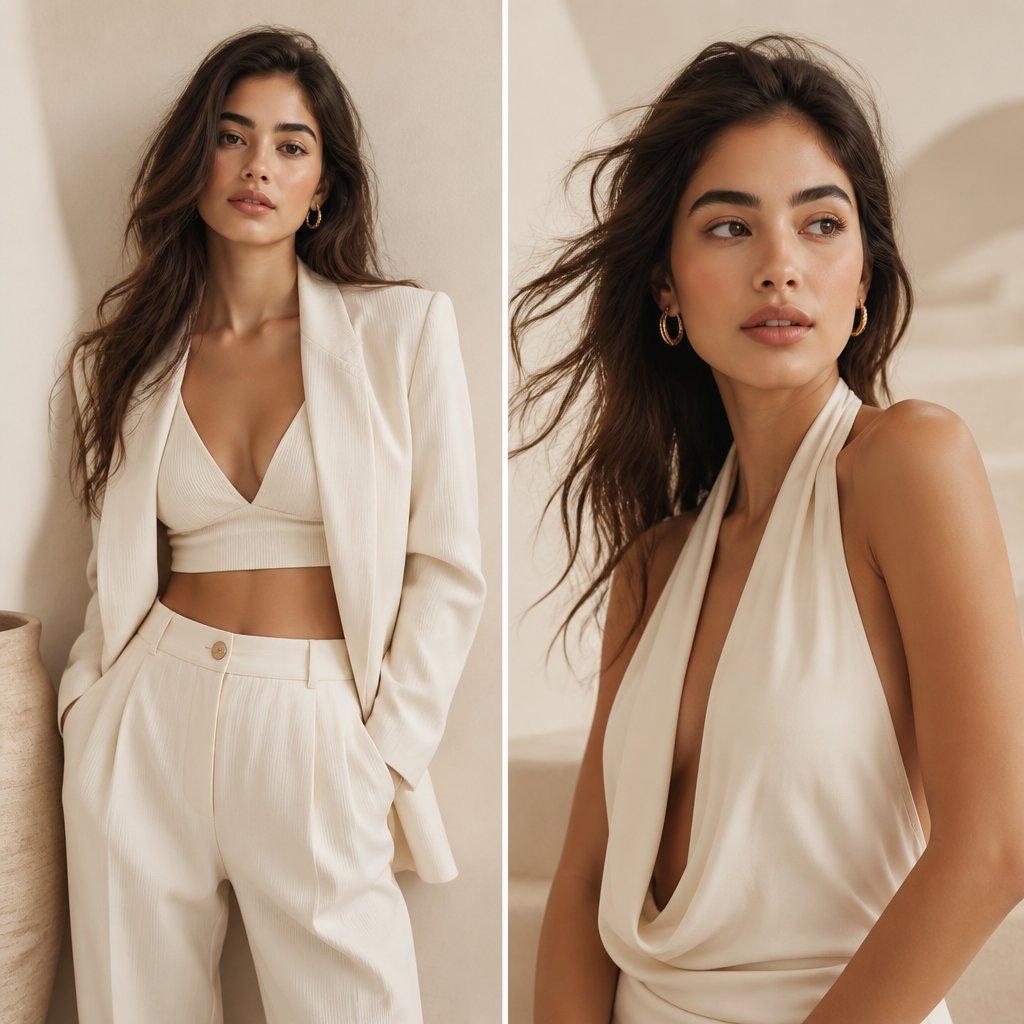
Create a luxury fashion magazine editorial diptych with exactly 2 vertical side-by-side panels separated by a thin white divider, warm beige studio interior, soft natural sunlight, minimal Mediterranean plaster walls, cream and ivory palette, high-end resort wear styling, photorealistic DSLR quality. Left panel: a tall fashion model with {argument name="skin tone" default="warm tan skin"} and {argument name="hair color" default="long tousled dark brown hair"}, standing relaxed with hands in trouser pockets, wearing an oversized ivory blazer over a ribbed cream V-neck crop top and high-waisted pleated ivory trousers with a beige button, cropped from head to upper thighs, leaning near a ceramic vase at the lower left edge; her face is intentionally covered by a centered opaque brown rectangular blur. Right panel: the same model seated or leaning in a closer three-quarter portrait, wind-swept loose hair, gold hoop earring visible, wearing a {argument name="dress style" default="cream halter cowl-neck draped dress"} with deep plunging neckline and soft folds, bare shoulders and arms, warm shadow shapes on the wall behind her; her face is intentionally covered by a larger centered opaque brown rectangular blur. Use soft editorial lighting, shallow depth of field, creamy shadows, premium neutral styling, elegant composition, natural fabric texture, refined minimalism, no visible text, no logos, no extra people.
Choose the primary action to open PicX Studio with the available template settings. Review the model and format, personalize the creative direction, and generate when ready.
Yes. You can change the subject, setting, lighting, mood, format, and available model controls before creating your image.
This template is free to open and customize. Generation usage is shown in PicX Studio before you create.
Start with GPT Image 2, which is the model associated with this template. You can compare another compatible model for a different finish.
© 2026 PicX Studio. All rights reserved.

Follow a topic to a crawlable collection of related PicX Studio templates.
43,474 public templates available. Verified via the PicX Studio public templates API; refreshed hourly.











![Minimalist Flat Vector Travel Poster — Premium minimalist flat-vector travel poster for {argument name="city name" default="[CITY_NAME]"}, 3:4 vertical format.](https://cms-assets.youmind.com/media/1787917359711_3ug846_HQX205cbMAA6F6S-300x400.jpg)