How do I use the Elegant Carnation Mother's Day Wallpaper template?
Choose the primary action to open PicX Studio with the available template settings. Review the model and format, personalize the creative direction, and generate when ready.
Generates a refined vertical Mother's Day greeting wallpaper with carnations, Japanese calligraphy, and elegant editorial typography.
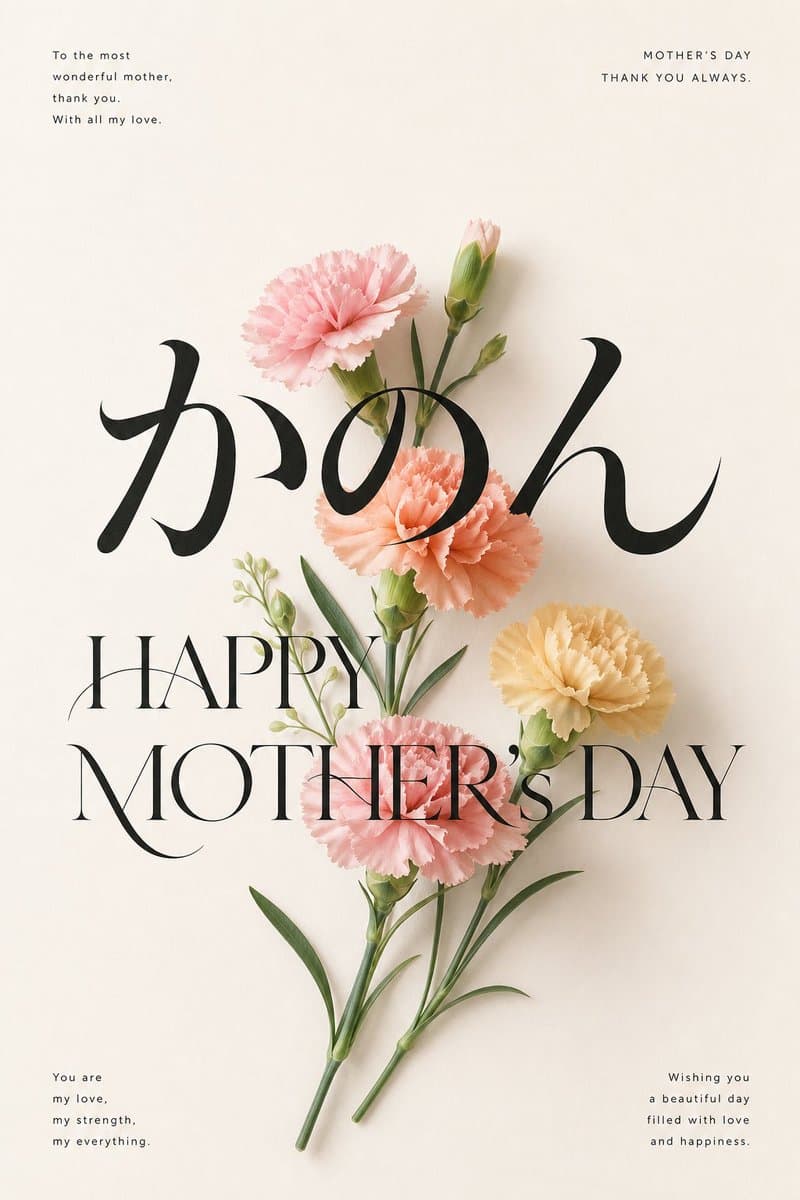
Create a minimalist vertical Mother's Day wallpaper poster on a warm ivory paper background with soft natural shadows and lots of negative space. In the center, arrange a delicate bouquet of carnations with 5 visible flower heads: 1 large pale pink carnation near the upper left, 1 closed pale pink bud at the upper center, 1 peach carnation in the middle, 1 soft yellow carnation on the right, and 1 pink carnation near the lower center; include slender green stems, narrow leaves, and 3 small green buds, rendered as realistic pressed-flower photography with gentle studio lighting. Overlay very large elegant black Japanese calligraphy reading {argument name="main Japanese word" default="かのん"} across the upper-middle of the bouquet, then place a refined high-contrast serif headline across the lower-middle reading {argument name="main headline" default="HAPPY MOTHER’S DAY"}, with thin Didot-style letterforms and graceful curves. Add 4 small letter-spaced message blocks in black: top left says {argument name="top left message" default="To the most wonderful mother, thank you. With all my love."}, top right says {argument name="top right message" default="MOTHER’S DAY THANK YOU ALWAYS."}, bottom left says {argument name="bottom left message" default="You are my love, my strength, my everything."}, and bottom right says {argument name="bottom right message" default="Wishing you a beautiful day filled with love and happiness."}. Keep the composition airy, elegant, feminine, modern Japanese editorial style, with crisp typography, realistic flower texture, subtle shadows, and a premium greeting-card aesthetic.
Choose the primary action to open PicX Studio with the available template settings. Review the model and format, personalize the creative direction, and generate when ready.
Yes. You can change the subject, setting, lighting, mood, format, and available model controls before creating your image.
This template is free to open and customize. Generation usage is shown in PicX Studio before you create.
Start with GPT Image 2, which is the model associated with this template. You can compare another compatible model for a different finish.
© 2026 PicX Studio. All rights reserved.

Follow a topic to a crawlable collection of related PicX Studio templates.