How do I use the Cyberpunk Nova Rebellion Poster template?
Choose the primary action to open PicX Studio with the available template settings. Review the model and format, personalize the creative direction, and generate when ready.
A cinematic cyberpunk sci-fi movie poster featuring a hooded rebel in a rainy neon megacity with drones, billboards, and bold film typography.
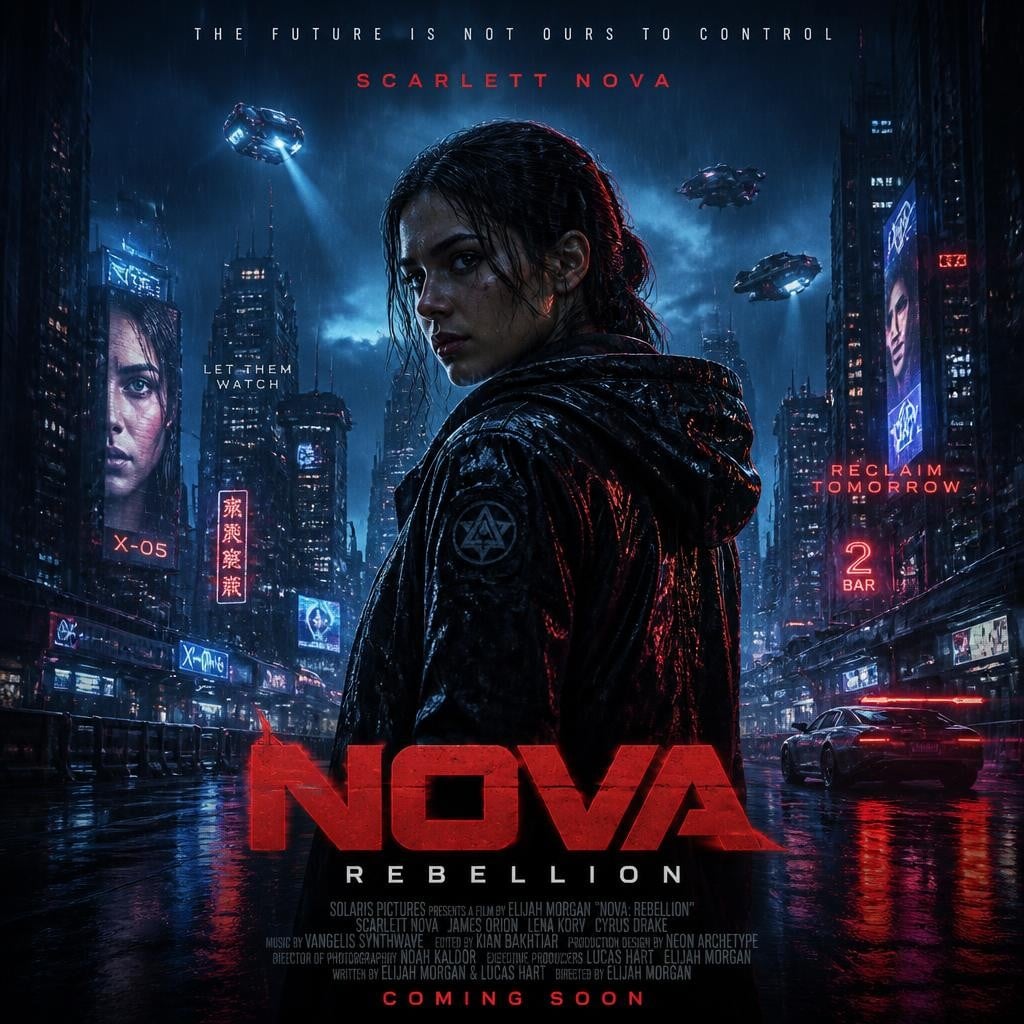
Create a dark cinematic cyberpunk movie poster for a sci-fi thriller titled {argument name="movie title" default="NOVA"} with subtitle {argument name="subtitle" default="REBELLION"}. Square 1:1 poster composition, rainy neon megacity at night, wet reflective street, towering skyscrapers, dense blue fog, red and cyan lighting, high-contrast photorealistic digital painting. Center a lone hooded rebel protagonist seen from behind in a black rain-slick tactical jacket, head turned slightly in profile, dramatic rim light, mysterious face mostly shadowed, standing in the middle of the street. Add exactly 3 hovering police drones or flying vehicles in the sky: one upper left with a blue searchlight, one upper right, and one mid-right above the buildings. Add exactly 1 futuristic sports car on the right side driving away with red taillights reflected on the wet pavement. Surround the city with neon signs and billboards including exactly 7 notable text elements: top tagline "THE FUTURE IS NOT OURS TO CONTROL", red name text "SCARLETT NOVA", small left-center slogan "LET THEM WATCH", left neon sign "X-05", right slogan "RECLAIM TOMORROW", right neon sign "2 BAR", and a huge bottom title "NOVA" with smaller spaced subtitle "REBELLION" beneath it. Include tiny fictional production credits at the bottom and a final red line reading {argument name="release text" default="COMING SOON"}. Use gritty rain, reflections, lens bloom, atmospheric smoke, dystopian tension, premium Hollywood poster typography, red title block lettering, blue-black palette with red accents. Avoid extra characters, avoid cartoon style, avoid clean daylight, no watermark.
Choose the primary action to open PicX Studio with the available template settings. Review the model and format, personalize the creative direction, and generate when ready.
Yes. You can change the subject, setting, lighting, mood, format, and available model controls before creating your image.
This template is free to open and customize. Generation usage is shown in PicX Studio before you create.
Start with GPT Image 2, which is the model associated with this template. You can compare another compatible model for a different finish.
Follow a topic to a crawlable collection of related PicX Studio templates.