How do I use the Minecraft Death Screen Portrait template?
Edit the prompt in the box under the preview — the template's model and format are already selected — and press Generate. Your version appears right on this page.
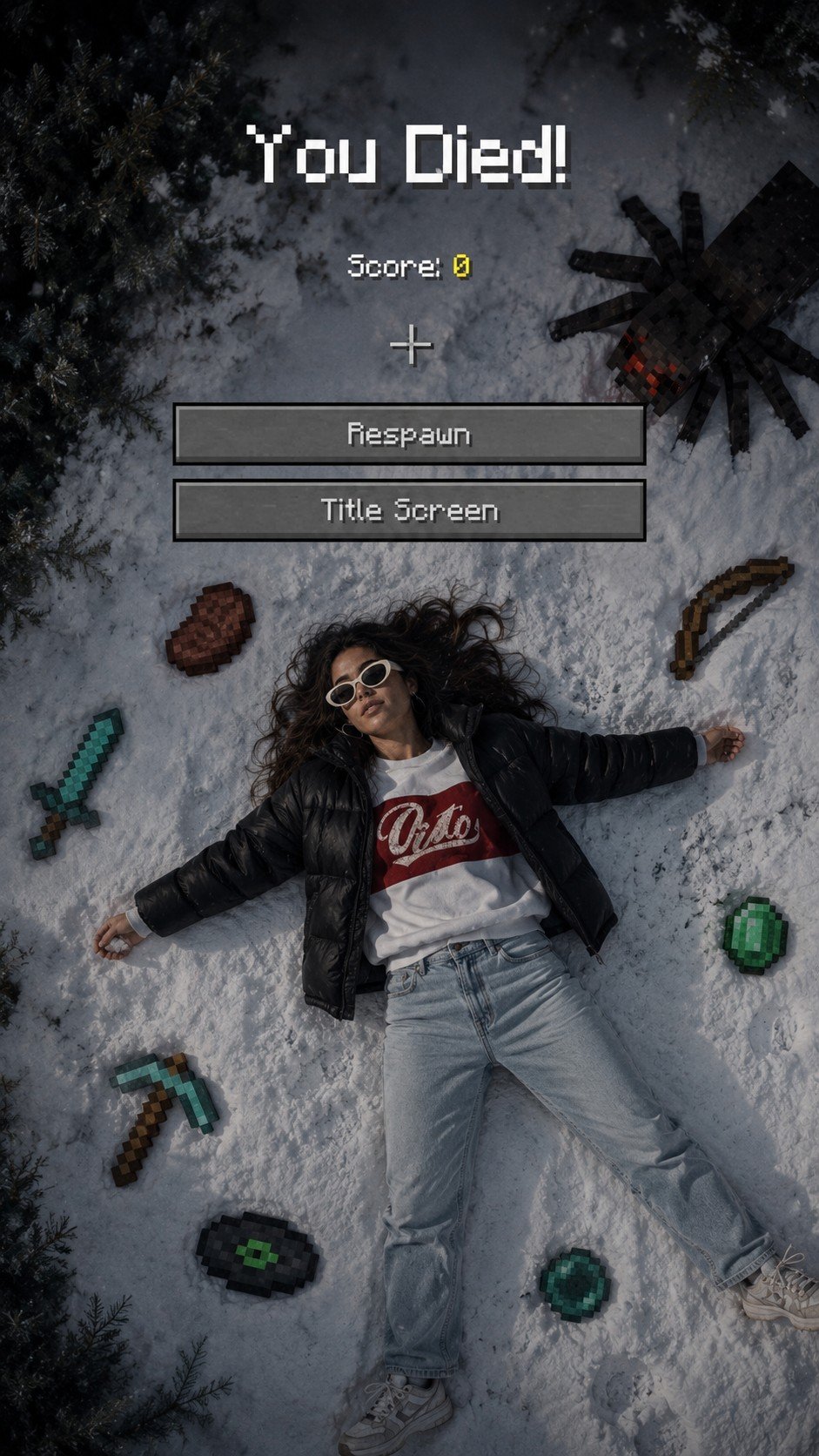
A realistic winter photography prompt that blends a photographic portrait with Minecraft game elements like the 'You Died' screen and pixelated items.

This template uses your photo — add one with the + button.
Use 100% of the face and body from my reference image. Create a cinematic winter scene with a side face close-up view, inspired by a Minecraft death screen. The person is lying face up in the snow, wearing {argument name="clothing" default="casual winter clothing"}, in a realistic pose, with cool atmospheric lighting, slightly desaturated tones, and visible footprints in the snow. Surround the person with floating or placed pixelated objects in the Minecraft style, including a {argument name="weapon" default="diamond sword"}, bow, pickaxe, emerald, steak, Eye of Ender, music disc, and a mob of spiders. Add a realistic Minecraft "You Died!" overlay on top with pixel font, including "Score: 0," the reticle symbol, and two retro UI buttons labeled "Respawn" and "Title Screen." Naturally blend the realistic photography with pixel-art game elements. Soft shadows, melancholic winter aesthetic, ultra-detailed, vertical composition, DSLR realism, subtle depth of field, high contrast, 9:16 aspect ratio. Negative Prompt: "Low quality, blurry face, distorted body, extra limbs, incorrect facial features, cartoonish body, unrealistic"
Use 100% of the face and body from my reference image. Create a cinematic winter scene with a side face close-up view, inspired by a Minecraft death screen. The person is lying face up in the snow, wearing {argument name="clothing" default="casual winter clothing"}, in a realistic pose, with cool atmospheric lighting, slightly desaturated tones, and visible footprints in the snow. Surround the person with floating or placed pixelated objects in the Minecraft style, including a {argument name="weapon" default="diamond sword"}, bow, pickaxe, emerald, steak, Eye of Ender, music disc, and a mob of spiders. Add a realistic Minecraft "You Died!" overlay on top with pixel font, including "Score: 0," the reticle symbol, and two retro UI buttons labeled "Respawn" and "Title Screen." Naturally blend the realistic photography with pixel-art game elements. Soft shadows, melancholic winter aesthetic, ultra-detailed, vertical composition, DSLR realism, subtle depth of field, high contrast, 9:16 aspect ratio. Negative Prompt: "Low quality, blurry face, distorted body, extra limbs, incorrect facial features, cartoonish body, unrealistic"
Edit the prompt in the box under the preview — the template's model and format are already selected — and press Generate. Your version appears right on this page.
Yes. You can change the subject, setting, lighting, mood, format, and available model controls before creating your image.
Opening and editing this template is free. Generating uses credits, shown on the Generate button when you are signed in.
Start with GPT Image 2, which is the model associated with this template. You can compare another compatible model for a different finish.
Follow a topic to a crawlable collection of related PicX Studio templates.