How do I use the Wholesome Panda Hug Character Transformation template?
Edit the prompt in the box under the preview — the template's model and format are already selected — and press Generate. Your version appears right on this page.
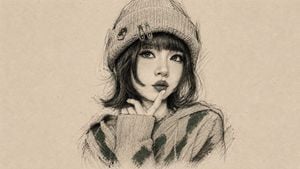
A character consistency prompt that transforms an uploaded reference into a realistic photograph of the subject being hugged by a giant panda.

This template uses your photo — add one with the + button.
Use the uploaded image as the main reference. Transform the scene into a realistic and heartwarming moment where the person or the character is being gently hugged from behind by a {argument name="animal" default="cute giant panda"}. The {argument name="animal" default="panda"}’s two arms wrap naturally around the person’s upper body, and the {argument name="animal" default="panda"}’s head rests softly on the person’s shoulder in an affectionate pose. Keep the face, facial features, hairstyle, expression, skin tone, age impression, and overall identity of the person or character highly consistent with the original image. Ensure the interaction looks natural, believable, and emotionally warm. Maintain realistic anatomy, accurate proportions, natural lighting, detailed fur texture on the {argument name="animal" default="panda"}, and authentic clothing folds. The overall image should feel like a real photograph, with a soft, wholesome atmosphere, clear subject focus, and no cartoon, anime, or overly stylized look. Preserve the realism of the scene and make the {argument name="animal" default="panda"} appear adorable, friendly, and physically integrated with the person.
Use the uploaded image as the main reference. Transform the scene into a realistic and heartwarming moment where the person or the character is being gently hugged from behind by a {argument name="animal" default="cute giant panda"}. The {argument name="animal" default="panda"}’s two arms wrap naturally around the person’s upper body, and the {argument name="animal" default="panda"}’s head rests softly on the person’s shoulder in an affectionate pose. Keep the face, facial features, hairstyle, expression, skin tone, age impression, and overall identity of the person or character highly consistent with the original image. Ensure the interaction looks natural, believable, and emotionally warm. Maintain realistic anatomy, accurate proportions, natural lighting, detailed fur texture on the {argument name="animal" default="panda"}, and authentic clothing folds. The overall image should feel like a real photograph, with a soft, wholesome atmosphere, clear subject focus, and no cartoon, anime, or overly stylized look. Preserve the realism of the scene and make the {argument name="animal" default="panda"} appear adorable, friendly, and physically integrated with the person.
Edit the prompt in the box under the preview — the template's model and format are already selected — and press Generate. Your version appears right on this page.
Yes. You can change the subject, setting, lighting, mood, format, and available model controls before creating your image.
Opening and editing this template is free. Generating uses credits, shown on the Generate button when you are signed in.
Start with GPT Image 2, which is the model associated with this template. You can compare another compatible model for a different finish.
Follow a topic to a crawlable collection of related PicX Studio templates.