- type
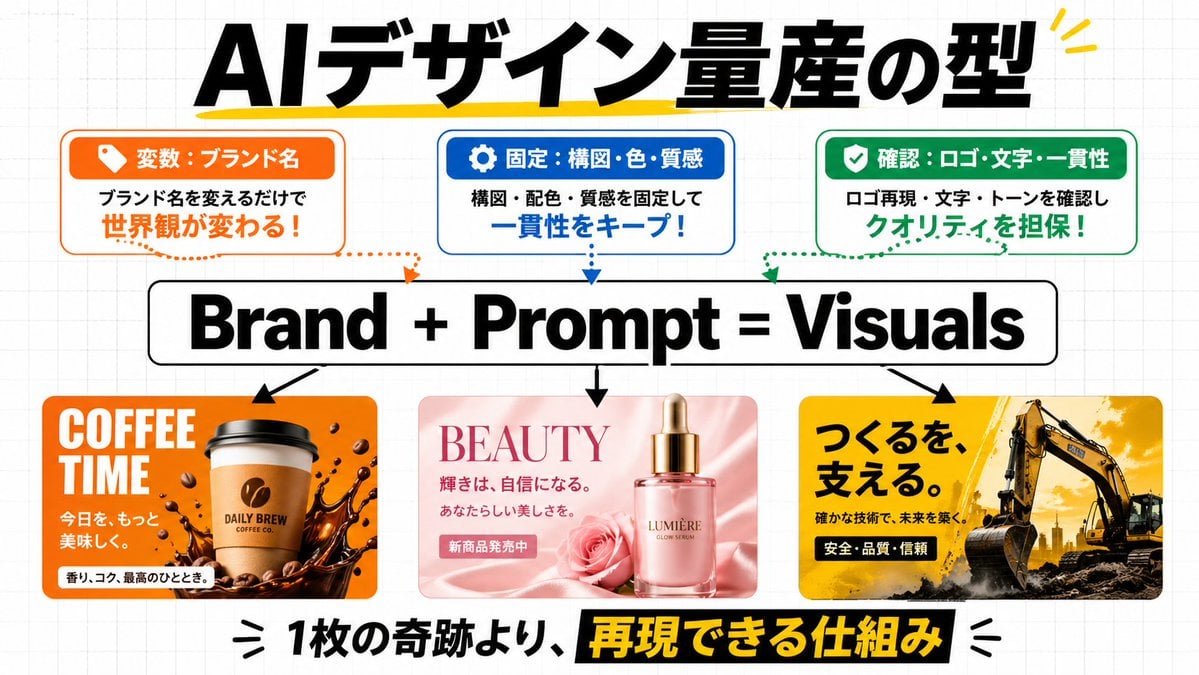
- Japanese business infographic social media graphic
- style
- clean modern presentation slide, startup marketing explainer, bold typography, flat white background with faint gray grid paper pattern, crisp vector-like layout mixed with photoreal product mockup thumbnails
- text
- {argument name="headline text" default="AIデザイン量産の型"}
- position
- top center
- style
- extra bold black Japanese sans-serif, very large, with a hand-drawn yellow underline/accent stroke and small yellow accent marks at the top right
- count
- 3
- position
- top left
- header
- 変数:ブランド名
- theme color
- orange
- icon
- tag icon in white on orange tab
- body
- ブランド名を変えるだけで 世界観が変わる!
- body emphasis
- 世界観が変わる!
- outline
- rounded rectangle with orange border
- position
- top center
- header
- 固定:構図・色・質感
- theme color
- blue
- icon
- gear icon in white on blue tab
- body
- 構図・配色・質感を固定して 一貫性をキープ!
- body emphasis
- 一貫性をキープ!
- outline
- rounded rectangle with blue border
- position
- top right
- header
- 確認:ロゴ・文字・一貫性
- theme color
- green
- icon
- checkmark in white on green tab
- body
- ロゴ再現・文字・トーンを確認し クオリティを担保!
- body emphasis
- クオリティを担保!
- outline
- rounded rectangle with green border
- count
- 3
- style
- dotted curved arrows descending from each top box toward the central formula, matching each box color: orange, blue, green
- text
- {argument name="formula text" default="Brand + Prompt = Visuals"}
- position
- center
- style
- huge bold black sans-serif inside a white rounded rectangle with black outline
- count
- 3
- style
- solid black arrows pointing downward from the central formula to the three example panels
- count
- 3
- position
- bottom left
- theme
- coffee brand ad
- palette
- orange, brown, white
- headline
- COFFEE TIME
- subtext count
- 3
- subtexts
- 今日を、もっと, 美味しく。, 香り、コク、最高のひととき。
- visuals
- takeaway coffee cup centered, coffee bean logo on cup, splashing dark coffee around the base, scattered coffee beans, glossy energetic commercial look, rounded-corner rectangular card
- position
- bottom center
- theme
- beauty serum ad
- palette
- soft pink, rose pink, cream
- headline
- BEAUTY
- subtext count
- 3
- subtexts
- 輝きは、自信になる。, あなたらしい美しさを。, 新商品発売中
- visuals
- luxury pink glass serum bottle with gold dropper cap, rose flower beside it, silky pink fabric background, elegant cosmetic advertisement aesthetic, rounded-corner rectangular card
- position
- bottom right
- theme
- construction company ad
- palette
- yellow, black, dark gray
- headline
- つくるを、支える。
- subtext count
- 3
- subtexts
- 確かな技術で、未来を築く。, 安全・品質・信頼,
- visuals
- large excavator on rugged ground, dramatic golden sky, industrial power and reliability mood, bold Japanese ad layout, rounded-corner rectangular card
- position
- bottom center
- text
- {argument name="footer text" default="1枚の奇跡より、再現できる仕組み"}
- style
- very large bold Japanese sans-serif, mostly black text with the phrase 再現できる仕組み reversed out in yellow on a black highlight bar, decorative black emphasis marks on both sides
- composition
- symmetrical infographic with strong hierarchy: headline at top, 3 explanatory boxes beneath, central formula in the middle, 3 visual examples in the lower half, bold footer statement at bottom