
Neon Rome History Infographic
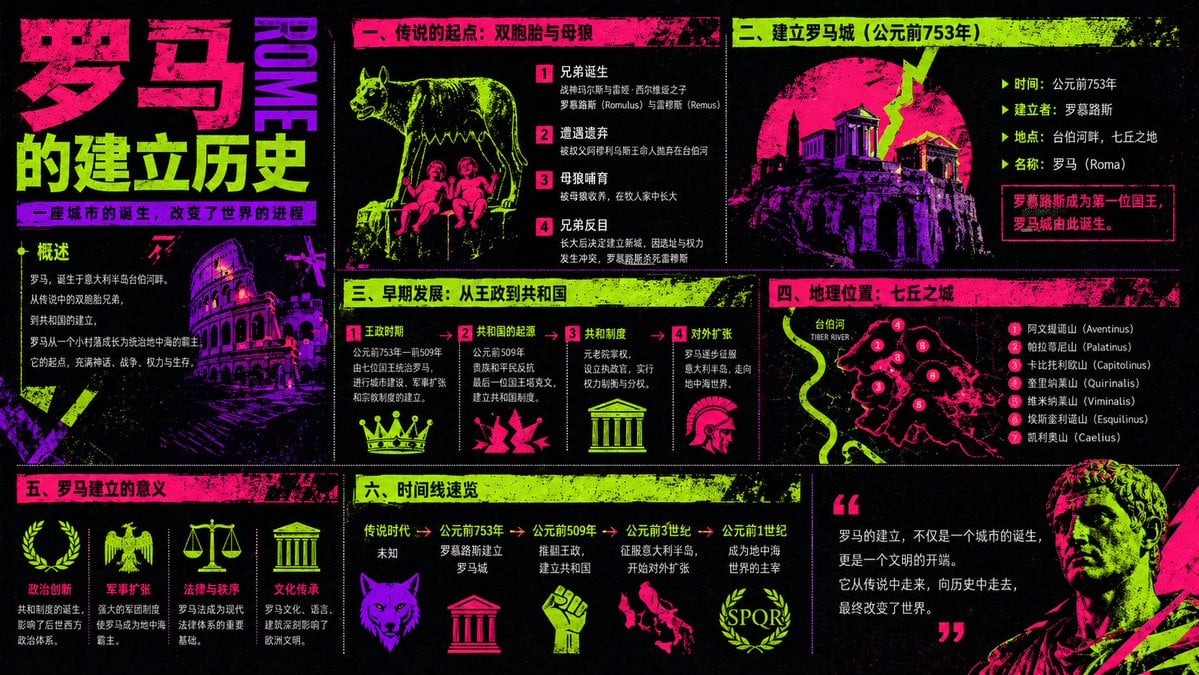
A bold cyberpunk-style Chinese educational poster explaining the founding and early development of Rome, suitable for history infographics and social-media knowledge graphics.
- Prompt included
- Model and format preset
- Free template
The prompt behind this image
Copy the exact prompt behind Neon Rome History Infographic, or open it in the studio and make it yours.
- Type
- neon grunge educational infographic poster
- Topic
- the founding history of {argument name="city name" default="Rome"}
- Language
- Simplified Chinese
- Aspect Ratio
- 16:9
- Style › Visual
- high-contrast cyberpunk screenprint, black background, fluorescent magenta, acid green, and electric purple palette, distressed ink texture, halftone noise, rough paint splatter, punk zine aesthetic, bold propaganda-poster energy
- Style › Mood
- dramatic, historical, energetic, rebellious, infographic-heavy
- Layout › Format
- multi-panel poster with 8 distinct sections
- Layout › Sections › 0 › Title
- large vertical title block
- Layout › Sections › 0 › Position
- far left
- Layout › Sections › 0 › Count
- 1
- Layout › Sections › 0 › Labels
- 罗马, 的建立历史
- Layout › Sections › 0 › Details
- oversized stacked headline in magenta and acid green, vertical purple word ROME beside it, small subtitle strip beneath
- Layout › Sections › 1 › Title
- 一、传说的起点:双胞胎与母狼
- Layout › Sections › 1 › Position
- top center-left
- Layout › Sections › 1 › Count
- 4
- Layout › Sections › 1 › Labels
- 1 兄弟诞生, 2 遭遇遗弃, 3 母狼哺育, 4 兄弟反目
- Layout › Sections › 1 › Details
- legend panel showing a she-wolf standing above the twin infants, with numbered story steps in Chinese
- Layout › Sections › 2 › Title
- 二、建立罗马城(公元前753年)
- Layout › Sections › 2 › Position
- top right
- Layout › Sections › 2 › Count
- 5
- Layout › Sections › 2 › Labels
- 时间:公元前753年, 建立者:罗慕路斯, 地点:台伯河畔,七丘之地, 名称:罗马(Roma), 罗慕路斯成为第一位国王,罗马城由此诞生。
- Layout › Sections › 2 › Details
- ancient temple and hill city silhouette inside a large circular magenta graphic with a lightning-like crack
- Layout › Sections › 3 › Title
- 三、早期发展:从王政到共和国
- Layout › Sections › 3 › Position
- middle center-right
Raw JSON
{"type":"neon grunge educational infographic poster","topic":"the founding history of {argument name=\"city name\" default=\"Rome\"}","language":"Simplified Chinese","aspect_ratio":"16:9","style":{"visual":"high-contrast cyberpunk screenprint, black background, fluorescent magenta, acid green, and electric purple palette, distressed ink texture, halftone noise, rough paint splatter, punk zine aesthetic, bold propaganda-poster energy","mood":"dramatic, historical, energetic, rebellious, infographic-heavy"},"layout":{"format":"multi-panel poster with 8 distinct sections","sections":[{"title":"large vertical title block","position":"far left","count":1,"labels":["罗马","的建立历史"],"details":"oversized stacked headline in magenta and acid green, vertical purple word ROME beside it, small subtitle strip beneath"},{"title":"一、传说的起点:双胞胎与母狼","position":"top center-left","count":4,"labels":["1 兄弟诞生","2 遭遇遗弃","3 母狼哺育","4 兄弟反目"],"details":"legend panel showing a she-wolf standing above the twin infants, with numbered story steps in Chinese"},{"title":"二、建立罗马城(公元前753年)","position":"top right","count":5,"labels":["时间:公元前753年","建立者:罗慕路斯","地点:台伯河畔,七丘之地","名称:罗马(Roma)","罗慕路斯成为第一位国王,罗马城由此诞生。"],"details":"ancient temple and hill city silhouette inside a large circular magenta graphic with a lightning-like crack"},{"title":"三、早期发展:从王政到共和国","position":"middle center-right","count":4,"labels":["1 王政时期","2 共和国的起源","3 共和制度","4 对外扩张"],"details":"four-column development panel with simple icon under each item: crown, broken shard or abstract republican symbol, temple, helmet"},{"title":"四、地理位置:七丘之城","position":"middle right","count":8,"labels":["台伯河","1 阿文提诺山(Aventinus)","2 帕拉蒂尼山(Palatinus)","3 卡比托利欧山(Capitolinus)","4 奎里纳莱山(Quirinalis)","5 维米纳莱山(Viminalis)","6 埃斯奎利诺山(Esquilinus)","7 凯利安山(Caelius)"],"details":"stylized black-and-magenta map of Rome with bright numbered hill markers and a winding neon green Tiber River"},{"title":"五、罗马建立的意义","position":"bottom left","count":4,"labels":["政治创新","军事扩张","法律与秩序","文化传承"],"details":"four significance columns with icons: laurel wreath, eagle, scales, temple"},{"title":"六、时间线速览","position":"bottom center","count":5,"labels":["传说时代","公元前753年","公元前509年","公元前3世纪","公元前1世纪"],"details":"horizontal timeline with short summaries beneath each date and icons including wolf head, temple, raised fist, wolf, and SPQR wreath"},{"title":"quote block","position":"bottom right","count":1,"labels":["罗马的建立,不仅是一个城市的诞生,更是一个文明的开端。它从传说中走来,向历史中走去,最终改变了世界。"],"details":"large quotation marks and a concluding paragraph, with a partial classical marble statue portrait cropped at the lower-right corner"}]},"background_elements":{"count":4,"items":["large illustrated Colosseum near the left-center lower area","partial classical marble bust at bottom right","multiple grunge bars and splatter textures framing panel headers","thin divider lines separating all sections"]},"typography":{"headline":"extra-bold blocky Chinese display type","body":"clean condensed sans serif in Chinese","accent":"vertical Latin text ROME in purple"},"color_application":{"count":4,"items":["black background","magenta for major headers and illustrations","acid green for highlights, icons, and section bars","purple for secondary illustrations and accents"]},"generation_notes":"Create a highly legible educational poster in Chinese about the founding of Rome, packed with historical facts and diagrams, arranged in a magazine-style grid. Keep the text dense, the icons simple and symbolic, and the whole composition gritty, fluorescent, and visually striking like a punk history infographic. Include all 8 sections and preserve the Chinese section titles exactly."}How to use Neon Rome History Infographic in 3 steps
- 1Upload ImagePNG, JPG or paste
Add your photo
Upload the photo the template builds on. The prompt, model and format are already set.
- 2…a portrait of your subject in softgolden-hour light, 85mm…
Personalize
Edit the subject and creative details for your destination.
- 3Generate
Generate
Press Generate — your image is created in PicX Studio, so you can compare it with the original and refine one variable at a time.
More like this
Templates with the same subject, style or setup. Open one to see its prompt.

80s Neon Disco Night

Japan Travel Brochure Poster

Cartoon TV Show Poster Pack

Rainy Night Android Cyberpunk Portrait

Korean Idol Partial Shadow Editorial Portrait

Cyberpunk Neon Profile Fashion Portrait

Neon Night Crosswalk Candid Portrait

Subway Platform Quiet Introspective Portrait
Rainy Night Android Cyberpunk Portrait

Cinematic Sci-Fi Commander Side Profile Portrait
Low-Angle Cyberpunk Neon Profile Portrait

Cinematic Neon Light Strip Studio Portrait
Make it yours
Neon Rome History Infographic works as-is. These are the safest ways to change it without losing the look.
Swap the setting
Keep the rest of the prompt and replace the location block. The current setting is “4”.
Change one field
Copy a single group, rewrite it, and generate again so you can see what that field is doing.
Keep the frame, change the subject
Hold the composition and light of Neon Rome History Infographic, then swap wardrobe, props or the person for a new take.
| If the result… | Why | Fix |
|---|---|---|
| The result drifts from the preview | Too many fields changed at once. | Reuse Neon Rome History Infographic as-is first, then change one group — subject, light, or setting. |
| GPT Image 2 ignores part of the JSON | Some models flatten or skip nested keys. | Keep the same values and paste them as a short paragraph instead. |
More GPT Image 2 templates
Other prompts made for GPT Image 2.

Six VTuber Japanese Logo Sheet

Realistic Portrait of Woman and Deer

The Vista Modular Condo Poster

AI Model Routing Comparison Infographic

2.5D Anime Art Board

Isometric Productivity Desk Scene

New York Double Exposure Poster

Four-Panel AI Landscape Comparison

Japanese Tatami Lifestyle Magazine Cover

NESCAFÉ Coffee Map Poster
More image prompts
Fresh picks from across the catalog.
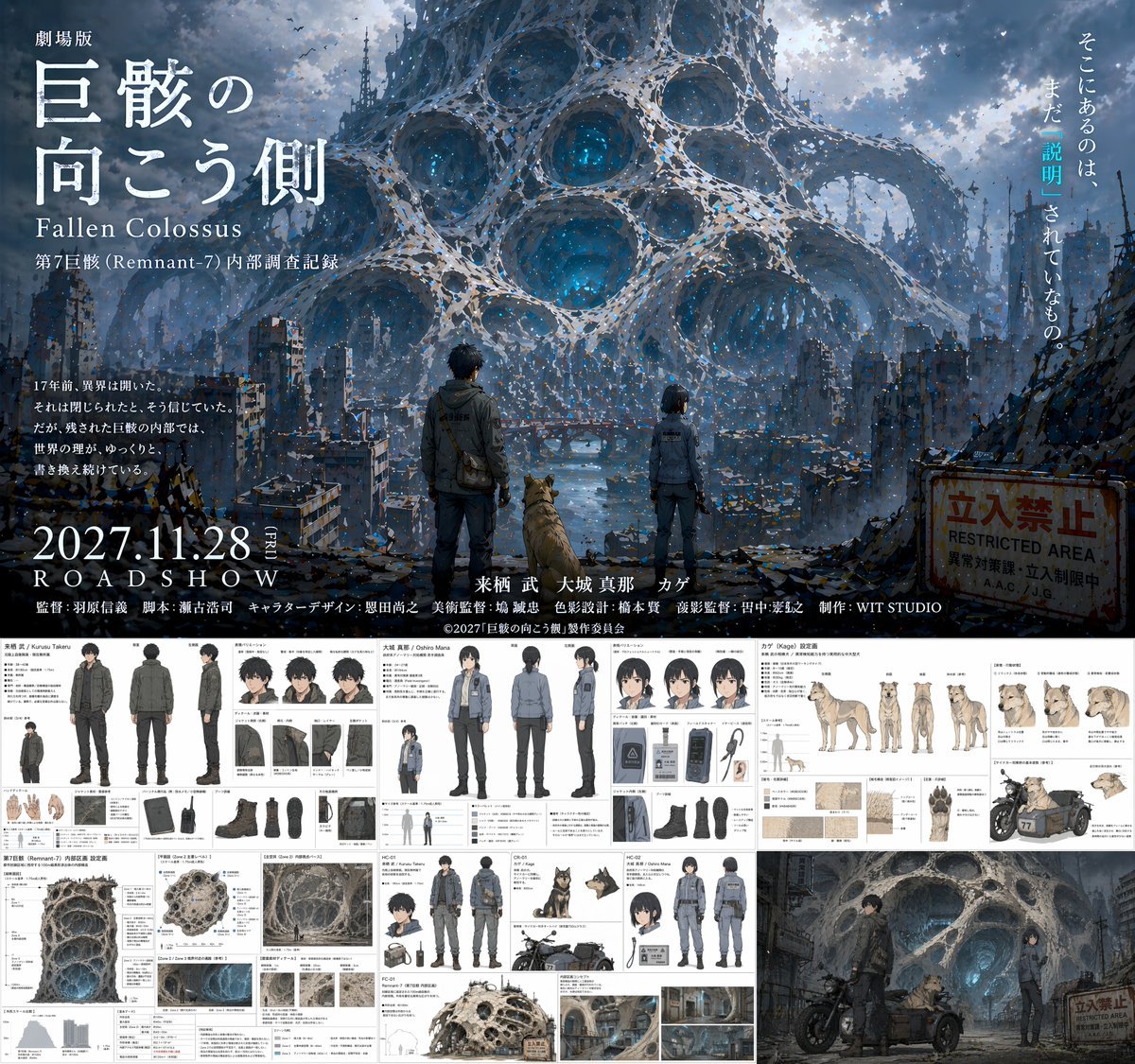
Anime Movie Pitch Document with Poster and Settei

Cinematic Seaside Pier Portrait Prompt

Y2K Diva Mirror Selfie in Mall-Themed Bedroom

Korean Casual Fashion Portrait

Japanese News Interview Broadcast
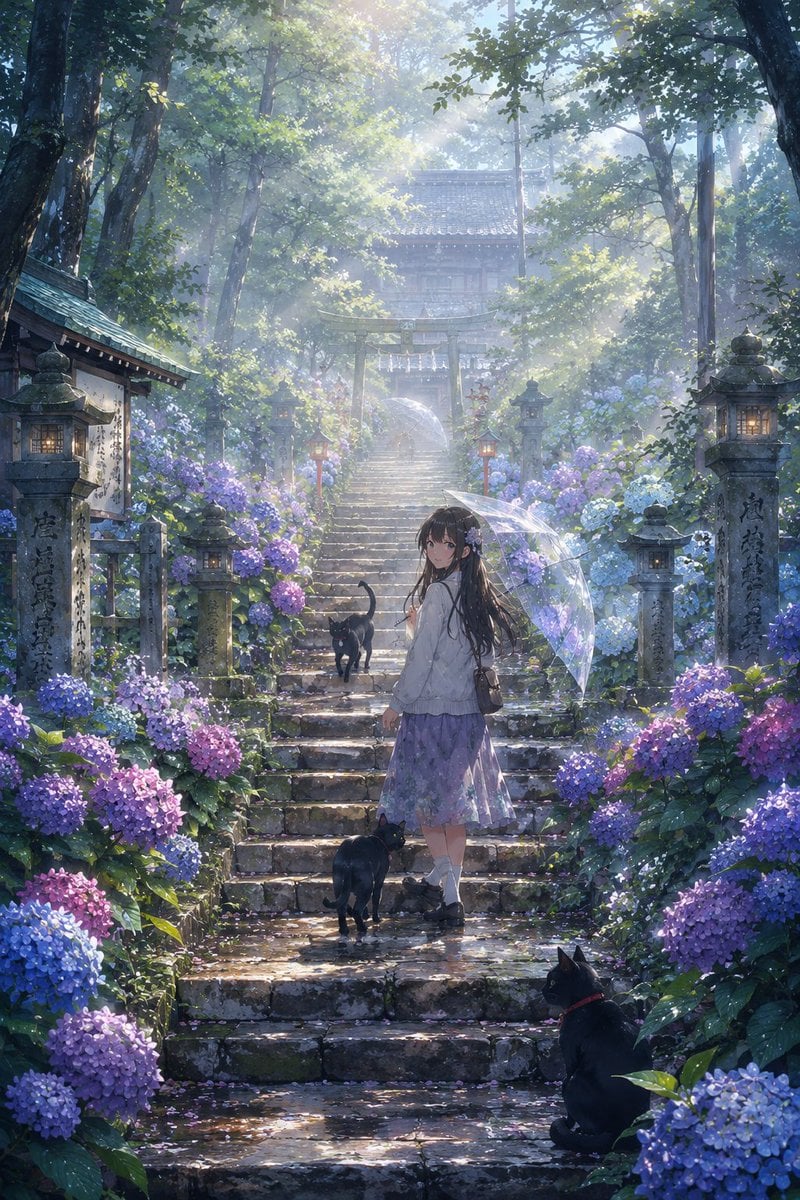
Rainy Season Shrine Hydrangea Scene
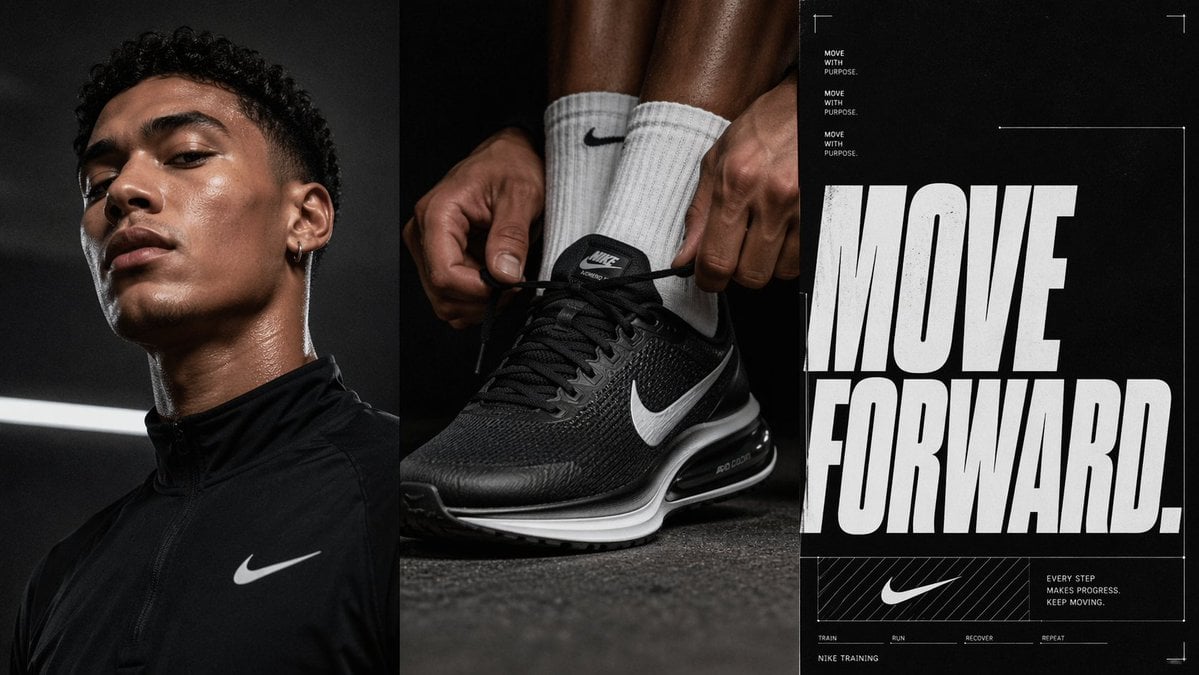
Triptych Sports Ad Poster
Geolocation sunset scene at specific coordinates

Ultra-Photoreal Candlelight Dinner Scene with Couple
Oni Delinquent Anime Character Sheet
Browse template categories
Neon Rome History Infographic questions
How do I use the Neon Rome History Infographic template?
Add your photo if the template asks for one, edit the prompt if you like — the template's model and format are already selected — and press Generate. Your version opens in PicX Studio.
Can I customize the Neon Rome History Infographic template?
Yes. You can change the subject, setting, lighting, mood, format, and available model controls before creating your image.
Is the Neon Rome History Infographic template free?
Opening and editing this template is free. Generating uses credits, shown on the Generate button when you are signed in.
Which AI model should I use?
Start with GPT Image 2, which is the model associated with this template. You can compare another compatible model for a different finish.
Looking for something else? Browse all templates.

Your photo, any look
Thousands of ready templates for every top image and video model, from one credit balance.