How do I use the Nostalgic 2000s Digital Camera Snapshot template?
Choose the primary action to open PicX Studio with the available template settings. Review the model and format, personalize the creative direction, and generate when ready.
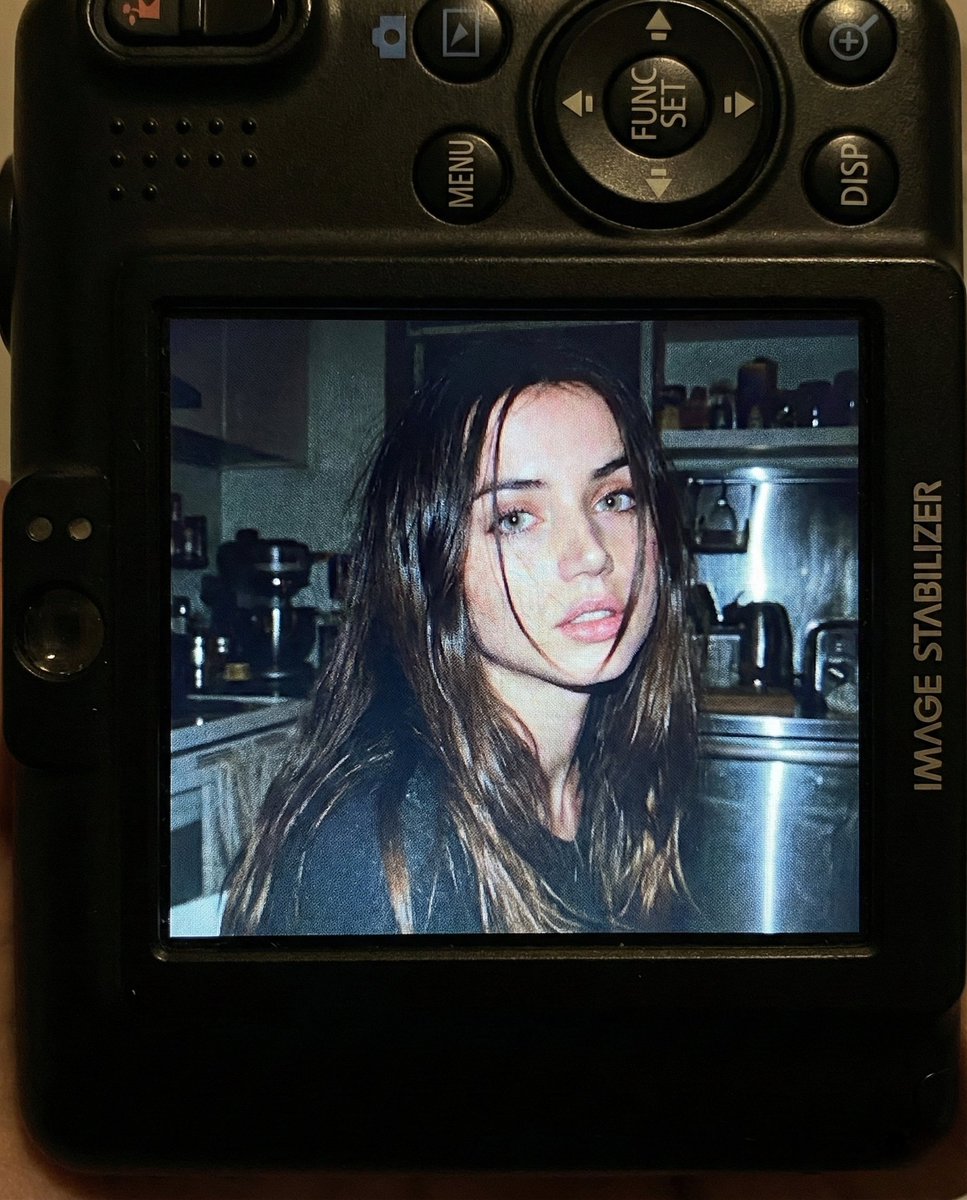
A detailed prompt for simulating the look of an early 2000s digital camera screen, featuring a candid indoor portrait with harsh flash and grainy LCD textures.
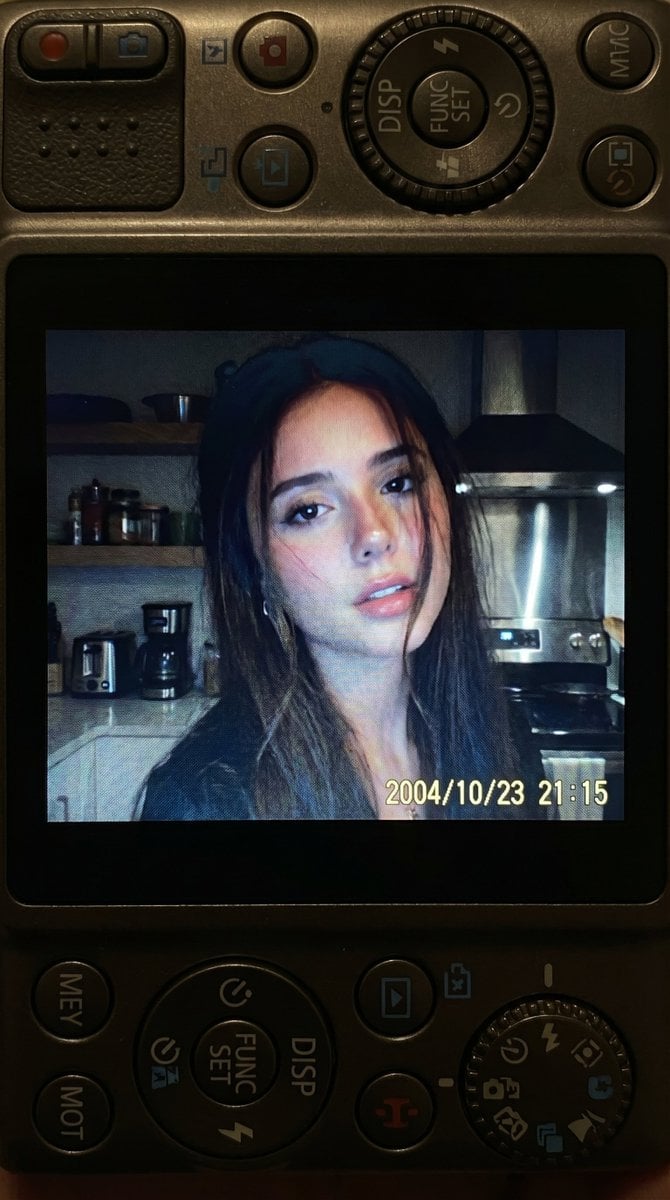
{ "reference_usage": { "instruction": "Use the attached reference photo as the identity base. Replicate the same facial structure, proportions, eyes, nose, lips, and overall facial identity exactly as the reference. Do not alter facial geometry.", "identity_consistency": "Face must match the attached reference image" }, "scene": { "concept": "A close up photograph displayed on the screen of a compact Canon style digital camera", "composition": "The physical camera body surrounds the image with visible buttons, textured plastic surface, navigation wheel, DISP button, FUNC/SET wheel, and small camera interface details", "scale_ratio": "4:5 vertical" }, "photo_on_screen": { "subject": { "description": "{argument name="subject" default="young woman matching the facial features of the reference image"}", "expression": "soft slightly open lips expression, relaxed gaze", "hair": "long hair with loose strands partially falling across the face", "pose": "close up portrait framing" }, "environment": { "setting": "dim indoor kitchen environment at night", "background": [ "kitchen shelves", "small appliances", "metallic surfaces", "softly blurred clutter typical of a lived in kitchen" ] }, "lighting": { "type": "direct built in camera flash", "effect": "strong highlights on face and hair with sharp flash contrast against darker background" }, "mood": "candid raw nostalgic early 2000s digital camera snapshot", "color_characteristics": { "tones": "slightly muted colors with cool undertones", "contrast": "strong flash contrast", "grain": "natural digital screen grain and subtle LCD glow" } }, "camera_simulation": { "device": "compact digital camera", "lens_equivalent": "28 to 35mm", "aperture": "f2.8", "iso": 400, "shutter_speed": "1/60 with flash", "white_balance": "auto flash" }, "render_style": { "look": "authentic early 2000s digital camera display", "effects": [ "screen pixel texture", "LCD glow from camera screen", "subtle display grain", "harsh flash highlight bloom" ] }, "restrictions": { "text_inside_photo_preview": "none", "logos_inside_photo_preview": "none" } }
Choose the primary action to open PicX Studio with the available template settings. Review the model and format, personalize the creative direction, and generate when ready.
Yes. You can change the subject, setting, lighting, mood, format, and available model controls before creating your image.
This template is free to open and customize. Generation usage is shown in PicX Studio before you create.
Start with Nano Banana 2, which is the model associated with this template. You can compare another compatible model for a different finish.
Follow a topic to a crawlable collection of related PicX Studio templates.