How do I use the Japanese Garden Luxury Portrait template?
Choose the primary action to open PicX Studio with the available template settings. Review the model and format, personalize the creative direction, and generate when ready.
A detailed prompt for a high-end editorial travel photo featuring a woman in a Tokyo teahouse, capturing refined beauty and serene atmosphere.
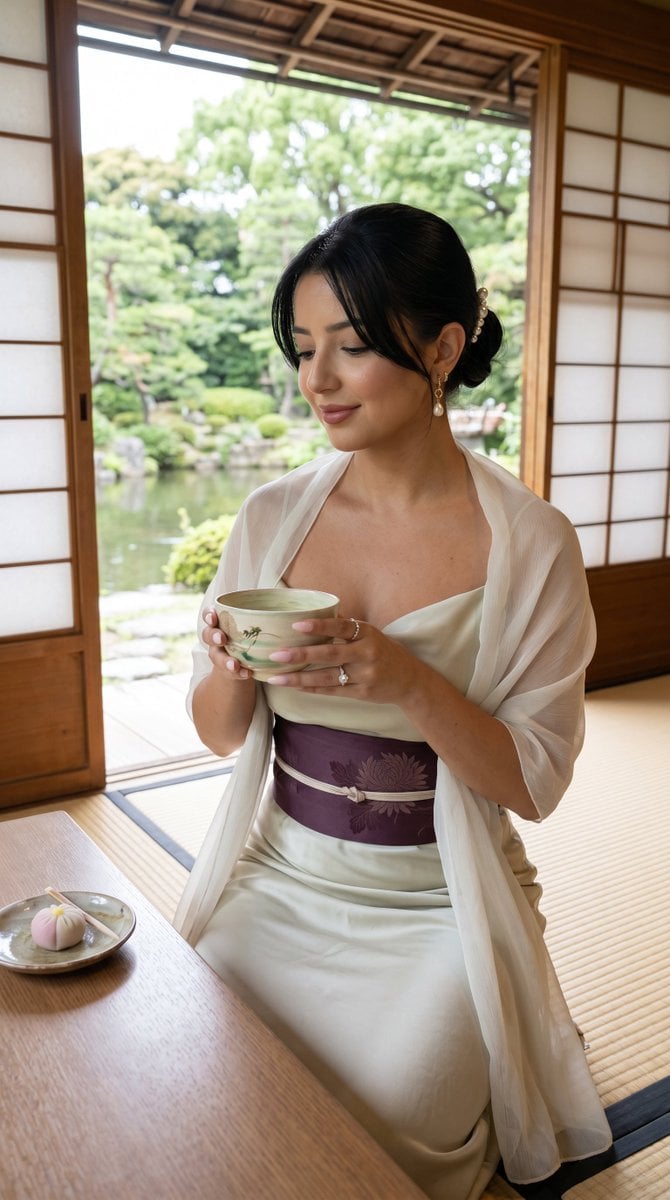
{ "generation_request": { "task_type": "single_quiet_luxury_beauty_fashion_photo", "style": "japanese_garden_soft_luxury_editorial", "aspect_ratio": "4:5", "resolution": "8K", "subject": { "description": "adult refined woman, calm sensual beauty, elegant quiet-luxury mood", "hair": "low polished knot with pearl hair pin and soft side strands", "makeup": "natural glowing skin, muted rose lips, soft brown liner, gentle blush, realistic pores", "pose": "seated tea pose, one hand holding matcha cup, eyes softly lowered, elegant neck and shoulder line" }, "location": { "place": "{argument name="location" default="Tokyo Japanese garden"} teahouse atmosphere", "environment": "pond view, traditional teahouse, greenery, soft daylight, peaceful refined travel mood" }, "fashion": { "outfit": "{argument name="outfit" default="ivory silk midi dress"} with pale sage undertone, plum silk sash, delicate sheer shawl over shoulders", "motifs": "subtle chrysanthemum or seigaiha wave woven detail on sash", "accessories": "pearl earrings, fine gold necklace, pearl hair pin, ivory satin mules" }, "props": { "main_prop": "{argument name="drink" default="matcha tea bowl"} held elegantly", "extra_prop": "small wagashi sweet on ceramic plate" }, "color_palette": { "colors": ["warm ivory", "matcha sage", "deep plum", "soft stone beige"], "psychology": "serenity, tactile luxury, calm sensuality, refined Japanese garden elegance" }, "camera": { "camera_body": "Fujifilm GFX100 II look", "lens": "80mm f/1.7 beauty portrait lens", "settings": "f/1.7, 1/250s, ISO 320", "angle": "intimate seated portrait with shallow depth of field" }, "lighting": { "style": "soft window and garden daylight", "key_light": "diffused natural side light", "fill": "gentle white bounce under chin and hands", "grade": "creamy highlights, muted greens, natural skin texture" }, "quality": "ultra-realistic, elegant, calm, premium beauty-fashion travel image, no text", "negative_prompt": "messy tea props, bad hands, extra fingers, distorted cup, cheap outfit, low quality, blurry face, plastic skin, random logos, watermark, cartoon, painting, harsh flash, oversaturated green, explicit nudity" } }
Choose the primary action to open PicX Studio with the available template settings. Review the model and format, personalize the creative direction, and generate when ready.
Yes. You can change the subject, setting, lighting, mood, format, and available model controls before creating your image.
This template is free to open and customize. Generation usage is shown in PicX Studio before you create.
Start with Nano Banana 2, which is the model associated with this template. You can compare another compatible model for a different finish.
Follow a topic to a crawlable collection of related PicX Studio templates.