
Cyberpunk Android Monk Sky City
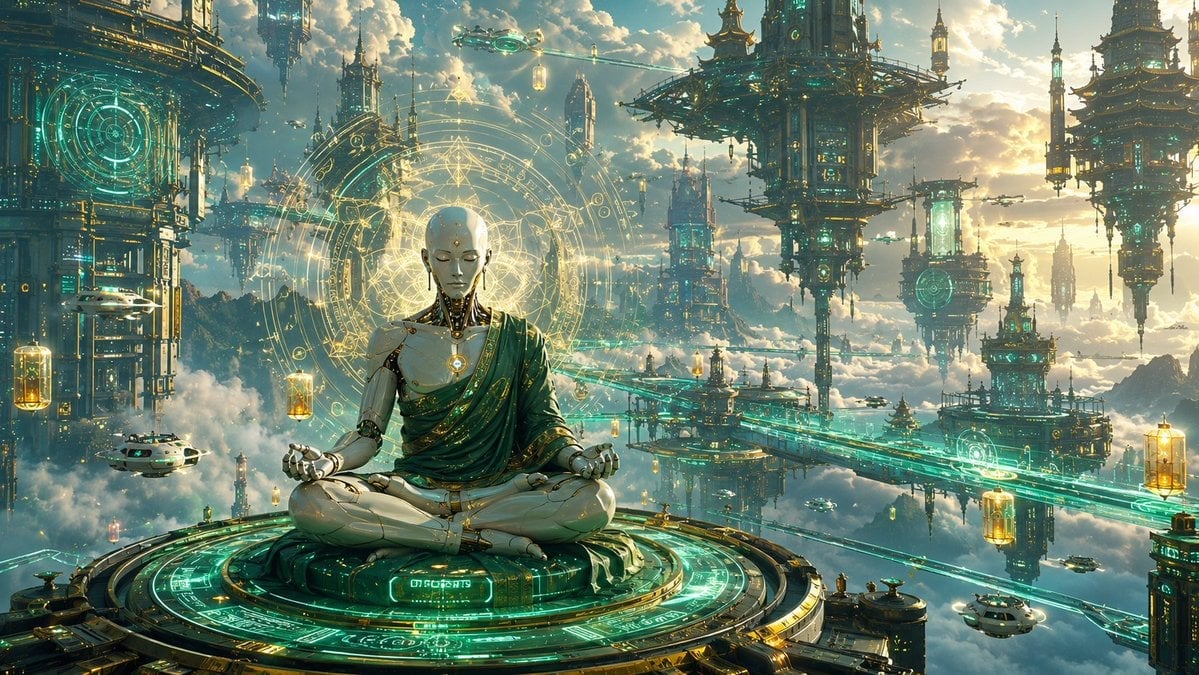
A detailed prompt for generating a cinematic sci-fi fantasy scene of a faceless android monk meditating in a luminous floating temple city.
- Prompt included
- Model and format preset
- Premium template
The prompt behind this image
Copy the exact prompt behind Cyberpunk Android Monk Sky City, or open it in the studio and make it yours.
Create a cinematic ultra-wide fantasy sci-fi illustration of a serene faceless humanoid android monk meditating in lotus pose on a circular floating platform above the clouds, in a vast sky city that blends ancient Asian temple architecture with high-tech cyberpunk machinery. The central subject is {argument name="character type" default="a faceless white-and-gold humanoid android monk"}, seated cross-legged, wearing a draped emerald-green robe with gold trim over polished ivory mechanical limbs and a glowing circular chest core. The face should be smooth and blank, with no features, like a pale rectangular mask or unfinished faceplate. Behind the figure, place a huge radiant golden sacred-geometry halo made of concentric rings, runes, triangles, orbital lines, and arcane circuit patterns. The monk sits on a large ornate circular platform covered in turquoise holographic glyphs, glowing circuitry, and gold mechanical detailing, viewed from slightly above and facing forward. Set the scene in a majestic floating city at sunset, with warm clouds, blue sky, and golden sunlight breaking through. Include exactly 7 major floating architectural structures: 1 massive cropped tower on the far left with a cyan circular hologram, 1 tall spired tower behind the monk on the left, 1 large pagoda-like suspended fortress in the upper center-right, 1 pagoda tower in the upper far right, 1 mid-distance tower cluster below the central fortress, 1 tall needle-like tower near the right-center distance, and 1 lower-right platform tower. Add exactly 6 small flying vehicles: 1 white craft near the lower left, 1 tiny craft near the upper center, 1 tiny craft near the central bridge area, 1 tiny craft near the right-center, and 2 white pod-like craft near the lower right. Add exactly 5 glowing hanging lantern capsules suspended in the air: 1 near the left edge, 1 near the monk’s left shoulder, 1 near the upper center, 1 near the lower right edge, and 1 near the right-center bridge. Use luminous turquoise energy bridges and rails crossing the city, with ornate gold accents, suspended platforms, floating spires, atmospheric mist, and clouds below. Visual style: {argument name="art style" default="epic high-detail cinematic concept art"}, extremely intricate, sharp focus on the monk and platform, atmospheric depth, volumetric lighting, teal and gold color palette, glowing cyan holograms, sacred-tech mysticism, futuristic Buddhist temple mood, no readable text except abstract glowing glyphs. Use a 16:9 panoramic composition, rich detail, dramatic scale, and a peaceful transcendent atmosphere. Emphasize {argument name="color palette" default="emerald teal, antique gold, ivory white, and warm sunset clouds"}.
How to use Cyberpunk Android Monk Sky City in 3 steps
- 1Upload ImagePNG, JPG or paste
Add your photo
Upload the photo the template builds on. The prompt, model and format are already set.
- 2…a portrait of your subject in softgolden-hour light, 85mm…
Personalize
Edit the subject and creative details for your destination.
- 3Generate
Generate
Press Generate — your image is created in PicX Studio, so you can compare it with the original and refine one variable at a time.
More like this
Templates with the same subject, style or setup. Open one to see its prompt.

Rainy Night Android Cyberpunk Portrait
Rainy Night Android Cyberpunk Portrait

Spider-Man 2099 Cyberpunk Neon Future City
Cyberpunk Android Creating Art

Cozy Knit Sweater Window Portrait

Minimalist Hand-Drawn Doodle Portrait
Anime Hero Leaping Through City Sky

Korean Idol Partial Shadow Editorial Portrait

Cinematic Sci-Fi Interface Side Profile

Cyberpunk Neon Profile Fashion Portrait

Cinematic Neon Light Strip Studio Portrait

Futuristic Studio Neon Ring Minimalist Portrait
Make it yours
Cyberpunk Android Monk Sky City works as-is. These are the safest ways to change it without losing the look.
Change one field
Copy a single group, rewrite it, and generate again so you can see what that field is doing.
Keep the frame, change the subject
Hold the composition and light of Cyberpunk Android Monk Sky City, then swap wardrobe, props or the person for a new take.
| If the result… | Why | Fix |
|---|---|---|
| The result drifts from the preview | Too many fields changed at once. | Reuse Cyberpunk Android Monk Sky City as-is first, then change one group — subject, light, or setting. |
| The model over-stylizes the scene | The prose prompt leaves finish and camera underspecified. | Add one camera or lighting sentence and stay on GPT Image 2. |
More GPT Image 2 templates
Other prompts made for GPT Image 2.

Six VTuber Japanese Logo Sheet

Realistic Portrait of Woman and Deer

The Vista Modular Condo Poster

AI Model Routing Comparison Infographic

2.5D Anime Art Board

Isometric Productivity Desk Scene

New York Double Exposure Poster

Four-Panel AI Landscape Comparison

Japanese Tatami Lifestyle Magazine Cover

NESCAFÉ Coffee Map Poster
More image prompts
Fresh picks from across the catalog.
Liquid Glass UX Button Prompts for Nano Banana Pro
Ancient Hand-Chiseled Stone Artifact Logo
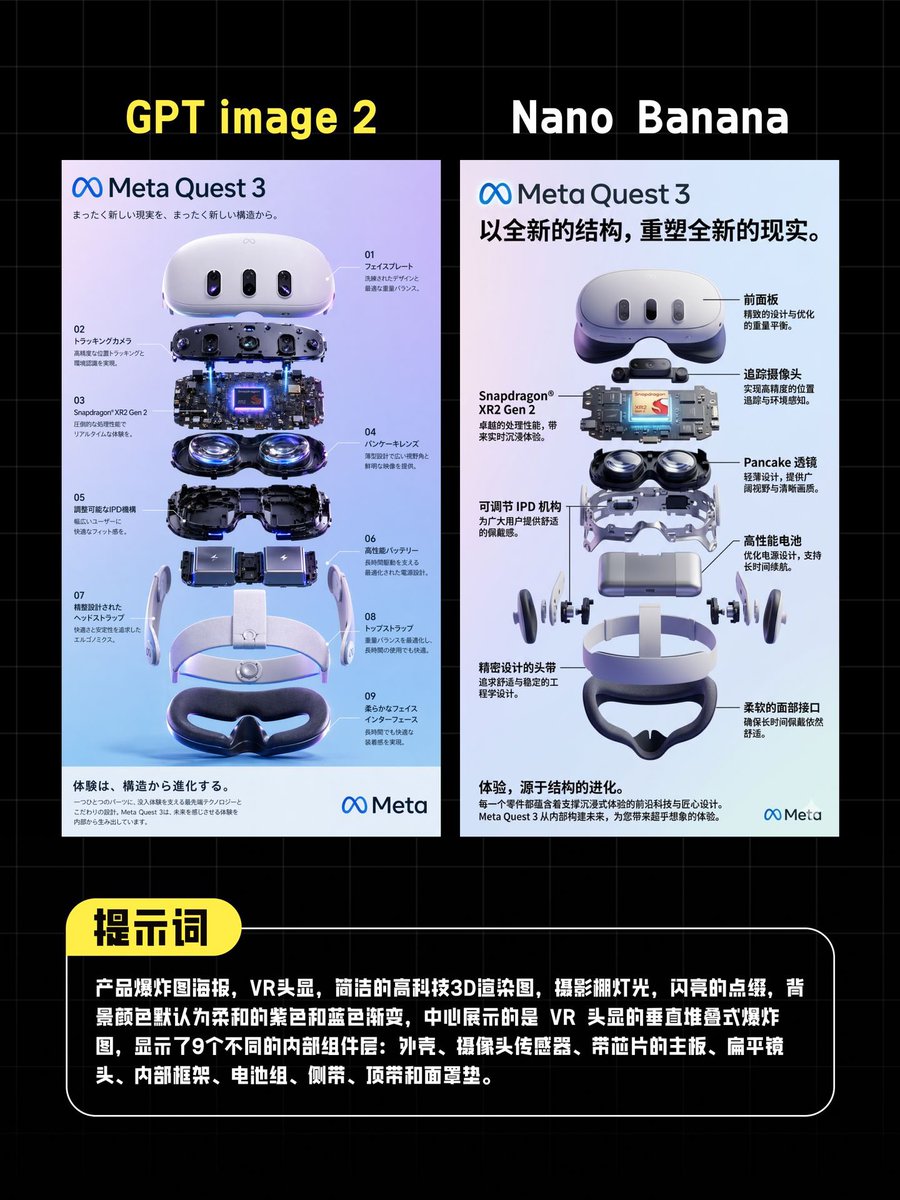
AI VR Poster Comparison
3D Miniature Clay Figurine Illusion in an Artist's Studio

14 Napa Valley Vineyard — California Series
Consulting-Grade Presentation Cover Visual Prompt
Formulaic Prompt Structure for High Fashion

One Piece Straw Hat Crew at Sunset
Ethereal Buddhist Pure Land scene

Kylian Mbappé Devastated Photo
Browse template categories
Cyberpunk Android Monk Sky City questions
How do I use the Cyberpunk Android Monk Sky City template?
Add your photo if the template asks for one, edit the prompt if you like — the template's model and format are already selected — and press Generate. Your version opens in PicX Studio.
Can I customize the Cyberpunk Android Monk Sky City template?
Yes. You can change the subject, setting, lighting, mood, format, and available model controls before creating your image.
Is the Cyberpunk Android Monk Sky City template free?
Opening and editing this template is free. Generating uses credits, shown on the Generate button when you are signed in.
Which AI model should I use?
Start with GPT Image 2, which is the model associated with this template. You can compare another compatible model for a different finish.
Looking for something else? Browse all templates.

Your photo, any look
Thousands of ready templates for every top image and video model, from one credit balance.