How do I use the Romantic Saree Portrait Poster template?
Edit the prompt in the box under the preview — the template's model and format are already selected — and press Generate. Your version appears right on this page.
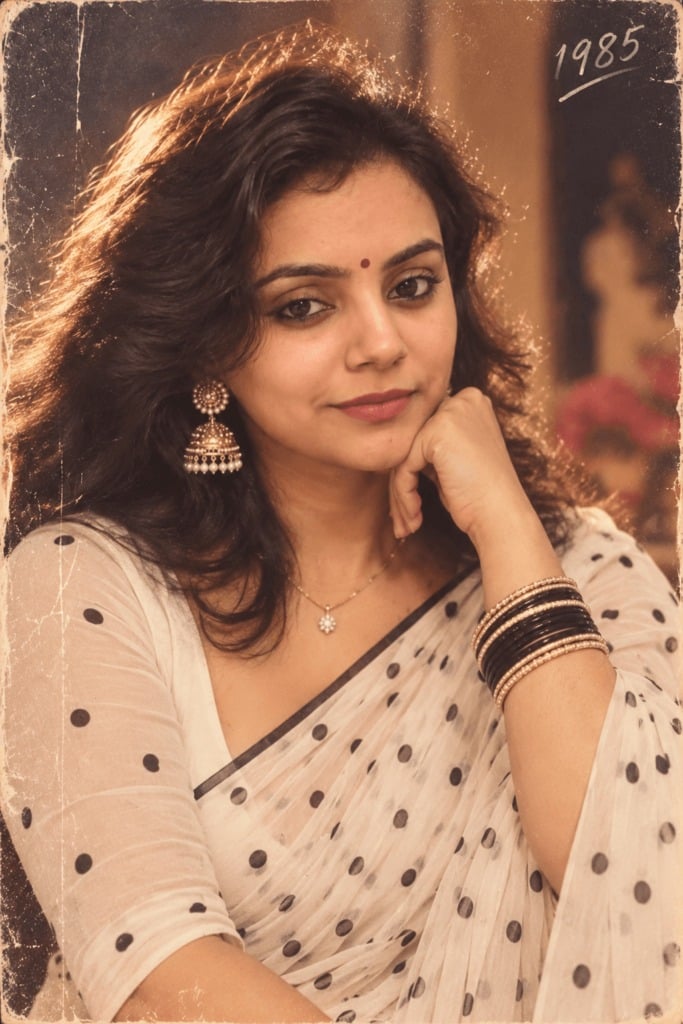
Generates a dreamy vertical Indian fashion portrait poster with a full-body saree figure, close-up face, floral courtyard background, and cursive name text.

This template uses your photo — add one with the + button.
Create a romantic vertical fashion portrait poster of a young South Asian woman named {argument name="character name" default="Arina"} wearing an elegant deep {argument name="saree color" default="burgundy"} embroidered saree with ornate gold and green borders. Use a split-composition: on the left, show her full body standing beside a large tree trunk covered in vibrant magenta bougainvillea flowers, one hand resting lightly across the saree drape and the other relaxed by her side; on the right, show a much larger close-up portrait of the same woman from the chest up, facing the viewer with a calm natural smile. She has warm fair skin, large brown eyes, softly defined brows, a small red bindi centered on her forehead, long chestnut-brown hair styled with subtle side braids at the crown and loose waves over one shoulder, delicate dangling gold earrings, a necklace, bangles, and flat sandals. The setting is a sunlit old courtyard or palace garden with warm sandstone architecture and softly blurred steps in the background, golden-hour backlighting, shallow depth of field, pink petals scattered on the stone floor, and rich cinematic bokeh. Add graceful white cursive text reading {argument name="name text" default="Arina"} at the lower right with a decorative heart flourish underneath. Style should be photorealistic, polished, dreamy, high-detail, soft warm color grading, elegant Indian bridal/festive fashion aesthetic, vertical 3:4 poster framing. Keep the two depictions of the woman consistent in identity, outfit, jewelry, hairstyle, and expression; avoid extra people, extra text, watermarks, distorted hands, or inaccurate saree draping.
Create a romantic vertical fashion portrait poster of a young South Asian woman named {argument name="character name" default="Arina"} wearing an elegant deep {argument name="saree color" default="burgundy"} embroidered saree with ornate gold and green borders. Use a split-composition: on the left, show her full body standing beside a large tree trunk covered in vibrant magenta bougainvillea flowers, one hand resting lightly across the saree drape and the other relaxed by her side; on the right, show a much larger close-up portrait of the same woman from the chest up, facing the viewer with a calm natural smile. She has warm fair skin, large brown eyes, softly defined brows, a small red bindi centered on her forehead, long chestnut-brown hair styled with subtle side braids at the crown and loose waves over one shoulder, delicate dangling gold earrings, a necklace, bangles, and flat sandals. The setting is a sunlit old courtyard or palace garden with warm sandstone architecture and softly blurred steps in the background, golden-hour backlighting, shallow depth of field, pink petals scattered on the stone floor, and rich cinematic bokeh. Add graceful white cursive text reading {argument name="name text" default="Arina"} at the lower right with a decorative heart flourish underneath. Style should be photorealistic, polished, dreamy, high-detail, soft warm color grading, elegant Indian bridal/festive fashion aesthetic, vertical 3:4 poster framing. Keep the two depictions of the woman consistent in identity, outfit, jewelry, hairstyle, and expression; avoid extra people, extra text, watermarks, distorted hands, or inaccurate saree draping.
Edit the prompt in the box under the preview — the template's model and format are already selected — and press Generate. Your version appears right on this page.
Yes. You can change the subject, setting, lighting, mood, format, and available model controls before creating your image.
Opening and editing this template is free. Generating uses credits, shown on the Generate button when you are signed in.
Start with GPT Image 2, which is the model associated with this template. You can compare another compatible model for a different finish.
Follow a topic to a crawlable collection of related PicX Studio templates.