How do I use the Night Corner Bodega template?
Choose the primary action to open PicX Studio with the available template settings. Review the model and format, personalize the creative direction, and generate when ready.
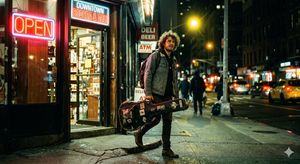
A cinematic prompt for generating a moody late-night urban corner store with glowing vintage signage and a lone silhouetted customer.
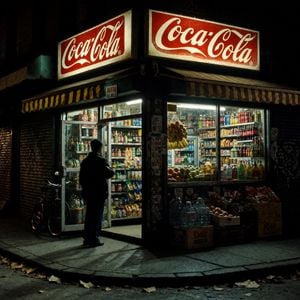
Create a cinematic nighttime street photograph of a small corner bodega in an old urban neighborhood, viewed from across the sidewalk at a slight low angle. The store sits on a dark brick corner with two large illuminated vintage red-and-white signs reading {argument name="store sign text" default="Coca-Cola"} in classic script, one sign facing left and one facing right above the awning. Use a moody, realistic film-noir look with deep shadows, warm fluorescent shop lighting spilling onto cracked concrete, high contrast, subtle grain, and a slightly desaturated color palette. The storefront has two glass display windows and one glass door, all packed with visible goods: count exactly 8 main visible product groups inside and outside the shop: canned goods on shelves, bottled drinks, snack bags, cereal or boxed groceries, hanging bananas, oranges and apples in crates, large bottled water jugs, and cardboard boxes of produce. Add a striped yellow-and-brown awning wrapping around the corner beneath the signs. Place {argument name="main subject" default="a lone man in a dark coat"} standing in silhouette just outside the open glass door, facing into the bright shop interior as if deciding what to buy. Include a bicycle leaning against the left shuttered wall, graffiti and small stickers on the dark corner column, scattered dry leaves on the sidewalk, and crates of drinks and produce stacked outside the right window. The scene should feel quiet, late-night, nostalgic, and documentary-realistic, with sharp architectural detail and soft glow from the signage; no extra people, no modern luxury elements, no clean corporate storefront.
Choose the primary action to open PicX Studio with the available template settings. Review the model and format, personalize the creative direction, and generate when ready.
Yes. You can change the subject, setting, lighting, mood, format, and available model controls before creating your image.
This template is free to open and customize. Generation usage is shown in PicX Studio before you create.
Start with GPT Image 2, which is the model associated with this template. You can compare another compatible model for a different finish.
Follow a topic to a crawlable collection of related PicX Studio templates.