How do I use the Urban Night Balcony Portrait template?
Choose the primary action to open PicX Studio with the available template settings. Review the model and format, personalize the creative direction, and generate when ready.
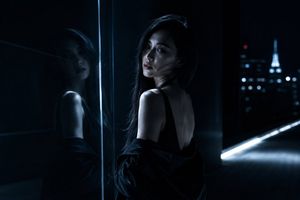
An elegant night portrait of a woman on a balcony, using warm flash photography to contrast against a glowing city skyline.
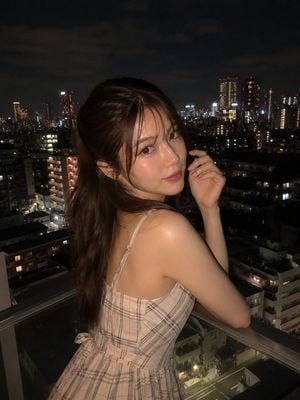
Ultra-realistic night portrait of a beautiful young woman standing on a balcony overlooking a city skyline, wearing an {argument name="outfit" default="elegant sleeveless cream plaid dress"}, soft blush makeup, natural glossy lips, and a relaxed half-up hairstyle with loose face-framing strands. Looking back over her shoulder toward the camera with a gentle expression, warm flash photography illuminating her face against a dark night sky. City lights and apartment windows glowing softly in the background, cinematic urban atmosphere, high contrast lighting, shallow depth of field, dreamy bokeh, realistic skin texture, detailed eyes, fashion editorial photography, luxury lifestyle aesthetic, DSLR quality, 85mm lens, f/1.8, photorealistic, ultra-detailed, soft color grading, masterpiece, 8k.
Choose the primary action to open PicX Studio with the available template settings. Review the model and format, personalize the creative direction, and generate when ready.
Yes. You can change the subject, setting, lighting, mood, format, and available model controls before creating your image.
This template is free to open and customize. Generation usage is shown in PicX Studio before you create.
Start with GPT Image 2, which is the model associated with this template. You can compare another compatible model for a different finish.
Follow a topic to a crawlable collection of related PicX Studio templates.