How do I use the Editorial City Travel Art template?
Choose the primary action to open PicX Studio with the available template settings. Review the model and format, personalize the creative direction, and generate when ready.
Creates a contemporary and sophisticated travel artwork poster for a specific city, integrating iconic architecture and natural landscapes with magazine typogra
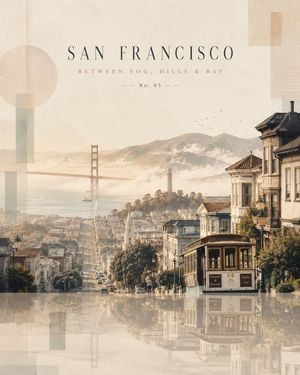
Create a premium 4:5 vertical contemporary travel artwork featuring {argument name="city" default="CITY NAME"}, {argument name="country" default="COUNTRY"}, transformed into a serene, sophisticated and collectible editorial travel landscape. Build the entire composition around the unique identity of {argument name="city" default="CITY NAME"}. Naturally integrate its most recognizable combination of landscape, architecture, culture, streets, nature, waterfront or mountains, depending on what genuinely defines the city. The scene should feel like one cohesive environment rather than a collage of separate landmarks. In the background, create an atmospheric sense of place using [CITY'S SIGNATURE LANDSCAPE — e.g. coastline, mountains, river, desert, forest, skyline, historic district], with soft depth, subtle haze and elegant natural lighting. In the foreground, introduce refined simplified architectural forms inspired by [CITY'S HISTORIC / CULTURAL ARCHITECTURE]. Include characteristic rooftops, facades, streets, balconies, walls, pathways and local textures. Add subtle vegetation and a few tiny human silhouettes naturally interacting with the environment, keeping them understated and non-dominant. Make the visual identity unmistakably {argument name="city" default="CITY NAME"}, but avoid turning the artwork into a landmark collage. Every element should flow naturally into the surrounding landscape. Use a sophisticated, slightly desaturated palette inspired by the destination, combining warm ivory, soft beige, muted earth tones, gentle architectural colors and subtle environmental blues/greens. Keep the entire palette harmonious, refined and luxurious. Place the entire landscape above a calm glass-like reflective surface, creating delicate vertical reflections of the architecture, landscape and major visual elements. Keep the reflections soft, atmospheric and slightly faded. Add extremely subtle translucent geometric forms around the borders to create a contemporary gallery-art aesthetic without distracting from the destination. Use generous negative space, atmospheric haze, diffused natural light, delicate shadows, fine architectural linework, tactile paper grain and restrained watercolor-and-gouache textures blended with sophisticated modern digital illustration. At the top, add elegant magazine typography: {argument name="city" default="CITY NAME"} {argument name="tagline" default="SHORT POETIC CITY TAGLINE"} No. 05 — 2026 Typography should be small, refined, widely spaced, minimal and perfectly aligned.
Choose the primary action to open PicX Studio with the available template settings. Review the model and format, personalize the creative direction, and generate when ready.
Yes. You can change the subject, setting, lighting, mood, format, and available model controls before creating your image.
This template is free to open and customize. Generation usage is shown in PicX Studio before you create.
Start with GPT Image 2, which is the model associated with this template. You can compare another compatible model for a different finish.
Follow a topic to a crawlable collection of related PicX Studio templates.













![Nano Banana — One Day In [CITY] Travel Route](https://cdn.picxstudio.com/cdn-cgi/image/format=auto,quality=100,fit=scale-down,onerror=redirect,width=828,dpr=2,metadata=none/uploads/ai_gezgini_travel_d9a86f2e-c1f5-41a8-a4ef-5d96a8a7a023.jpg)