How do I use the Anime BBQ Girls Key Visual template?
Choose the primary action to open PicX Studio with the available template settings. Review the model and format, personalize the creative direction, and generate when ready.
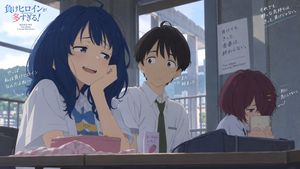
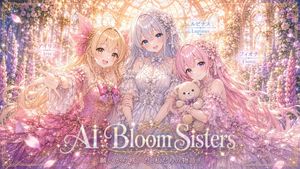
Generates a vibrant anime-style promotional poster featuring four girls at an outdoor BBQ with prominent text overlays.

An anime-style key visual poster for a fictional slice-of-life anime. In the foreground left, an energetic blonde anime girl with star hairpins and blue eyes wears an {argument name="main character outfit" default="American flag t-shirt and denim shorts"}, holding tongs with a slice of smoked meat towards the viewer. In the foreground right, a gentle girl with long dark hair and a white sweater sits at a wooden table writing in a notebook. In the background, two more girls are present: one with a brown ponytail carrying firewood, and another with short silver hair holding a blue mug. The scene is a sunny outdoor BBQ area with a large black smoker grill featuring a sign that reads {argument name="background grill sign" default="LONE STAR BBQ"}. In the immediate foreground is a {argument name="food platter" default="massive wooden platter loaded with sliced brisket, ribs, sausages, burnt ends, and pickles"}, along with side dishes like coleslaw and bread. In the top left corner, a large, cute, bubbly anime logo reads {argument name="anime title" default="もくもく すもーく ガールズ"} with smoke and grill motifs. In the bottom left corner, there is a {argument name="credits text block" default="staff credits block with names and roles"}. In the bottom right corner, a small text box lists four character names. The overall atmosphere is cheerful, highly detailed, and vibrant.
Choose the primary action to open PicX Studio with the available template settings. Review the model and format, personalize the creative direction, and generate when ready.
Yes. You can change the subject, setting, lighting, mood, format, and available model controls before creating your image.
This template is free to open and customize. Generation usage is shown in PicX Studio before you create.
Start with GPT Image 2, which is the model associated with this template. You can compare another compatible model for a different finish.
Follow a topic to a crawlable collection of related PicX Studio templates.