How do I use the 11-life-journey-on-google-gemini-nano-banan template?
Choose the primary action to open PicX Studio with the available template settings. Review the model and format, personalize the creative direction, and generate when ready.
From @AIwithkhan on X | Score: 62.6 Change the subject, setting, or lighting one variable at a time.

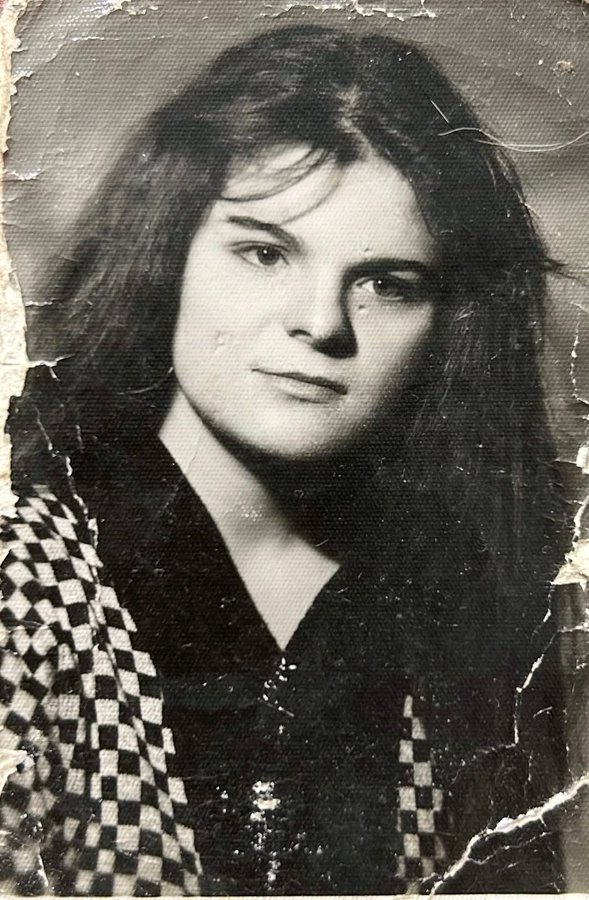
A powerful cinematic collage storytelling the complete life journey of a woman in one frame. The story begins on the far left with a black-and-white USG ultrasound scan, softly glowing, showing the unborn baby. Flowing seamlessly into the center, the collage transitions through life stages: a newborn wrapped in hospital cloth, a toddler taking first steps, a schoolgirl with a backpack, a teenage girl with dreams in her eyes, a confident young woman building her career, a mature woman filled with strength and wisdom. On the far right, the story ends with an elderly lady sitting peacefully by a window, silver hair glowing in warm sunset light, symbolizing fulfillment and reflection. Each stage blends into the next using torn paper edges, light leaks, soft motion trails, floating memories, clock elements, and subtle timelines. Color grading evolves from cool monochrome (birth) to vibrant warm tones (youth) and finally to golden, soft hues (old age). Ultra-emotional, poetic, cinematic storytelling, shallow depth of field, realistic human expressions, high-detail collage composition, symbolic life journey, timeless and inspirational
Choose the primary action to open PicX Studio with the available template settings. Review the model and format, personalize the creative direction, and generate when ready.
Yes. You can change the subject, setting, lighting, mood, format, and available model controls before creating your image.
This template is free to open and customize. Generation usage is shown in PicX Studio before you create.
Start with nano-banana, which is the model associated with this template. You can compare another compatible model for a different finish.
© 2026 PicX Studio. All rights reserved.

Follow a topic to a crawlable collection of related PicX Studio templates.
43,474 public templates available. Verified via the PicX Studio public templates API; refreshed hourly.


![118-google-nano-banana-pro-skincare-product- — A professional skincare shot of a [product container] with [cap/lid], labeled [brand, product, descriptor, volume](/_next/image?url=https%3A%2F%2Fcdn.picxstudio.com%2Fuploads%2Fpost118_img0_332898b8-29ea-42a9-87ab-9ed746a3f944.jpg&w=828&q=100)




![53-gemini-nano-banana-2-isometric-3d-city-d — A hyper-realistic, isometric 3D diorama of [CITY NAME] presented as a detached cubic slice of earth. The top surfa](/_next/image?url=https%3A%2F%2Fcdn.picxstudio.com%2Fuploads%2Fpost53_img0_b47da948-19de-4044-a4f6-5088b1e5de4d.jpg&w=828&q=100)















![75-cinematic-sport-in-midjourney-v7 — [close-up] of [an athlete performing a key action] in [sport-specific environment],
with dramatic lighting, high-speed ph](/_next/image?url=https%3A%2F%2Fcdn.picxstudio.com%2Fuploads%2Fpost75_img0_29c96604-31bd-49f1-88dd-2396ed946239.jpg&w=828&q=100)
![69-untitled — FORMAT: 15s / 145 BPM / 14 SHOTS
SUBJECT: @[image1]
WARDROBE: Clean modern outfit
ENVIRONMENT: Street / indoor transitions
MOOD: Discovery → contr](/_next/image?url=https%3A%2F%2Fcdn.picxstudio.com%2Fuploads%2Fpost69_img0_d45faecf-38c3-4bcb-81a4-f6eb1cf42bb2.jpg&w=828&q=100)










![79-cinematic-sport-logo-render-in-midjourne — 3d render of [logo name/ shape,...] made out of clear glass, glowing and sparkling with light reflections, on a bl](/_next/image?url=https%3A%2F%2Fcdn.picxstudio.com%2Fuploads%2Fpost79_img0_a5057526-9cc7-4a02-805f-4faa62dd929b.jpg&w=828&q=100)
![86-hyper-realistic-ai-selfie-prompt-generat — Raw iPhone [model] photo, [shot type] of [character details: age, ethnicity, specific features], [hair with imperf](/_next/image?url=https%3A%2F%2Fcdn.picxstudio.com%2Fuploads%2Fpost86_img0_c444d40d-a07d-4013-8b75-e692799481c0.jpg&w=828&q=100)