
Futuristic Boardroom Analytics Meeting
This prompt generates a polished wide-angle corporate meeting scene centered on a giant futuristic data dashboard, ideal for business, AI, finance, or digital transformation visuals.

- Prompt included
- Model and format preset
- Free template
The prompt behind this image
Copy the exact prompt behind Futuristic Boardroom Analytics Meeting, or open it in the studio and make it yours.
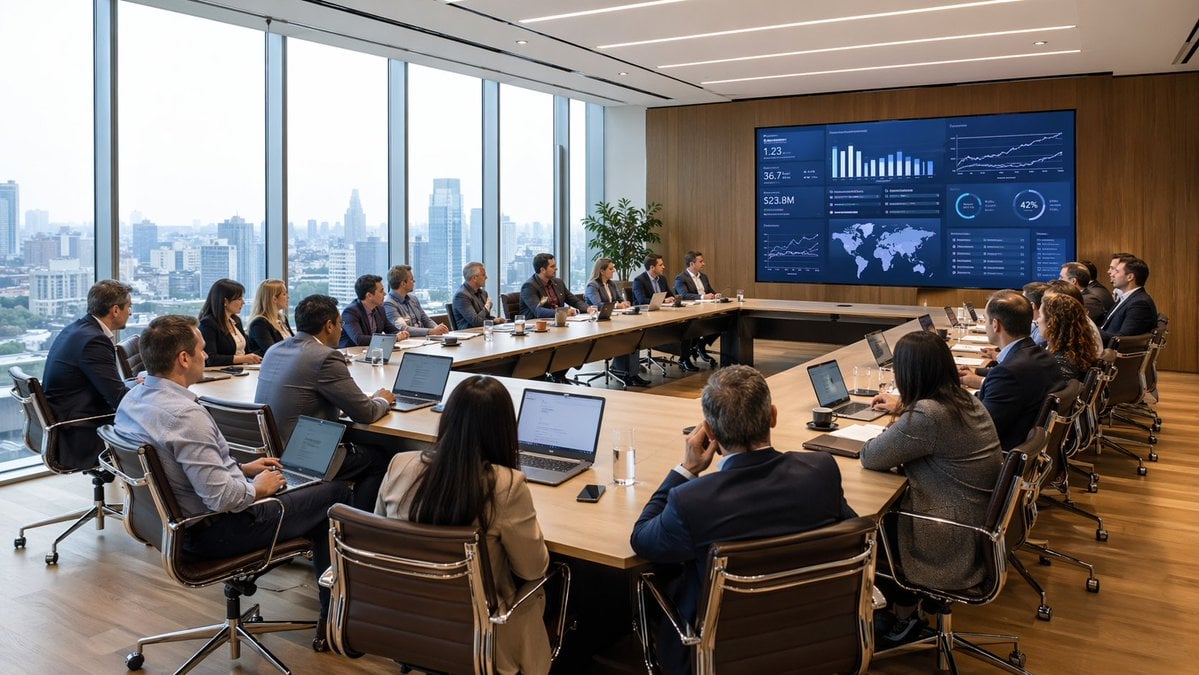
A wide cinematic corporate boardroom scene in a bright modern glass-walled office with floor-to-ceiling windows and a panoramic city skyline faintly visible outside. Around {argument name="number of attendees" default="22"} business professionals of mixed genders and ethnicities sit in a large U-shaped arrangement of light wood conference tables, each person dressed in formal business attire and many working on open laptops. At the front of the room, a huge wall-mounted digital dashboard dominates the composition, showing a futuristic financial analytics interface in dark blue and cyan with exactly 12 visible data panels: 1 large top-left panel with the headline text {argument name="dashboard headline" default="SELECTING THE TRACKING TOOL"} and line and bar charts, 1 small top-center panel with abstract circular data textures, 1 top-center-right panel with a large numeric metric reading 92.231 and chart bars, 1 top-right panel with line graphs and gear-like interface icons, 1 mid-left strip of circular gauges and technical controls, 1 center-left tall panel with vertical data bars and circular overlays, 1 center panel with three round instrument-style readouts, 1 center-right panel with compact technical diagrams and tiny UI elements, 1 mid-right horizontal panel with circular dials and a central numeric indicator, 1 lower-center panel with glowing ring charts and waveform-style graphics, 1 lower-right wide panel with dense tabular dashboard data, and 1 small bottom-center auxiliary panel. The room is viewed from a centered rear perspective, emphasizing symmetry and the semicircle of seated attendees facing the screen, with one standing presenter silhouetted near the display. Warm sunlight enters from the left, creating soft lens flare and long shadows across the wooden floor, while the overall image style is a polished high-end editorial illustration leaning toward photorealistic corporate concept art, in a cool blue and warm amber color palette, ultra-detailed, clean, futuristic, professional, and ambitious.
How to use Futuristic Boardroom Analytics Meeting in 3 steps
- 1Upload ImagePNG, JPG or paste
Add your photo
Upload the photo the template builds on. The prompt, model and format are already set.
- 2…a portrait of your subject in softgolden-hour light, 85mm…
Personalize
Edit the subject and creative details for your destination.
- 3Generate
Generate
Press Generate — your image is created in PicX Studio, so you can compare it with the original and refine one variable at a time.
More like this
Templates with the same subject, style or setup. Open one to see its prompt.
Modern Boardroom Analytics Meeting

Futuristic Chrome Helmet Fashion Portrait

Futuristic Studio Neon Ring Minimalist Portrait
Futuristic Chrome Helmet Fashion Portrait
Futuristic Studio Neon Ring Minimalist Portrait

Black Liquid Cyberpunk Portrait Poster

Cyberpunk Neon Brazil World Cup Poster

Playful Futuristic Brand Kit Board
Realistic Japanese Office Meeting
Surreal Light Bulb Business Meeting

Character Brain Meeting Scene Generator
Anime AI Prompt Review Meeting
Make it yours
Futuristic Boardroom Analytics Meeting works as-is. These are the safest ways to change it without losing the look.
Change one field
Copy a single group, rewrite it, and generate again so you can see what that field is doing.
Keep the frame, change the subject
Hold the composition and light of Futuristic Boardroom Analytics Meeting, then swap wardrobe, props or the person for a new take.
| If the result… | Why | Fix |
|---|---|---|
| The result drifts from the preview | Too many fields changed at once. | Reuse Futuristic Boardroom Analytics Meeting as-is first, then change one group — subject, light, or setting. |
| The model over-stylizes the scene | The prose prompt leaves finish and camera underspecified. | Add one camera or lighting sentence and stay on GPT Image 2. |
More GPT Image 2 templates
Other prompts made for GPT Image 2.

Six VTuber Japanese Logo Sheet

Realistic Portrait of Woman and Deer

The Vista Modular Condo Poster

AI Model Routing Comparison Infographic

2.5D Anime Art Board

Isometric Productivity Desk Scene

New York Double Exposure Poster

Four-Panel AI Landscape Comparison

Japanese Tatami Lifestyle Magazine Cover

NESCAFÉ Coffee Map Poster
More image prompts
Fresh picks from across the catalog.
Hyper-Realistic Family Portrait with Identical Faces
High-End Fashion 'Stride' Poster
Cinematic Gourmet Burger Explosion Prompt (Code Style)

Retro Minimalist Balloon Dog Illustration
Helical Tower Sculpture Prompt for Visualizing Historical Evolution
Childhood and Present Self Encounter

Cosmic Galaxy Watercolor Portrait (Identity Preservation)

Documentary Photo of Man in Robe with Burning Farmhouse
Surreal Futurist Japanese Collage Poster

Subject Reimagined as Roman God in Mosaic Art Style
Browse template categories
Futuristic Boardroom Analytics Meeting questions
How do I use the Futuristic Boardroom Analytics Meeting template?
Add your photo if the template asks for one, edit the prompt if you like — the template's model and format are already selected — and press Generate. Your version opens in PicX Studio.
Can I customize the Futuristic Boardroom Analytics Meeting template?
Yes. You can change the subject, setting, lighting, mood, format, and available model controls before creating your image.
Is the Futuristic Boardroom Analytics Meeting template free?
Opening and editing this template is free. Generating uses credits, shown on the Generate button when you are signed in.
Which AI model should I use?
Start with GPT Image 2, which is the model associated with this template. You can compare another compatible model for a different finish.
Looking for something else? Browse all templates.

Your photo, any look
Thousands of ready templates for every top image and video model, from one credit balance.