How do I use the Isometric Cathedral Travel Poster template?
Choose the primary action to open PicX Studio with the available template settings. Review the model and format, personalize the creative direction, and generate when ready.
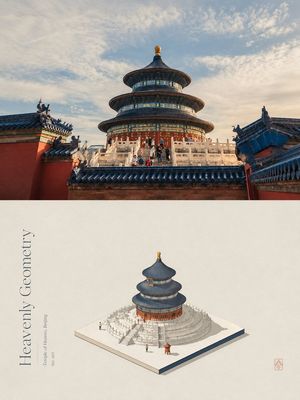
Creates a premium two-panel travel poster that turns a landmark photo into a cinematic scene plus a 3D isometric miniature diorama.
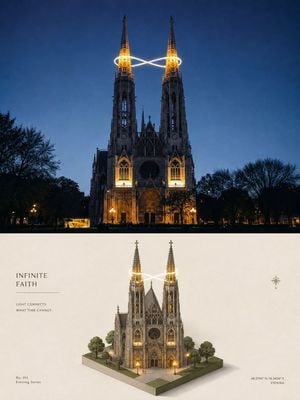
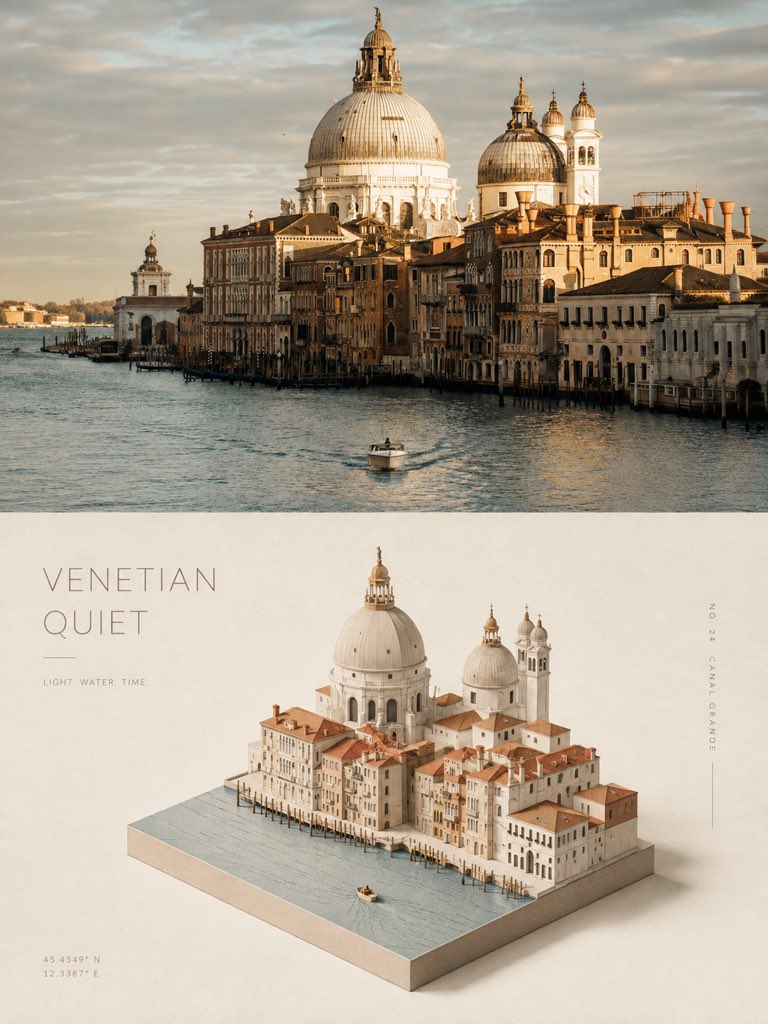
Using the provided reference image as the layout and poster-style guide, create a new vertical 3:4 high-end travel design poster with the same two equal horizontal sections, but replace the Venetian canal subject with {argument name="landmark" default="a Gothic twin-spired cathedral in Vienna at blue-hour night"}. Top section: show a cinematic realistic travel photograph of the landmark front-on at dusk/night, with warm architectural lighting, dark tree silhouettes on both sides, deep blue sky, and a single glowing infinity-shaped light trail wrapping around the two spire tops. Bottom section: transform the same landmark into a clean 3D isometric miniature diorama on a small square base, including exactly 2 tall illuminated spires, exactly 1 central cathedral building, exactly 6 surrounding trees, paved plaza tiles, warm doorway/window lights, and the same glowing infinity light trail around the spires. Keep the minimal cream editorial background and soft shadows like the reference poster. Typography and graphic details: place a left-aligned title block in the lower half with the headline {argument name="headline text" default="INFINITE FAITH"}, a thin horizontal divider line beneath it, and the small caption {argument name="caption text" default="LIGHT CONNECTS\nWHAT TIME CANNOT."}. Add a small bottom-left label {argument name="series label" default="No. 011\nEvening Series"}. Add a small compass icon on the right side of the lower half, and place bottom-right coordinates and city text {argument name="location text" default="48.2196° N, 16.3656° E\nVIENNA"}. Use elegant serif typography, restrained spacing, premium museum-poster aesthetics, realistic-to-miniature transformation, no collage, no extra panels, no watermark.
Isometric Cathedral Travel Poster needs input media to work. Open it in the studio and these load alongside the prompt — pick whichever ones your chosen model can take.
Choose the primary action to open PicX Studio with the available template settings. Review the model and format, personalize the creative direction, and generate when ready.
Yes. You can change the subject, setting, lighting, mood, format, and available model controls before creating your image.
This template is free to open and customize. Generation usage is shown in PicX Studio before you create.
Start with GPT Image 2, which is the model associated with this template. You can compare another compatible model for a different finish.
Follow a topic to a crawlable collection of related PicX Studio templates.