How do I use the Sydney Sweeney Red Carpet Look Recreation template?
Choose the primary action to open PicX Studio with the available template settings. Review the model and format, personalize the creative direction, and generate when ready.
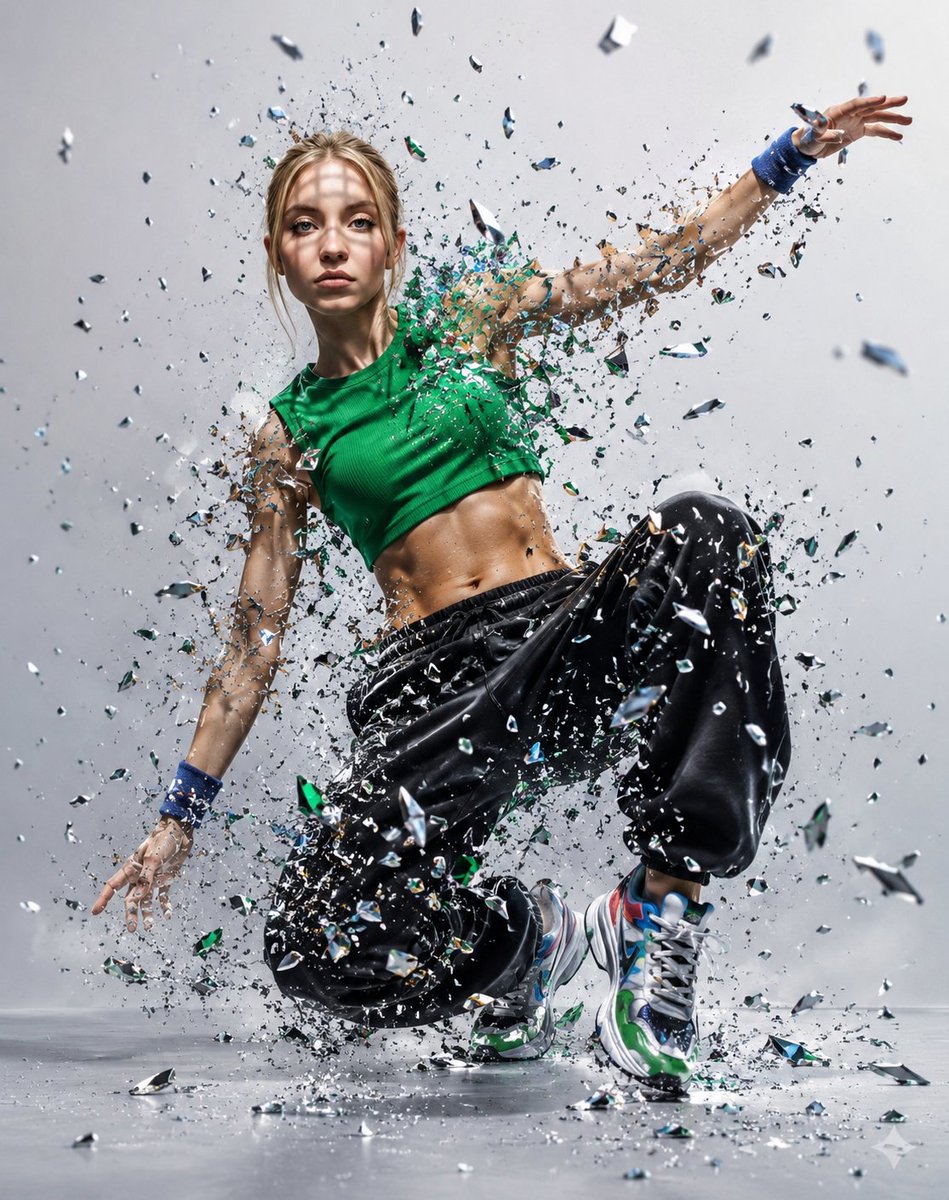
A detailed, structured JSON prompt for generating a photorealistic image of Sydney Sweeney recreating her specific red carpet look from the Madame Web premiere, focusing on precise hair, makeup, and the intricate details of her custom gown and accessories. (free to use) — Free AI image template on PicX Studio.
{ "subject": { "name": "Sydney Sweeney", "features": { "hair": "Long, voluminous blonde hair with warm champagne tones, styled in soft Hollywood waves with a precise middle part.", "eyes": "Pale blue-green eyes styled with a shimmering neutral eyeshadow and a subtle winged black eyeliner 'siren eye' look.", "makeup": "Luminous, dewy skin finish with soft peach-pink blush and a glossy rose-pink lip color.", "pose": "Direct, confident red carpet stance with a mix of front-facing and slight three-quarter profile angles." } }, "fashion_details": { "dress_style": "Custom floor-length, strapless Oscar de la Renta gown featuring a sweetheart neckline.", "color_palette": "Nude or beige base layer contrasted with intricate black embroidery.", "ornamentation": { "embroidery": "Elaborate black sequined 'cobweb' or 'lattice' pattern sprawling across the entire bodice and hips.", "structure": "Exposed corset-style boning visible through the sheer nude fabric.", "skirt": "Asymmetric hemline transitioning into a dense, floor-length black silk fringe with sequin adornments." }, "accessories": { "jewelry": "Selection of silver and diamond statement rings and Fred Leighton jewels.", "nails": "Glossy black stiletto-shaped nails." } }, "setting": { "event": "Madame Web Global Premiere in Los Angeles (February 2024).", "background": { "branding": "Black step-and-repeat backdrop featuring 'MADAME WEB' in red distressed lettering and 'FEBRUARY 14' release date text.", "atmosphere": "High-contrast studio-quality flash lighting typical of major red carpet events." } }, "technical_composition": { "framing": "Vertical orientation (4:5 aspect ratio) including full-body shots and medium-close-up portraits.", "focal_depth": "Shallow depth of field with sharp focus on the subject, causing the background promotional logos to blur slightly." } }
Use Sydney Sweeney Red Carpet Look Recreation to plan an AI image around nano-banana-2 generation. Match the preview's composition first, then personalize the subject, setting, and mood for your own project.
Use the primary action to load the template settings in PicX Studio.
Adjust the subject and creative details for your destination.
Create the image, compare the result with the preview, and refine one variable at a time.
A continuous mix — similar concepts first, woven with same-model prompts and fresh picks from the catalog.
Choose the primary action to open PicX Studio with the available template settings. Review the model and format, personalize the creative direction, and generate when ready.
Yes. You can change the subject, setting, lighting, mood, format, and available model controls before creating your image.
This template is free to open and customize. Generation usage is shown in PicX Studio before you create.
Start with nano-banana-2, which is the model associated with this template. You can compare another compatible model for a different finish.
Follow a topic to a crawlable collection of related PicX Studio templates.
39,155 public templates available. Verified via the PicX Studio public templates API; refreshed hourly.
A continuous mix — similar concepts first, woven with same-model prompts and fresh picks from the catalog.