How do I use the Hyper-Stylized Neo-Baroque Burlesque Portrait template?
Choose the primary action to open PicX Studio with the available template settings. Review the model and format, personalize the creative direction, and generate when ready.
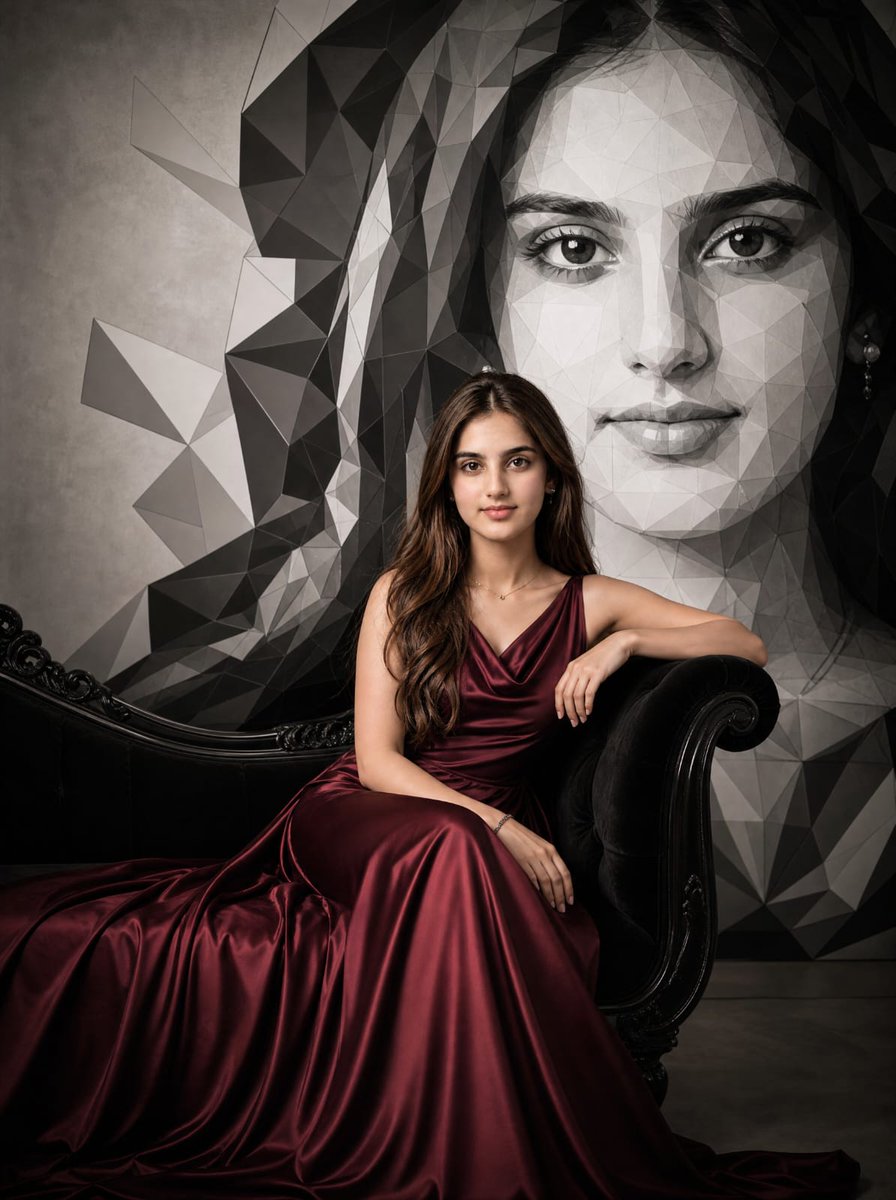
A highly detailed, structured prompt designed for generating a hyper-realistic, cinematic, low-key studio portrait of a Cabaret Diva. Change the subject, setting, or lighting one variable at a time.

{ "image_type": "Studio Portrait", "shot": "Close-up Portrait", "shot_details": "Opulent, high-resolution, theatrical Burlesque/Cabaret staging, dramatic, hyper-stylized editorial photography.", "style": "Hyper-realistic photography, Cinematic, Low-Key Studio, Editorial, High Fashion, Neo-Baroque.", "quality": "16k UHD, Ultra-Definition, Photorealistic Masterpiece, Extreme textural fidelity, Professional studio quality.", "color_grade": "Extreme contrast low-key color grading, dominant pure white/ivory against deep absorbing black, highly saturated accent colors (Rich Red, Electric Blue).", "meta": { "aspect_ratio": "4:5", "resolution": "16K, Ultra High Definition" }, "camera": { "device": "Professional DSLR Photography", "lens": "Medium Telephoto Lens (85mm or 105mm)", "aperture": "f/1.8", "distance": "Tight", "angle": "Head-on", "framing": "Bust to Chest Portrait", "pov": "Eye-level", "focus": "Pin sharp focus on eyes and front of corset", "lens_effect": "Extremely Shallow Depth of Field (DOF), elegant bokeh transitioning background feathers to blur." }, "lighting": { "description": "Highly controlled, dramatic studio lighting setup.", "type": "Low-Key Lighting", "source": "Large Softbox or Octabox Key Light", "primary": "Soft, large Key Light, slightly elevated from above/front, uniform skin illumination on face and headdress.", "secondary": "Critical, precise Rim Light (Contour Light) sharply separating white feather edges, hair, and shoulders from the black background, maximizing spatial depth.", "highlights": "Intense, crisp Catchlights in the eyes; high sheen on brocade fabric.", "shadows": "Soft, graduated shadows on the décolleté; deep black shadows elsewhere." }, "scene": { "location": "Professional Photography Studio", "environment": "Seamless, absolute deep black backdrop (Vanta Black textureless background).", "atmosphere": "Theatrical, opulent, dramatic tension." }, "subject": { "gender": "Young woman", "appearance": "Cabaret Diva, Burlesque Performer, Highly styled.", "body": { "skin": "Porcelain-like, flawless, airbrushed texture, extremely pale." }, "expression": { "eyes": "Intense, serious, challenging gaze, bright turquoise-blue, thick false eyelashes.", "gaze": "Direct eye contact with the camera.", "mouth": "Perfectly defined, matte red lips.", "face_vibe": "Serious, stylized, doll-like aesthetic." }, "hair": { "color": "Rich, deep chestnut red (Kastanienrot).", "style": "Long, voluminous, wavy curls.", "details": "Soft strands falling over shoulders." }, "pose": { "description": "Self-assured, confident, shoulder-emphasizing stance.", "stance": "Upper body portrait pose.", "arms": "Implied placement (e.g., hands on hips) to enhance shoulder line.", "energy": "Commanding, dramatic."
Choose the primary action to open PicX Studio with the available template settings. Review the model and format, personalize the creative direction, and generate when ready.
Yes. You can change the subject, setting, lighting, mood, format, and available model controls before creating your image.
This template is free to open and customize. Generation usage is shown in PicX Studio before you create.
Start with Nano Banana 2, which is the model associated with this template. You can compare another compatible model for a different finish.
© 2026 PicX Studio. All rights reserved.

Follow a topic to a crawlable collection of related PicX Studio templates.
43,474 public templates available. Verified via the PicX Studio public templates API; refreshed hourly.


![69-untitled — FORMAT: 15s / 145 BPM / 14 SHOTS
SUBJECT: @[image1]
WARDROBE: Clean modern outfit
ENVIRONMENT: Street / indoor transitions
MOOD: Discovery → contr](/_next/image?url=https%3A%2F%2Fcdn.picxstudio.com%2Fuploads%2Fpost69_img0_d45faecf-38c3-4bcb-81a4-f6eb1cf42bb2.jpg&w=828&q=100)















![118-google-nano-banana-pro-skincare-product- — A professional skincare shot of a [product container] with [cap/lid], labeled [brand, product, descriptor, volume](/_next/image?url=https%3A%2F%2Fcdn.picxstudio.com%2Fuploads%2Fpost118_img0_332898b8-29ea-42a9-87ab-9ed746a3f944.jpg&w=828&q=100)


![Naive doodle-style subject illustration — A doodle-style {argument name="subject" default="[subject]"}, naive lines, humorous shape exaggeration](https://pbs.twimg.com/media/G6Wl2YxbsAARB2b.jpg)