
Retro Sci-Fi Heroine With Police
This prompt generates a realistic cinematic portrait of a worn armored heroine holding her helmet while being confronted by two police officers, useful for tokusatsu-inspired editorial or film-still imagery.
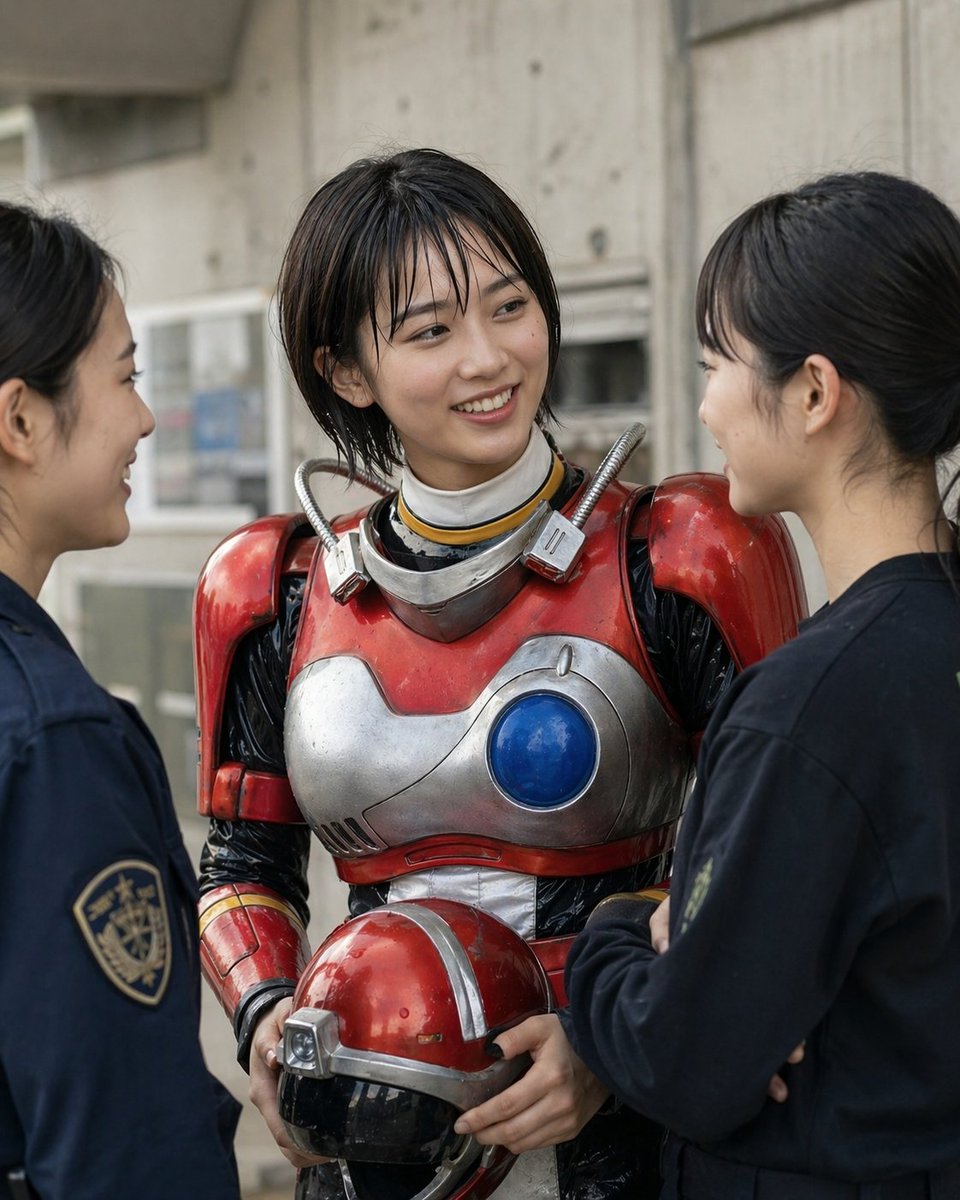
- Prompt included
- Model and format preset
- Free template
The prompt behind this image
Copy the exact prompt behind Retro Sci-Fi Heroine With Police, or open it in the studio and make it yours.
A realistic live-action style photo of a young Japanese woman in worn retro-futuristic tokusatsu-style power armor, standing outdoors between 2 female police officers in dark navy uniforms. The armored woman is centered in a medium shot from about thigh to head, facing forward, while the 2 officers are shown in partial side profile at the left and right edges of the frame, turned toward her as if questioning or surrounding her. The main subject wears glossy red and silver metal armor with visible scratches, chipped paint, and slight grime, including oversized rounded shoulder plates, a silver chest plate with asymmetrical panel lines and 1 large circular blue orb on the right side of the chest, black flexible under-suit sleeves, a white neck seal, and 2 short ribbed hose-like tubes rising from the collar to the shoulders. She has short dark brown to black bobbed hair peeking out above the armor and holds 1 matching red helmet with a black visor and silver trim in both hands at waist level. The 2 police officers wear plain dark navy jackets; the left officer has a visible shoulder patch, and both have black hair tied back in neat low buns. Set the scene against a gray urban concrete wall with soft daylight, shallow depth of field, and a muted documentary cinematic look. Composition should feel candid and tense, like a behind-the-scenes arrest or inspection of a sci-fi heroine. Highly detailed textures, natural skin, realistic metal reflections, subdued color grading, portrait orientation.
How to use Retro Sci-Fi Heroine With Police in 3 steps
- 1Upload ImagePNG, JPG or paste
Add your photo
Upload the photo the template builds on. The prompt, model and format are already set.
- 2…a portrait of your subject in softgolden-hour light, 85mm…
Personalize
Edit the subject and creative details for your destination.
- 3Generate
Generate
Press Generate — your image is created in PicX Studio, so you can compare it with the original and refine one variable at a time.
More like this
Templates with the same subject, style or setup. Open one to see its prompt.












Make it yours
Retro Sci-Fi Heroine With Police works as-is. These are the safest ways to change it without losing the look.
Change one field
Copy a single group, rewrite it, and generate again so you can see what that field is doing.
Keep the frame, change the subject
Hold the composition and light of Retro Sci-Fi Heroine With Police, then swap wardrobe, props or the person for a new take.
| If the result… | Why | Fix |
|---|---|---|
| The result drifts from the preview | Too many fields changed at once. | Reuse Retro Sci-Fi Heroine With Police as-is first, then change one group — subject, light, or setting. |
| The model over-stylizes the scene | The prose prompt leaves finish and camera underspecified. | Add one camera or lighting sentence and stay on GPT Image 2. |
More GPT Image 2 templates
Other prompts made for GPT Image 2.

Six VTuber Japanese Logo Sheet

Realistic Portrait of Woman and Deer

The Vista Modular Condo Poster

AI Model Routing Comparison Infographic

2.5D Anime Art Board

Isometric Productivity Desk Scene

New York Double Exposure Poster

Four-Panel AI Landscape Comparison

Japanese Tatami Lifestyle Magazine Cover

NESCAFÉ Coffee Map Poster
More image prompts
Fresh picks from across the catalog.
Cinematic Tudor Noble Portrait

Cozy Night Living Room Candid
Japanese Suburb in 2000s Atmosphere
Disposable Camera Style Candid Portrait for New Year 2026
Censored Cafe Portrait Photo
Neon Geometric Confetti Abstract
Candid 35mm Street Portrait
Cyclist Character Design Sheet
Nighttime Flash Portrait in Car Backseat (iPhone Style)
Luxury Chocolate Advertising Masterpiece
Browse template categories
Retro Sci-Fi Heroine With Police questions
How do I use the Retro Sci-Fi Heroine With Police template?
Add your photo if the template asks for one, edit the prompt if you like — the template's model and format are already selected — and press Generate. Your version opens in PicX Studio.
Can I customize the Retro Sci-Fi Heroine With Police template?
Yes. You can change the subject, setting, lighting, mood, format, and available model controls before creating your image.
Is the Retro Sci-Fi Heroine With Police template free?
Opening and editing this template is free. Generating uses credits, shown on the Generate button when you are signed in.
Which AI model should I use?
Start with GPT Image 2, which is the model associated with this template. You can compare another compatible model for a different finish.
Looking for something else? Browse all templates.

Your photo, any look
Thousands of ready templates for every top image and video model, from one credit balance.