
Panel Medieval Duel Storyboard
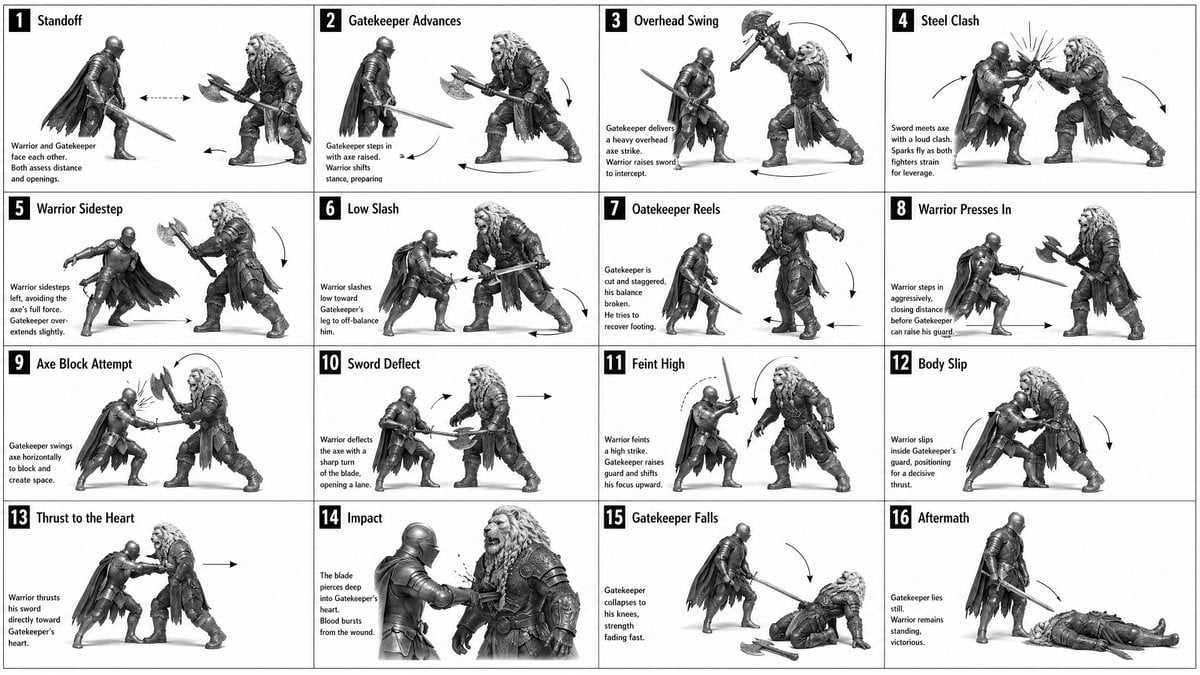
This prompt generates a grayscale 4x4 action storyboard showing a step-by-step fantasy sword-versus-axe duel, useful for planning fight choreography or animation.
- Prompt included
- Model and format preset
- Free template
The prompt behind this image
Copy the exact prompt behind Panel Medieval Duel Storyboard, or open it in the studio and make it yours.
- Type
- black-and-white medieval combat storyboard sheet
- Style › Rendering
- high-detail grayscale fantasy illustration, realistic armor and anatomy, clean white background, light studio shadow under figures, editorial storyboard look
- Style › Camera
- side-view profile for most panels, consistent distance and character scale, one closer mid-shot for the wound impact panel
- Style › Mood
- instructional, dramatic, tactical
- Subject › Characters › 0 › Role
- warrior
- Subject › Characters › 0 › Description
- lean armored knight with full helmet, longsword, dark cape, agile stance
- Subject › Characters › 1 › Role
- gatekeeper
- Subject › Characters › 1 › Description
- larger heavily built bearded warrior with long wild hair or mane-like head silhouette, layered heavy armor and furs, carrying a large double-headed battle axe
- Layout › Grid › Columns
- 4
- Layout › Grid › Rows
- 4
- Layout › Grid › Count
- 16
- Layout › Numbering
- each panel has a black square number badge in the top-left corner from 1 to 16
- Layout › Sections › 0 › Title
- 1 Standoff
- Layout › Sections › 0 › Position
- row 1 col 1
- Layout › Sections › 0 › Count
- 1
- Layout › Sections › 0 › Labels
- Warrior and Gatekeeper face each other. Both assess distance and openings.
- Layout › Sections › 0 › Image
- both fighters stand apart in mirrored ready stances, sword and axe lowered, horizontal double-headed arrow between them
- Layout › Sections › 1 › Title
- 2 Gatekeeper Advances
- Layout › Sections › 1 › Position
- row 1 col 2
- Layout › Sections › 1 › Count
- 1
- Layout › Sections › 1 › Labels
- Gatekeeper steps in with axe raised. Warrior shifts stance, preparing.
- Layout › Sections › 1 › Image
- large axe wielder moves forward, warrior braces with sword angled low, directional arrows under both
- Layout › Sections › 2 › Title
- 3 Overhead Swing
- Layout › Sections › 2 › Position
- row 1 col 3
Raw JSON
{"type":"black-and-white medieval combat storyboard sheet","style":{"rendering":"high-detail grayscale fantasy illustration, realistic armor and anatomy, clean white background, light studio shadow under figures, editorial storyboard look","camera":"side-view profile for most panels, consistent distance and character scale, one closer mid-shot for the wound impact panel","mood":"instructional, dramatic, tactical"},"subject":{"characters":[{"role":"warrior","description":"lean armored knight with full helmet, longsword, dark cape, agile stance"},{"role":"gatekeeper","description":"larger heavily built bearded warrior with long wild hair or mane-like head silhouette, layered heavy armor and furs, carrying a large double-headed battle axe"}]},"layout":{"grid":{"columns":4,"rows":4,"count":16},"numbering":"each panel has a black square number badge in the top-left corner from 1 to 16","sections":[{"title":"1 Standoff","position":"row 1 col 1","count":1,"labels":["Warrior and Gatekeeper face each other. Both assess distance and openings."],"image":"both fighters stand apart in mirrored ready stances, sword and axe lowered, horizontal double-headed arrow between them"},{"title":"2 Gatekeeper Advances","position":"row 1 col 2","count":1,"labels":["Gatekeeper steps in with axe raised. Warrior shifts stance, preparing."],"image":"large axe wielder moves forward, warrior braces with sword angled low, directional arrows under both"},{"title":"3 Overhead Swing","position":"row 1 col 3","count":1,"labels":["Gatekeeper delivers a heavy overhead axe strike. Warrior raises sword to intercept."],"image":"axe lifted high above the head with a curved swing arrow, warrior lifting sword defensively"},{"title":"4 Steel Clash","position":"row 1 col 4","count":1,"labels":["Sword meets axe with a loud clash. Sparks fly as both fighters strain for leverage."],"image":"weapons collide at center with bright impact sparks and opposing motion arrows"},{"title":"5 Warrior Sidestep","position":"row 2 col 1","count":1,"labels":["Warrior sidesteps left, avoiding the axe's full force. Gatekeeper over extends slightly."],"image":"swordsman slips to the side with cape sweeping out, axe user leaning forward, curved motion arrow"},{"title":"6 Low Slash","position":"row 2 col 2","count":1,"labels":["Warrior slashes low towards Gatekeeper's leg to off-balance him."],"image":"low horizontal sword cut aimed at the front leg, gatekeeper recoiling"},{"title":"7 Gatekeeper Reels","position":"row 2 col 3","count":1,"labels":["Gatekeeper is cut and staggered, his balance broken. He tries to recover footing."],"image":"large fighter pulled backward and unstable, sword fighter resetting nearby, down arrow and footwork arrow"},{"title":"8 Warrior Presses In","position":"row 2 col 4","count":1,"labels":["Warrior steps in aggressively, closing distance before Gatekeeper can raise his guard."],"image":"warrior lunges forward with sword extended, gatekeeper opens his guard, long horizontal arrow across the ground"},{"title":"9 Axe Block Attempt","position":"row 3 col 1","count":1,"labels":["Gatekeeper swings axe horizontally to block and create space."],"image":"close-range defensive sweep from the axe wielder, warrior compressed low inside the motion"},{"title":"10 Sword Deflect","position":"row 3 col 2","count":1,"labels":["Warrior deflects the axe with a sharp turn of the blade, opening a lane."],"image":"sword redirects the axe outward, arrows showing the redirection and opening line"},{"title":"11 Feint High","position":"row 3 col 3","count":1,"labels":["Warrior feints a high strike. Gatekeeper raises guard and shifts his focus upward."],"image":"warrior lifts sword toward the head with dotted and curved motion arcs, gatekeeper reacting high"},{"title":"12 Body Slip","position":"row 3 col 4","count":1,"labels":["Warrior slips inside Gatekeeper's guard, positioning for a decisive thrust."],"image":"the swordsman moves chest-to-chest inside the axe range, bodies turned diagonally, enclosing motion arrows"},{"title":"13 Thrust to the Heart","position":"row 4 col 1","count":1,"labels":["Warrior thrusts his sword directly toward Gatekeeper's heart."],"image":"tight forward sword thrust into the torso, both figures in strong forward lean"},{"title":"14 Impact","position":"row 4 col 2","count":1,"labels":["The blade pierces deep into Gatekeeper's heart. Blood bursts from the wound."],"image":"closest panel in the sheet, sword embedded in chest, visible blood spatter, gatekeeper grimacing"},{"title":"15 Gatekeeper Falls","position":"row 4 col 3","count":1,"labels":["Gatekeeper collapses to his knees, strength fading fast."],"image":"large fighter dropping down, axe fallen to the ground, warrior stepping back, downward arc arrow"},{"title":"16 Aftermath","position":"row 4 col 4","count":1,"labels":["Gatekeeper lies still. Warrior remains standing, victorious."],"image":"final tableau with the dead gatekeeper on the ground and the warrior standing over him holding the sword downward"}],"textStyle":"bold black sans-serif panel numbers in square boxes, bold panel titles across the top of each panel, small explanatory caption text on the left side inside each panel"},"prompt":"Create a {argument name=\"headline text\" default=\"16-panel medieval duel storyboard\"} as a clean 4x4 grid of sixteen numbered panels showing a complete fight sequence between two consistent fantasy characters: a {argument name=\"hero type\" default=\"lean armored warrior with a longsword and cape\"} and a {argument name=\"opponent type\" default=\"massive gatekeeper with a double-headed battle axe\"}. Render everything in detailed grayscale on a white background like a combat instruction sheet or cinematic storyboard. Keep the same side-view orientation and character proportions throughout, with motion arrows in every panel that clarify movement and weapon paths. Use these exact panel titles and captions: 1 Standoff, 2 Gatekeeper Advances, 3 Overhead Swing, 4 Steel Clash, 5 Warrior Sidestep, 6 Low Slash, 7 Gatekeeper Reels, 8 Warrior Presses In, 9 Axe Block Attempt, 10 Sword Deflect, 11 Feint High, 12 Body Slip, 13 Thrust to the Heart, 14 Impact, 15 Gatekeeper Falls, 16 Aftermath. Include the exact explanatory caption sentence under each title as described in the layout. Panel 14 should be a slightly closer shot showing the sword piercing the chest with a visible blood burst. The final result should feel like a printable action-planning sheet for animating a duel, with consistent characters, readable action silhouettes, and a clear beginning, escalation, decisive strike, and ending."}How to use Panel Medieval Duel Storyboard in 3 steps
- 1Upload ImagePNG, JPG or paste
Add your photo
Upload the photo the template builds on. The prompt, model and format are already set.
- 2…a portrait of your subject in softgolden-hour light, 85mm…
Personalize
Edit the subject and creative details for your destination.
- 3Generate
Generate
Press Generate — your image is created in PicX Studio, so you can compare it with the original and refine one variable at a time.
More like this
Templates with the same subject, style or setup. Open one to see its prompt.

Headphones Lifestyle Nine Panel Grid
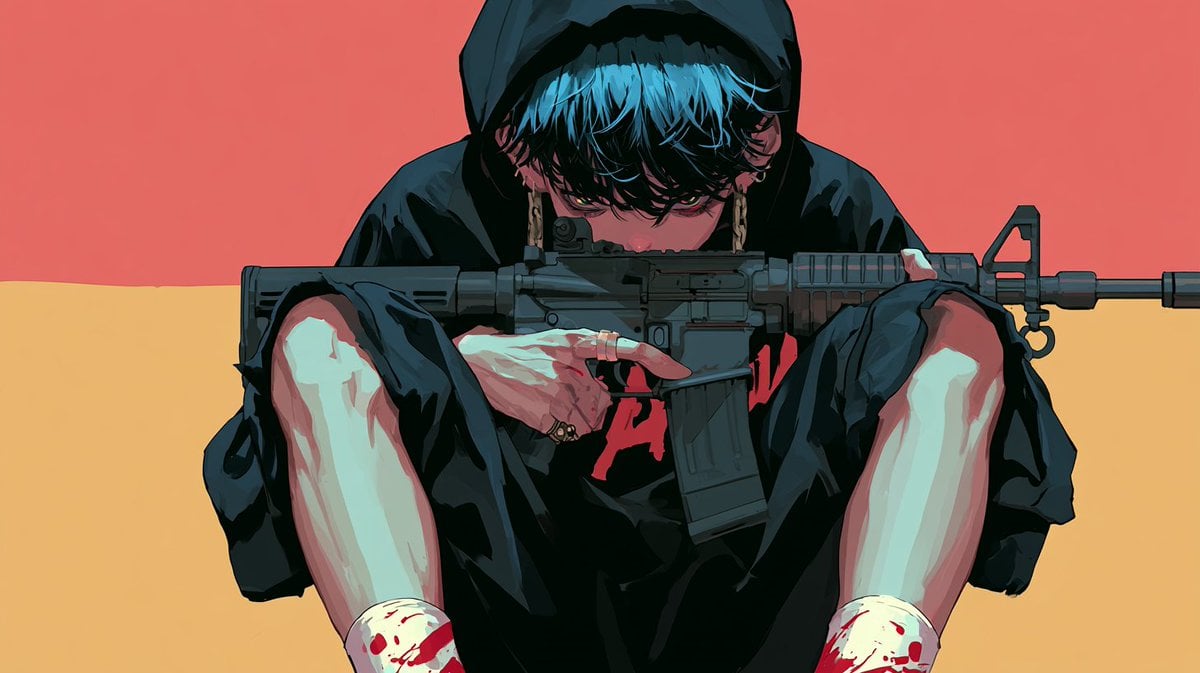
Cinematic Villain Duel Storyboard
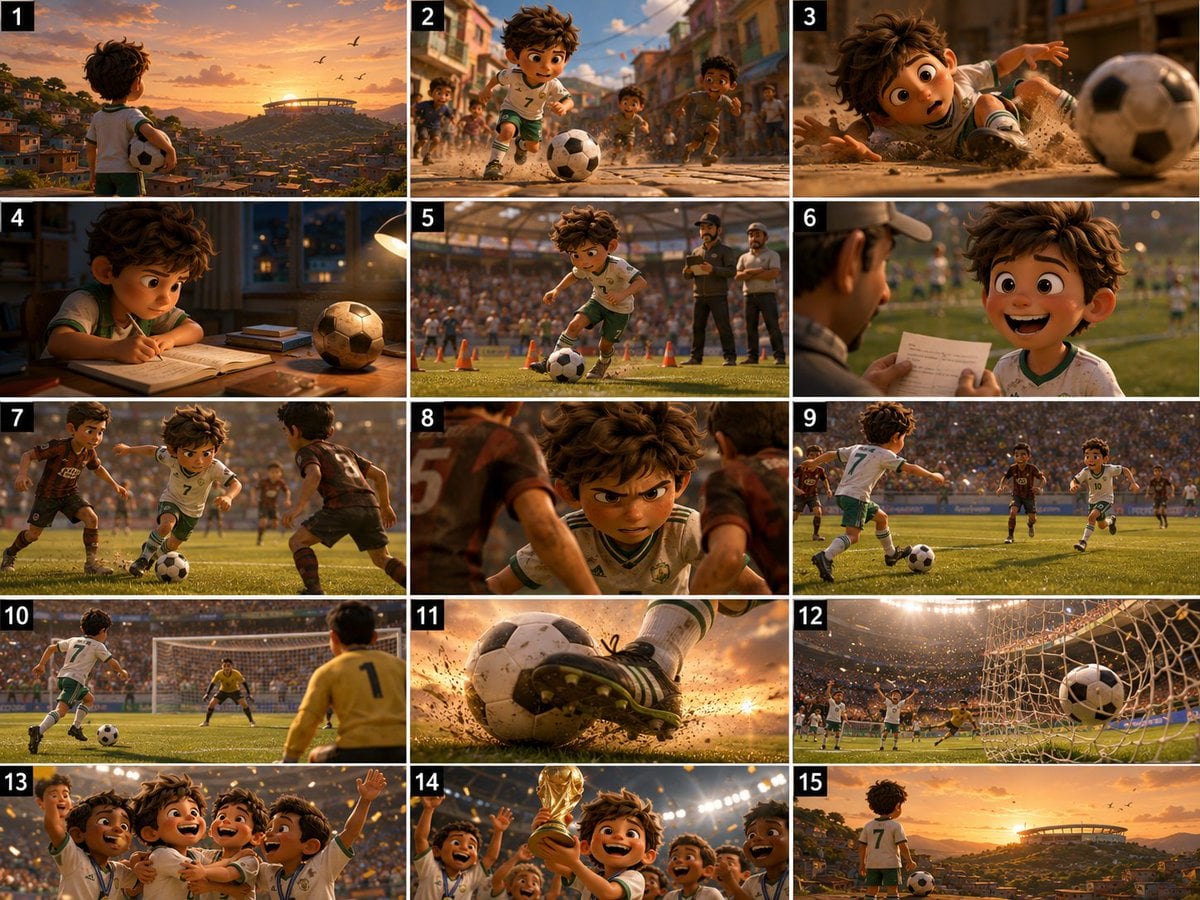
Panel Football Boy Storyboard
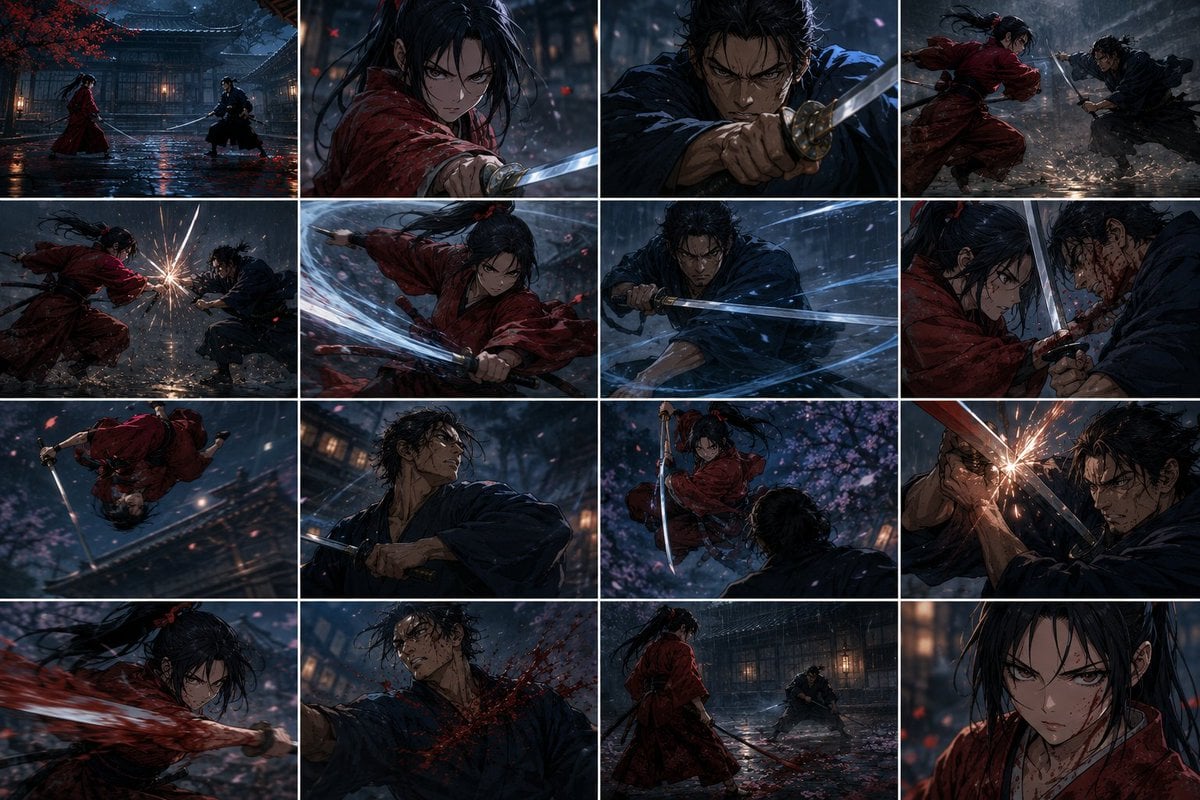
Rainy Samurai Duel Storyboard

Pixar 6-Panel Streethero Expression Grid
Medieval Castle Mock Duel
Panel Spear Sakuga Storyboard
Seedance - Storyboard to Movie
Stormy Police Mech Duel
Historical Manhwa Sword Duel Page
Photorealistic Medieval Village Lane
Cinematic Medieval Hilltop Castle
Make it yours
Panel Medieval Duel Storyboard works as-is. These are the safest ways to change it without losing the look.
Change one field
Copy a single group, rewrite it, and generate again so you can see what that field is doing.
Keep the frame, change the subject
Hold the composition and light of 16-Panel Medieval Duel Storyboard, then swap wardrobe, props or the person for a new take.
| If the result… | Why | Fix |
|---|---|---|
| The result drifts from the preview | Too many fields changed at once. | Reuse 16-Panel Medieval Duel Storyboard as-is first, then change one group — subject, light, or setting. |
| GPT Image 2 ignores part of the JSON | Some models flatten or skip nested keys. | Keep the same values and paste them as a short paragraph instead. |
More GPT Image 2 templates
Other prompts made for GPT Image 2.

Six VTuber Japanese Logo Sheet

Realistic Portrait of Woman and Deer

The Vista Modular Condo Poster

AI Model Routing Comparison Infographic

2.5D Anime Art Board

Isometric Productivity Desk Scene

New York Double Exposure Poster

Japanese Tatami Lifestyle Magazine Cover

NESCAFÉ Coffee Map Poster

Brutalist Cogito Chinese Typography Poster
More image prompts
Fresh picks from across the catalog.
Vintage Showa Era Gentleman Outfit
Gemini Nano Banana 2

Anime Boxing Title Match Poster
Strawberry Ice Cream 3D Letter 'X'
Taoist Three Souls Seven Po Poster

Romantic Beach Couple Closeup with Identity Preservation
Opulent Historical-Inspired Portrait Prompt
Foggy Brooklyn Bridge Survivor

Celtics Fan Cheering in NBA Arena

Futuristic Secure-IP Ad Poster
Browse template categories
Panel Medieval Duel Storyboard questions
How do I use the 16-Panel Medieval Duel Storyboard template?
Add your photo if the template asks for one, edit the prompt if you like — the template's model and format are already selected — and press Generate. Your version opens in PicX Studio.
Can I customize the 16-Panel Medieval Duel Storyboard template?
Yes. You can change the subject, setting, lighting, mood, format, and available model controls before creating your image.
Is the 16-Panel Medieval Duel Storyboard template free?
Opening and editing this template is free. Generating uses credits, shown on the Generate button when you are signed in.
Which AI model should I use?
Start with GPT Image 2, which is the model associated with this template. You can compare another compatible model for a different finish.
Looking for something else? Browse all templates.

Your photo, any look
Thousands of ready templates for every top image and video model, from one credit balance.