
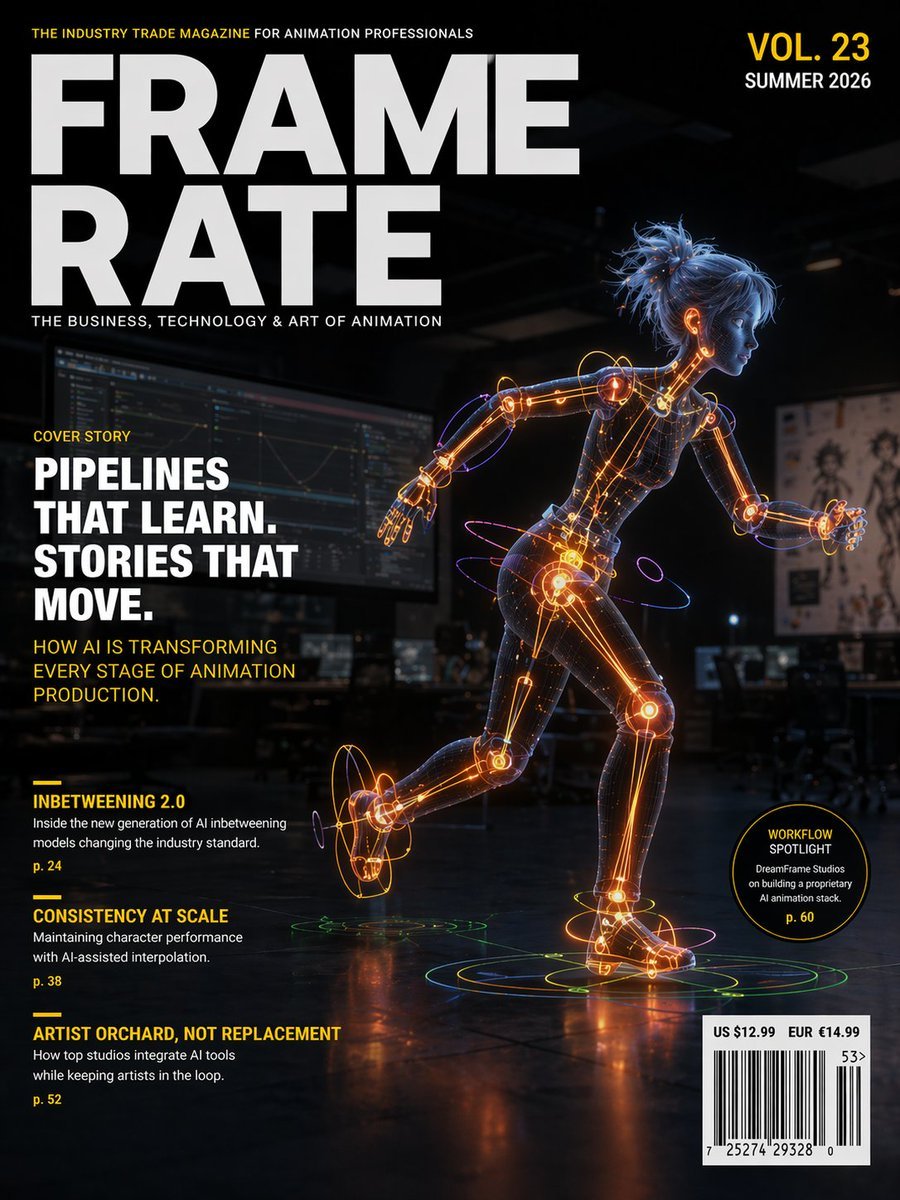
Futuristic Animation Trade Magazine Cover
This prompt generates a polished editorial magazine cover featuring a glowing humanoid animation robot and realistic cover lines for a professional AI-and-animation publication.
- Prompt included
- Model and format preset
- Free template
The prompt behind this image
Copy the exact prompt behind Futuristic Animation Trade Magazine Cover, or open it in the studio and make it yours.
Create a futuristic professional magazine cover for the animation industry, portrait orientation, high-end editorial design, cinematic and polished. The masthead dominates the upper left in huge bold white sans-serif letters split across two lines: {argument name="magazine title" default="FRAME RATE"}. Above it, a small yellow all-caps tagline reads: THE INDUSTRY TRADE MAGAZINE FOR ANIMATION PROFESSIONALS. Below the masthead, a smaller white subtitle reads: THE BUSINESS, TECHNOLOGY & ART OF ANIMATION. In the upper right, place issue text in stacked bold type: VOL. 23 in yellow and SUMMER 2026 in white. The cover image shows a stylized humanoid female-coded robot or digital mannequin in a dynamic running pose, facing right, shown full body, with one leg lifted behind and one arm extended. Her body is semi-transparent dark mesh with glowing orange internal joints, spine, and limb mechanisms, accented by blue and purple neon tracing lines and circular motion rings around wrists, ankles, hips, and feet. She has messy tied-up blue hair and a smooth simplified face with minimal features, like a CG character prototype. Set her in a dark animation studio interior with blurred monitors, desks, and concept art pinned in the background, lit with low moody ambient light so the neon figure becomes the focal point. Add reflective flooring beneath her with concentric holographic rings under both feet in green, yellow, and orange. On the left side, arrange editorial cover lines in a clean magazine layout. A small yellow label says COVER STORY. Below it, a large bold white stacked headline reads: {argument name="cover headline" default="PIPELINES THAT LEARN. STORIES THAT MOVE."}. Beneath that, a yellow subhead reads: HOW AI IS TRANSFORMING EVERY STAGE OF ANIMATION PRODUCTION. In the lower left, include 3 secondary article listings, each with a short yellow rule above it: 1) INBETWEENING 2.0, with small white teaser text: Inside the new generation of AI Inbetweening models changing the industry standard., and page number p. 24 in yellow. 2) CONSISTENCY AT SCALE, with small white teaser text: Maintaining character performance with AI-assisted interpolation., and page number p. 38 in yellow. 3) ARTIST ORCHARD, NOT REPLACEMENT, with small white teaser text: How top studios integrate AI tools while keeping artists in the loop., and page number p. 52 in yellow. Near the lower right, add a black circular badge outlined in yellow containing yellow and white text: WORKFLOW SPOTLIGHT on top, DreamFrame Studios on building a proprietary AI animation stack beneath, and p. 60 at the bottom in yellow. In the bottom right corner, place a white barcode box with pricing above it reading: US $12.99 EUR €14.99, plus small issue code numbers. Use a color palette of black, charcoal, white, vivid yellow, electric orange, blue, and violet. The overall feeling should be premium, forward-looking, tech-savvy, and credible, like a real trade magazine cover about AI-driven animation pipelines.
How to use Futuristic Animation Trade Magazine Cover in 3 steps
- 1Upload ImagePNG, JPG or paste
Add your photo
Upload the photo the template builds on. The prompt, model and format are already set.
- 2…a portrait of your subject in softgolden-hour light, 85mm…
Personalize
Edit the subject and creative details for your destination.
- 3Generate
Generate
Press Generate — your image is created in PicX Studio, so you can compare it with the original and refine one variable at a time.
More like this
Templates with the same subject, style or setup. Open one to see its prompt.

Off Duty Fashion Magazine Cover

Japanese Tatami Lifestyle Magazine Cover

Ethereal Bloom Magazine Cover

Tropical Macaw Magazine Cover

Anime Mahjong Magazine Cover

Neon Anime Fireworks Magazine Cover

High-Fashion Magazine Cover Portrait

Toon Cartoon Finale Fireworks

Toon Cartoon Garden Maze

Toon Cartoon Rooftop Concert

Toon Cartoon Kitchen Chaos

Toon Cartoon Carnival Ride
Make it yours
Futuristic Animation Trade Magazine Cover works as-is. These are the safest ways to change it without losing the look.
Change one field
Copy a single group, rewrite it, and generate again so you can see what that field is doing.
Keep the frame, change the subject
Hold the composition and light of Futuristic Animation Trade Magazine Cover, then swap wardrobe, props or the person for a new take.
| If the result… | Why | Fix |
|---|---|---|
| The result drifts from the preview | Too many fields changed at once. | Reuse Futuristic Animation Trade Magazine Cover as-is first, then change one group — subject, light, or setting. |
| The model over-stylizes the scene | The prose prompt leaves finish and camera underspecified. | Add one camera or lighting sentence and stay on GPT Image 2. |
More GPT Image 2 templates
Other prompts made for GPT Image 2.

Six VTuber Japanese Logo Sheet

Realistic Portrait of Woman and Deer

The Vista Modular Condo Poster

AI Model Routing Comparison Infographic

2.5D Anime Art Board

Isometric Productivity Desk Scene

New York Double Exposure Poster

Four-Panel AI Landscape Comparison

NESCAFÉ Coffee Map Poster

Brutalist Cogito Chinese Typography Poster
More image prompts
Fresh picks from across the catalog.

Stylized Character Illustration Template
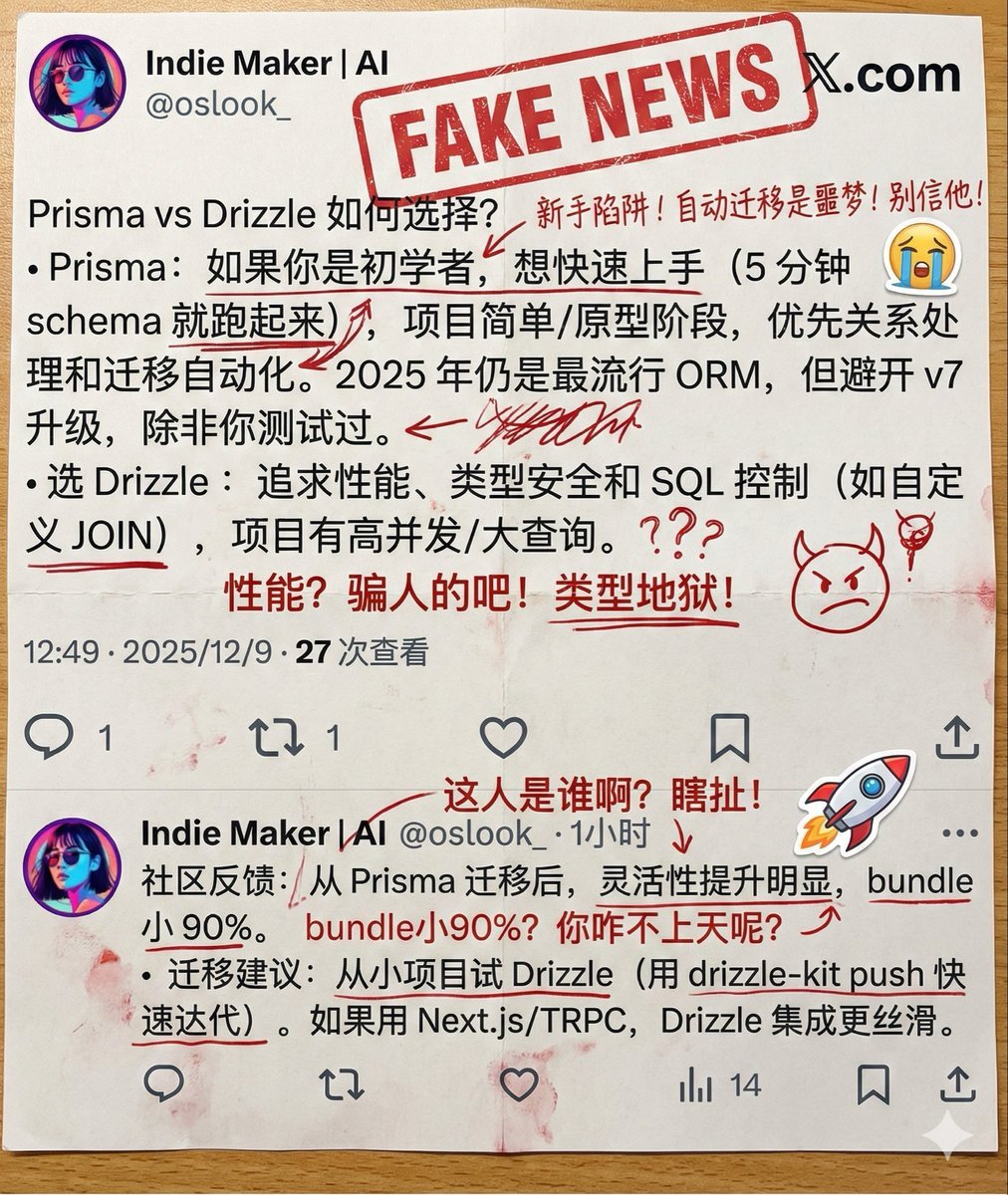
Annotated Printout Image Generation Prompt
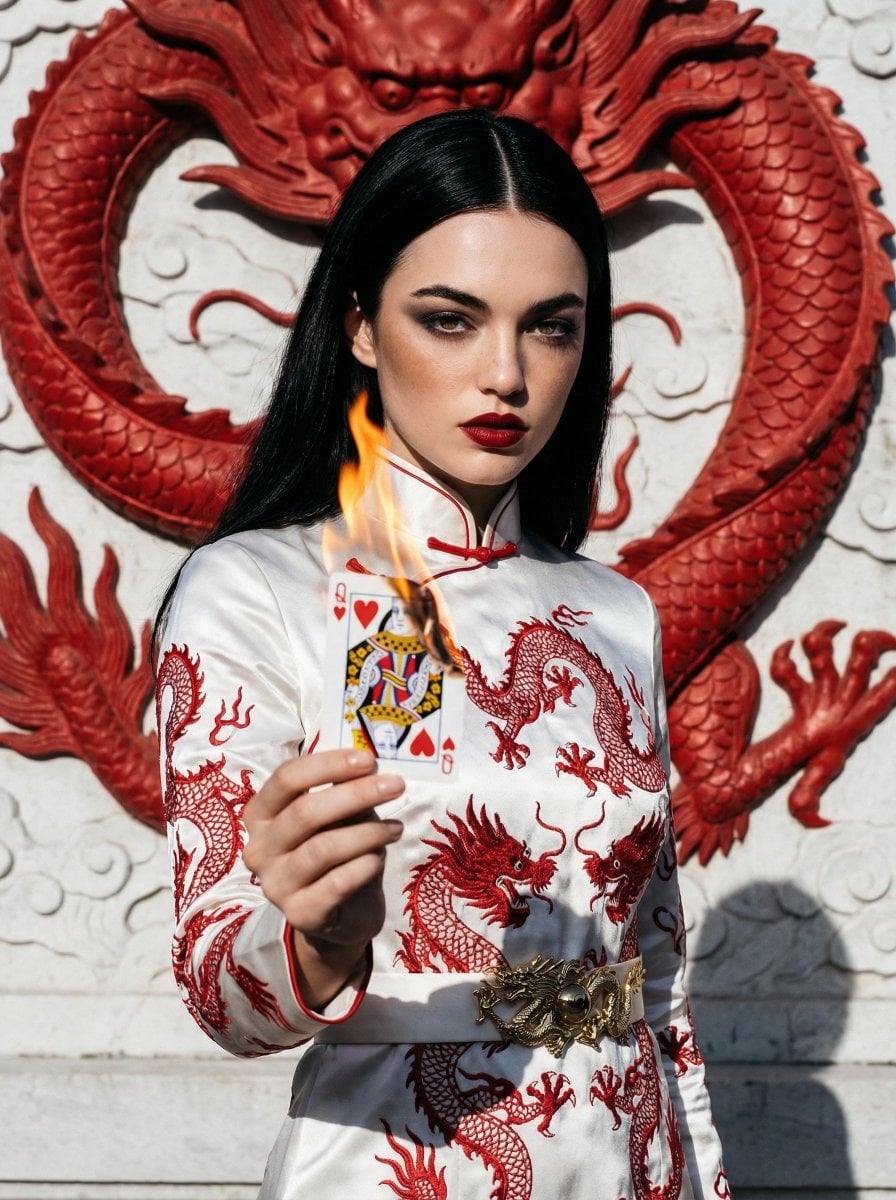
Fashion Portrait with Chinese Dragon Qipao

Cinematic Moody Portrait

Swiss alpine winter portrait of a young man

Nano Monkey's Adventure Manga Generation

Formal Japanese ID Photo Portrait

Detailed French Prompt for Urban Athleisure Portrait

High-Concept 3D Diorama Prompt for Movies and Games
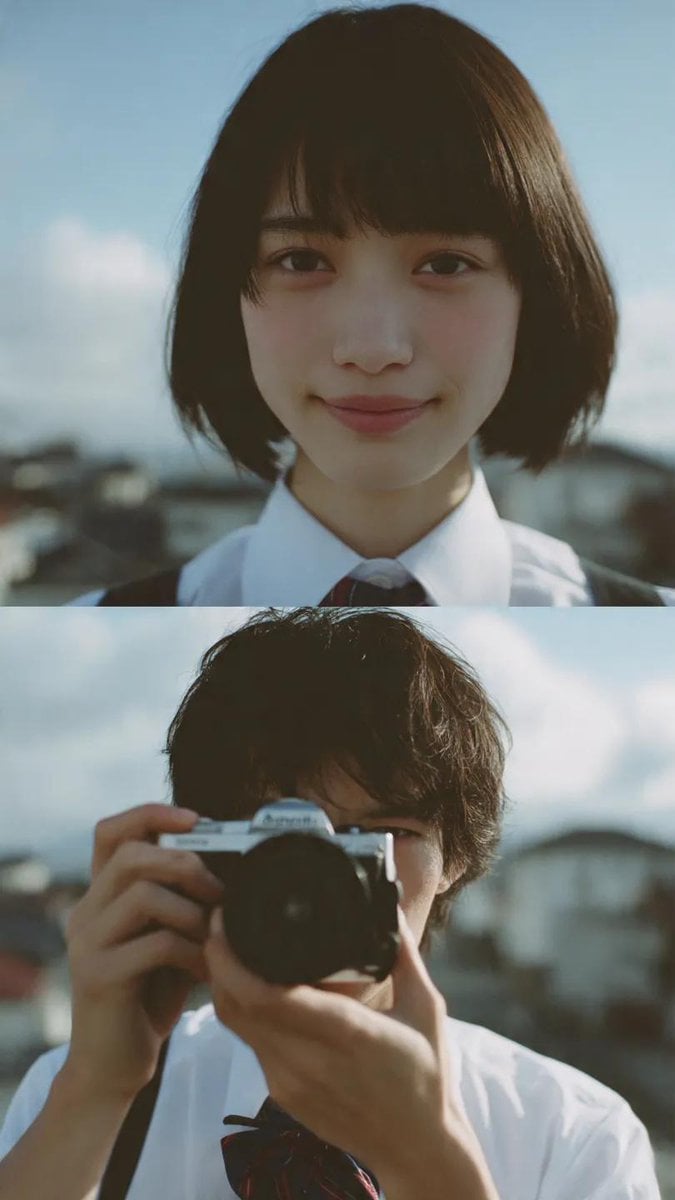
Cinematic diptych of teenagers on a rooftop
Browse template categories
Futuristic Animation Trade Magazine Cover questions
How do I use the Futuristic Animation Trade Magazine Cover template?
Add your photo if the template asks for one, edit the prompt if you like — the template's model and format are already selected — and press Generate. Your version opens in PicX Studio.
Can I customize the Futuristic Animation Trade Magazine Cover template?
Yes. You can change the subject, setting, lighting, mood, format, and available model controls before creating your image.
Is the Futuristic Animation Trade Magazine Cover template free?
Opening and editing this template is free. Generating uses credits, shown on the Generate button when you are signed in.
Which AI model should I use?
Start with GPT Image 2, which is the model associated with this template. You can compare another compatible model for a different finish.
Looking for something else? Browse all templates.

Your photo, any look
Thousands of ready templates for every top image and video model, from one credit balance.