
Vintage North America Stamp Grid
Generates a collectible sheet of 18 vintage city postage stamps, useful for atlas-style onboarding, travel UI assets, or decorative software experience graphics.
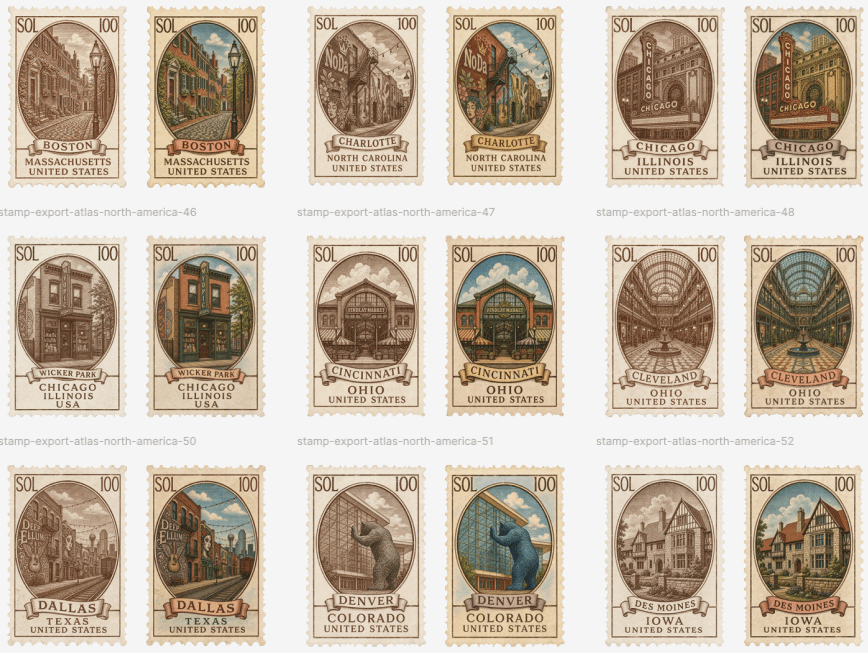
- Prompt included
- Model and format preset
- Free template
The prompt behind this image
Copy the exact prompt behind Vintage North America Stamp Grid, or open it in the studio and make it yours.
Goal: Create a clean gallery sheet of vintage illustrated postage-stamp designs for an atlas-style North American city collection, presented as collectible UI/export assets. Canvas: Landscape canvas, about 870×653 px, off-white background with generous margins and even spacing. Arrange the stamps in a precise 3-row by 6-column grid, for exactly 18 stamps total. Each city appears as a pair: first a sepia monochrome stamp, then a muted full-color version. Layout: Use three horizontal rows with six stamps per row. Leave wide white space between stamp pairs and rows. Add faint small gray export filename captions under the paired groups, aligned near the lower left of each pair, such as “stamp-export-atlas-north-america-46”, “stamp-export-atlas-north-america-47”, “stamp-export-atlas-north-america-48”, continuing through the visible groups. Stamp design: Every stamp is vertical with cream perforated edges, aged paper texture, thin ornate border, and an oval or arched central illustration window. Put “SOL” in the top-left corner and “100” in the top-right corner of every stamp. At the bottom of each stamp, include a ribbon banner with the city or neighborhood name, then stacked location text below it. Use engraved linework, antique travel-poster composition, soft shadows, and slightly worn ink. Exact stamp count and labels: Include exactly 18 individual stamps in this order, left to right, top to bottom: 1 sepia Boston, Massachusetts, United States with a narrow historic street scene; 2 color Boston, Massachusetts, United States with red-brick buildings and a streetlamp; 3 sepia Charlotte, North Carolina, United States with a cozy storefront street and a “Noda” sign; 4 color Charlotte, North Carolina, United States with colorful buildings, plants, and blue sky; 5 sepia Chicago, Illinois, United States with a vertical “Chicago” theater sign and urban architecture; 6 color Chicago, Illinois, United States with the same theater sign in warm gold and teal tones; 7 sepia Wicker Park, Chicago, Illinois, USA with a storefront facade; 8 color Wicker Park, Chicago, Illinois, USA with an orange-brick storefront and teal sign; 9 sepia Cincinnati, Ohio, United States with a historic market building; 10 color Cincinnati, Ohio, United States with the same market in brick orange, green trim, and sky-blue background; 11 sepia Cleveland, Ohio, United States showing a grand arched arcade interior; 12 color Cleveland, Ohio, United States with teal glass ceiling and warm interior perspective; 13 sepia Dallas, Texas, United States with skyline and a “Deep Ellum” sign; 14 color Dallas, Texas, United States with lively street colors, teal sky, and Deep Ellum sign; 15 sepia Denver, Colorado, United States with a blue bear statue form against a glass building; 16 color Denver, Colorado, United States with a bright blue bear and green glass facade; 17 sepia Des Moines, Iowa, United States with a Tudor-style house; 18 color Des Moines, Iowa, United States with red roof, cream walls, green lawn, and blue sky. Text content: Keep the stamp typography uppercase and vintage serif. Use the customizable collection mark {argument name="stamp currency text" default="SOL"}, denomination {argument name="stamp value" default="100"}, and export caption prefix {argument name="export filename prefix" default="stamp-export-atlas-north-america"}. Preserve the city labels as readable English, but allow the overall series theme to be {argument name="atlas region" default="North America"} and the visual finish to be {argument name="stamp finish" default="alternating sepia engraving and muted full color"}. Visual style: Antique engraved postal ephemera, travel stamp sheet, cream paper, scalloped perforations, subtle drop shadows, fine hatch shading, warm browns, faded inks, muted teal, rust, ochre, brick red, and sky blue. Make the colored stamps look hand-tinted rather than modern digital. Keep all stamps consistent in size and framing. Constraints: Do not add people, logos, watermarks, or extra stamps. The key requirement is exactly 18 stamps in a 3×6 grid, with paired sepia/color variants for the 9 listed places, readable city/state/country labels, “SOL” and “100” on every stamp, and faint gray export filenames beneath the groups.
How to use Vintage North America Stamp Grid in 3 steps
- 1Upload ImagePNG, JPG or paste
Add your photo
Upload the photo the template builds on. The prompt, model and format are already set.
- 2…a portrait of your subject in softgolden-hour light, 85mm…
Personalize
Edit the subject and creative details for your destination.
- 3Generate
Generate
Press Generate — your image is created in PicX Studio, so you can compare it with the original and refine one variable at a time.
More like this
Templates with the same subject, style or setup. Open one to see its prompt.











Make it yours
Vintage North America Stamp Grid works as-is. These are the safest ways to change it without losing the look.
Change one field
Copy a single group, rewrite it, and generate again so you can see what that field is doing.
Keep the frame, change the subject
Hold the composition and light of Vintage North America Stamp Grid, then swap wardrobe, props or the person for a new take.
| If the result… | Why | Fix |
|---|---|---|
| The result drifts from the preview | Too many fields changed at once. | Reuse Vintage North America Stamp Grid as-is first, then change one group — subject, light, or setting. |
| The model over-stylizes the scene | The prose prompt leaves finish and camera underspecified. | Add one camera or lighting sentence and stay on GPT Image 2. |
More GPT Image 2 templates
Other prompts made for GPT Image 2.

Six VTuber Japanese Logo Sheet

Realistic Portrait of Woman and Deer

The Vista Modular Condo Poster

AI Model Routing Comparison Infographic

2.5D Anime Art Board

Isometric Productivity Desk Scene

New York Double Exposure Poster

Four-Panel AI Landscape Comparison

Japanese Tatami Lifestyle Magazine Cover

NESCAFÉ Coffee Map Poster
More image prompts
Fresh picks from across the catalog.
Photorealistic 3D Floor Plan Render with Furniture

Ultra-Photorealistic Romantic Film Still (Uskudar Sunset)

Blonde Beach Anime Girl with Ice Cream

Japanese Romantic Comedy Manga Cover

Hyper-realistic Indonesian Food Infographic Prompt
Cozy Split-Level Studio Apartment with Rainy Garden View (Structured)

Luxury Ice Couch Portrait

Elf Idol Subway Poster Scene

Velvedia Character Reference Sheet
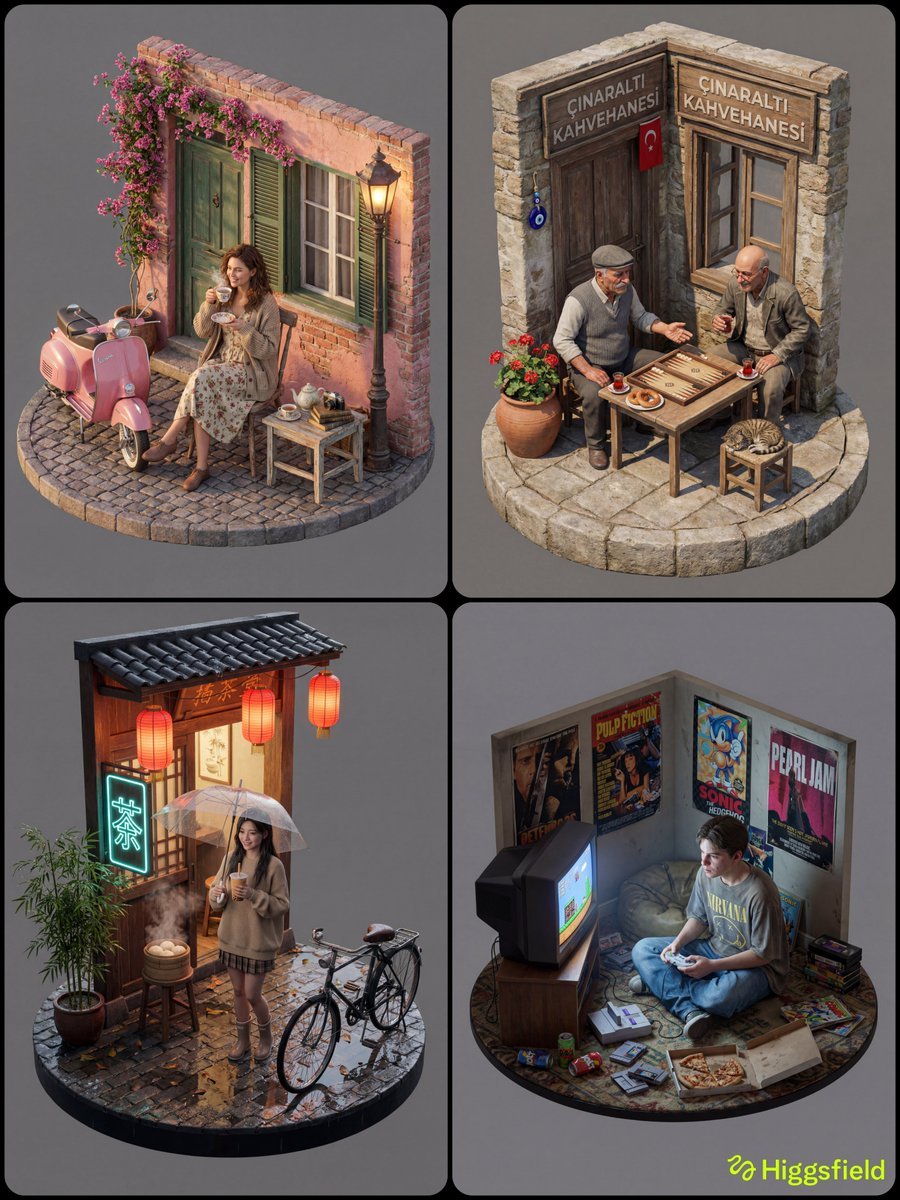
Isometric 3D Diorama with Living Human Texture
Browse template categories
Vintage North America Stamp Grid questions
How do I use the Vintage North America Stamp Grid template?
Add your photo if the template asks for one, edit the prompt if you like — the template's model and format are already selected — and press Generate. Your version opens in PicX Studio.
Can I customize the Vintage North America Stamp Grid template?
Yes. You can change the subject, setting, lighting, mood, format, and available model controls before creating your image.
Is the Vintage North America Stamp Grid template free?
Opening and editing this template is free. Generating uses credits, shown on the Generate button when you are signed in.
Which AI model should I use?
Start with GPT Image 2, which is the model associated with this template. You can compare another compatible model for a different finish.
Looking for something else? Browse all templates.

Your photo, any look
Thousands of ready templates for every top image and video model, from one credit balance.