
Tech Product Announcement Infographic
Generates a multi-section tech product infographic with 3D illustrations, feature grids, and comparison tables.
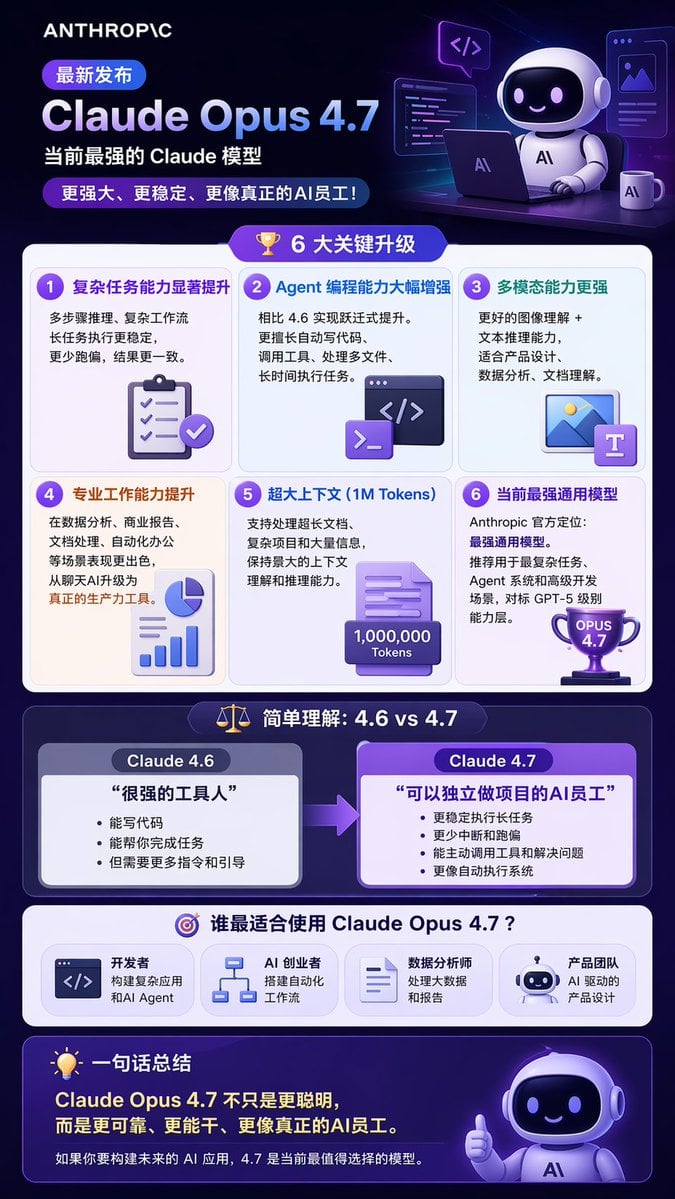
- Prompt included
- Model and format preset
- Free template
The prompt behind this image
Copy the exact prompt behind Tech Product Announcement Infographic, or open it in the studio and make it yours.
- Type
- long vertical infographic poster
- Style
- modern tech, 3D isometric illustrations, dark purple and blue color palette, glassmorphism UI elements
- Header › Logo
- {argument name="company logo" default="ANTHROPIC"}
- Header › Badge
- 最新发布
- Header › Title
- {argument name="product name" default="Claude Opus 4.7"}
- Header › Subtitle
- {argument name="main subtitle" default="当前最强的 Claude 模型"}
- Header › Tagline
- 更强大、更稳定、更像真正的AI员工!
- Header › Illustration
- 3D cute robot sitting at a desk with a laptop, coffee mug, and floating code windows
- Layout › Sections › 0 › Title
- 6 大关键升级
- Layout › Sections › 0 › Icon
- 3D gold trophy
- Layout › Sections › 0 › Layout
- 2x3 grid
- Layout › Sections › 0 › Count
- 6
- Layout › Sections › 0 › Items › 0 › Title
- 复杂任务能力显著提升
- Layout › Sections › 0 › Items › 0 › Icon
- 3D clipboard with checkmarks
- Layout › Sections › 0 › Items › 1 › Title
- Agent 编程能力大幅增强
- Layout › Sections › 0 › Items › 1 › Icon
- 3D code terminal window
- Layout › Sections › 0 › Items › 2 › Title
- 多模态能力更强
- Layout › Sections › 0 › Items › 2 › Icon
- 3D image and text document
- Layout › Sections › 0 › Items › 3 › Title
- 专业工作能力提升
- Layout › Sections › 0 › Items › 3 › Icon
- 3D pie chart and bar graph
- Layout › Sections › 0 › Items › 4 › Title
- 超大上下文 (1M Tokens)
- Layout › Sections › 0 › Items › 4 › Icon
- 3D document with 1,000,000 Tokens text
- Layout › Sections › 0 › Items › 5 › Title
- 当前最强通用模型
- Layout › Sections › 0 › Items › 5 › Icon
- 3D purple trophy with OPUS 4.7 text
Raw JSON
{
  "type": "long vertical infographic poster",
  "style": "modern tech, 3D isometric illustrations, dark purple and blue color palette, glassmorphism UI elements",
  "header": {
    "logo": "{argument name=\"company logo\" default=\"ANTHROPIC\"}",
    "badge": "最新发布",
    "title": "{argument name=\"product name\" default=\"Claude Opus 4.7\"}",
    "subtitle": "{argument name=\"main subtitle\" default=\"当前最强的 Claude 模型\"}",
    "tagline": "更强大、更稳定、更像真正的AI员工!",
    "illustration": "3D cute robot sitting at a desk with a laptop, coffee mug, and floating code windows"
  },
  "layout": {
    "sections": [
      {
        "title": "6 大关键升级",
        "icon": "3D gold trophy",
        "layout": "2x3 grid",
        "count": 6,
        "items": [
          {"title": "复杂任务能力显著提升", "icon": "3D clipboard with checkmarks"},
          {"title": "Agent 编程能力大幅增强", "icon": "3D code terminal window"},
          {"title": "多模态能力更强", "icon": "3D image and text document"},
          {"title": "专业工作能力提升", "icon": "3D pie chart and bar graph"},
          {"title": "超大上下文 (1M Tokens)", "icon": "3D document with 1,000,000 Tokens text"},
          {"title": "当前最强通用模型", "icon": "3D purple trophy with OPUS 4.7 text"}
        ]
      },
      {
        "title": "简单理解:4.6 vs 4.7",
        "icon": "3D balance scale",
        "layout": "side-by-side comparison with right-pointing arrow",
        "count": 2,
        "columns": [
          {
            "header": "{argument name=\"comparison version 1\" default=\"Claude 4.6\"}",
            "quote": "很强的工具人",
            "style": "grey box"
          },
          {
            "header": "{argument name=\"comparison version 2\" default=\"Claude 4.7\"}",
            "quote": "可以独立做项目的AI员工",
            "style": "purple box, highlighted"
          }
        ]
      },
      {
        "title": "谁最适合使用 Claude Opus 4.7?",
        "icon": "3D target",
        "layout": "horizontal row",
        "count": 4,
        "labels": [
          "开发者",
          "AI 创业者",
          "数据分析师",
          "产品团队"
        ]
      }
    ],
    "footer": {
      "title": "一句话总结",
      "icon": "3D lightbulb",
      "main_text": "Claude Opus 4.7 不只是更聪明,而是更可靠、更能干、更像真正的AI员工。",
      "sub_text": "如果你要构建未来的 AI 应用,4.7 是当前最值得选择的模型。",
      "illustration": "3D cute robot giving a thumbs up"
    }
  }
}How to use Tech Product Announcement Infographic in 3 steps
- 1Upload ImagePNG, JPG or paste
Add your photo
Upload the photo the template builds on. The prompt, model and format are already set.
- 2…a portrait of your subject in softgolden-hour light, 85mm…
Personalize
Edit the subject and creative details for your destination.
- 3Generate
Generate
Press Generate — your image is created in PicX Studio, so you can compare it with the original and refine one variable at a time.
More like this
Templates with the same subject, style or setup. Open one to see its prompt.

Japan Travel Brochure Poster

A k.pop idol on the stage with mic

Trendy Cafe Drink Promo Poster

Minimalist Skincare Product Water Stone Still

Giant Forced Perspective Street Product Selfie

Playful Futuristic Brand Kit Board

Headphones Lifestyle Nine Panel Grid

Isometric Process Educational Diorama

Cappuccino Bottle Splash Product Ad

Luxury Toothpaste Commercial Storyboard

Parle Hide and Seek Cookie Campaign Poster

Moss Logo Minimalist Brand Flat Lay
Make it yours
Tech Product Announcement Infographic works as-is. These are the safest ways to change it without losing the look.
Change one field
Copy a single group, rewrite it, and generate again so you can see what that field is doing.
Keep the frame, change the subject
Hold the composition and light of Tech Product Announcement Infographic, then swap wardrobe, props or the person for a new take.
| If the result… | Why | Fix |
|---|---|---|
| The result drifts from the preview | Too many fields changed at once. | Reuse Tech Product Announcement Infographic as-is first, then change one group — subject, light, or setting. |
| GPT Image 2 ignores part of the JSON | Some models flatten or skip nested keys. | Keep the same values and paste them as a short paragraph instead. |
More GPT Image 2 templates
Other prompts made for GPT Image 2.

Six VTuber Japanese Logo Sheet

Realistic Portrait of Woman and Deer

The Vista Modular Condo Poster

AI Model Routing Comparison Infographic

2.5D Anime Art Board

Isometric Productivity Desk Scene

New York Double Exposure Poster

Four-Panel AI Landscape Comparison

Japanese Tatami Lifestyle Magazine Cover

NESCAFÉ Coffee Map Poster
More image prompts
Fresh picks from across the catalog.

Fashion Editorial with 3D Cartoon Characters

Minimalist Plasma Core Data Sheet

Cinematic Winter Portrait Photoshoot Prompt
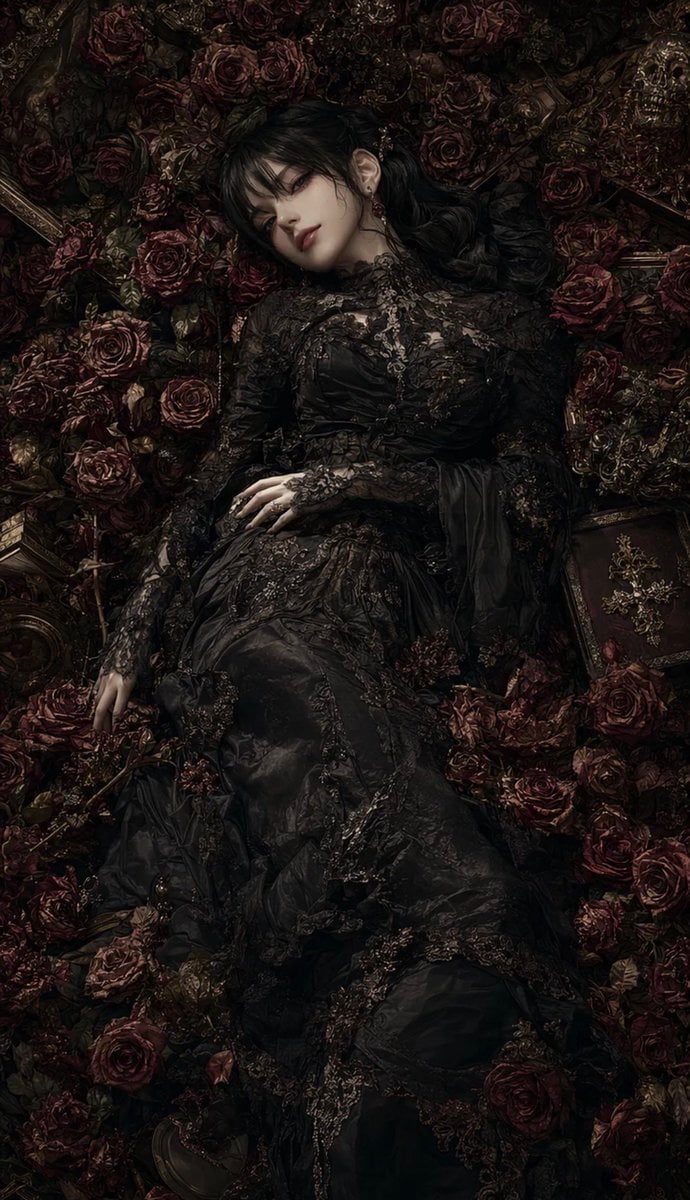
Gothic Rose Mourning Portrait
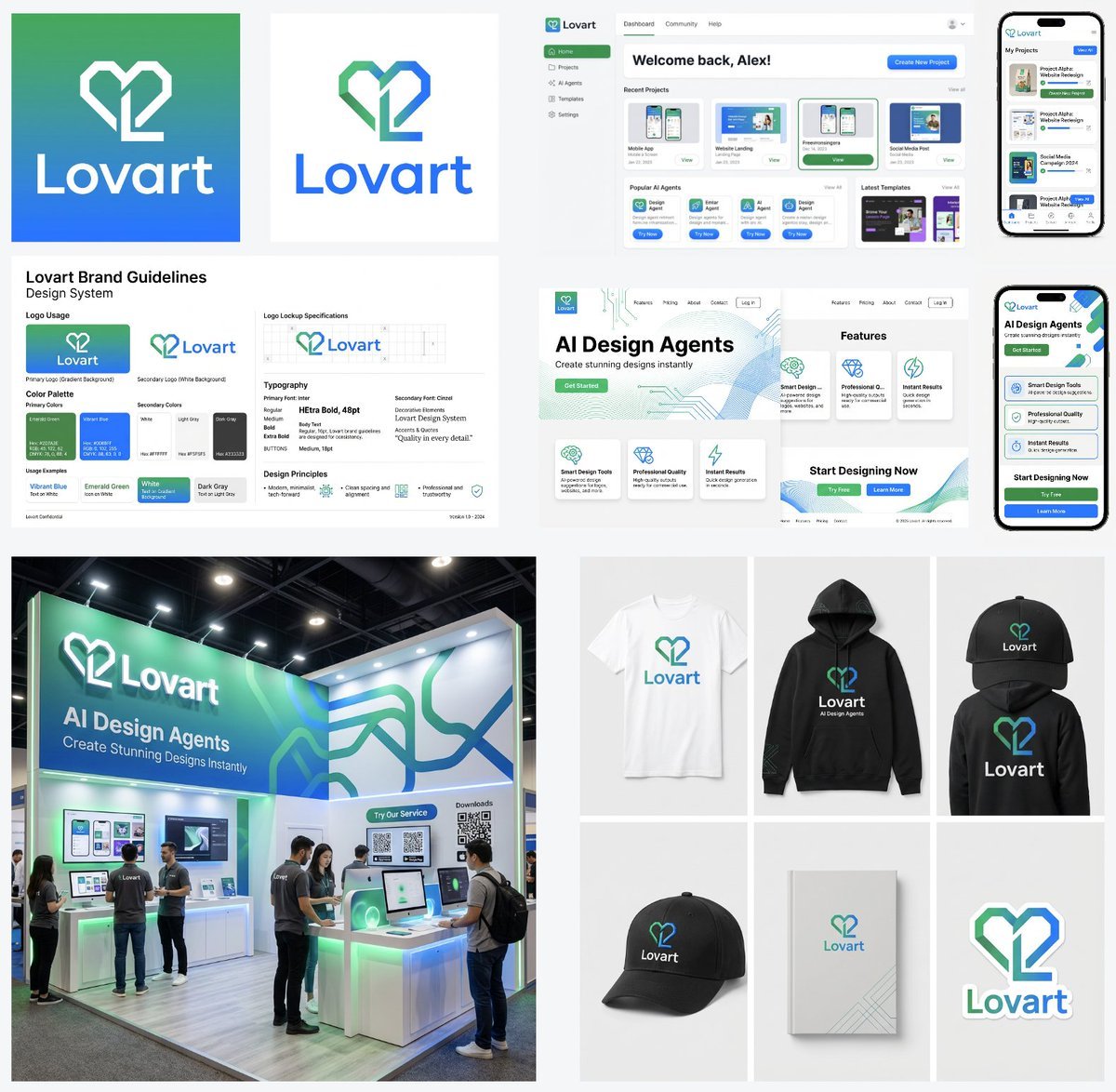
Multi-Step Design Generation Prompts for 'Lovart' Brand

Ultra-Luxurious Skincare Product Photography in Alpine Setting

Fabric-Stitched Textile Logo Prompt

Cinematic Nature Anime Portrait
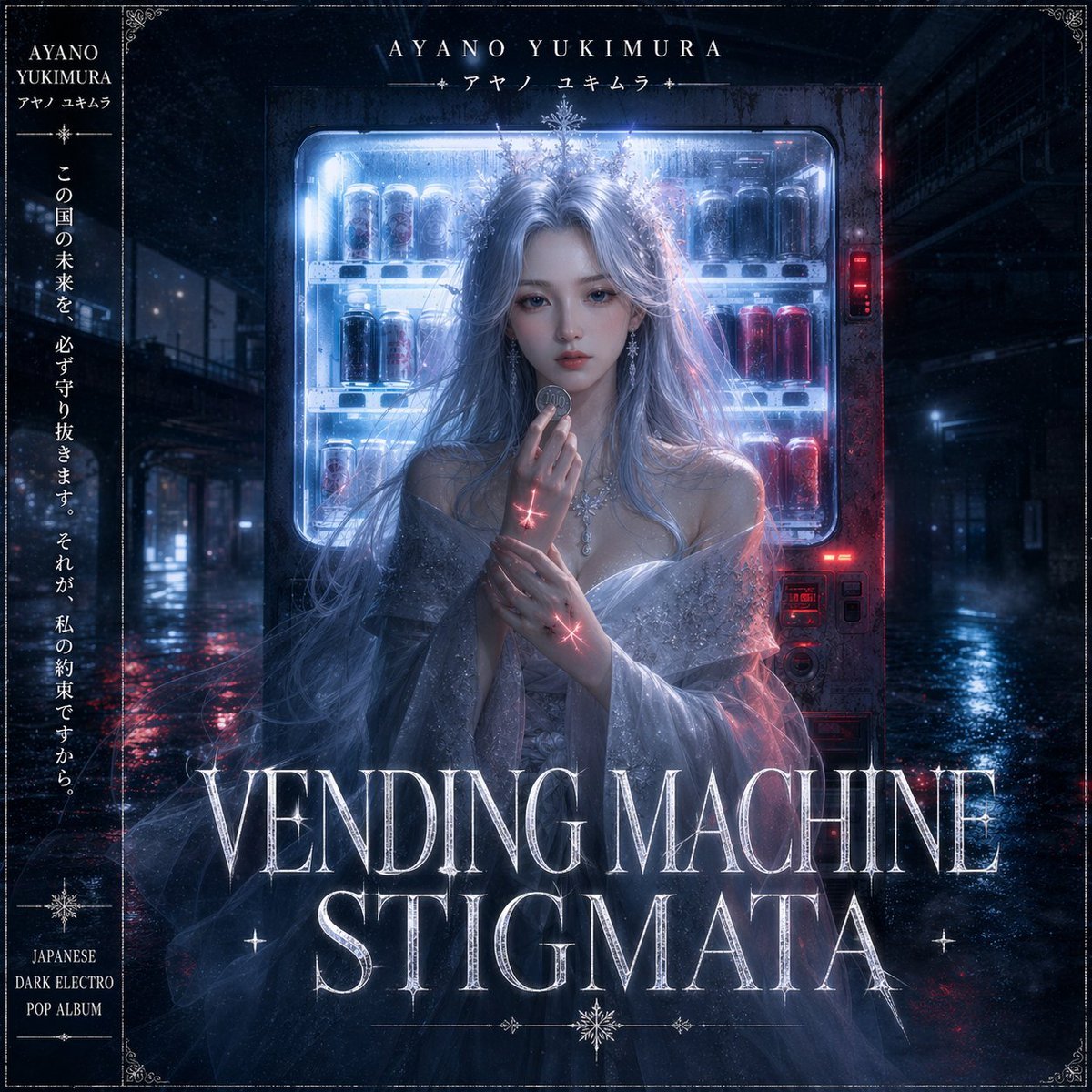
Dark Electro Album Cover

Gpt2 Profile Avatar Pastel Ai Assistant Anime Portrait
Browse template categories
Tech Product Announcement Infographic questions
How do I use the Tech Product Announcement Infographic template?
Add your photo if the template asks for one, edit the prompt if you like — the template's model and format are already selected — and press Generate. Your version opens in PicX Studio.
Can I customize the Tech Product Announcement Infographic template?
Yes. You can change the subject, setting, lighting, mood, format, and available model controls before creating your image.
Is the Tech Product Announcement Infographic template free?
Opening and editing this template is free. Generating uses credits, shown on the Generate button when you are signed in.
Which AI model should I use?
Start with GPT Image 2, which is the model associated with this template. You can compare another compatible model for a different finish.
Looking for something else? Browse all templates.

Your photo, any look
Thousands of ready templates for every top image and video model, from one credit balance.