How do I use the Gothic Rose Mourning Portrait template?
Choose the primary action to open PicX Studio with the available template settings. Review the model and format, personalize the creative direction, and generate when ready.
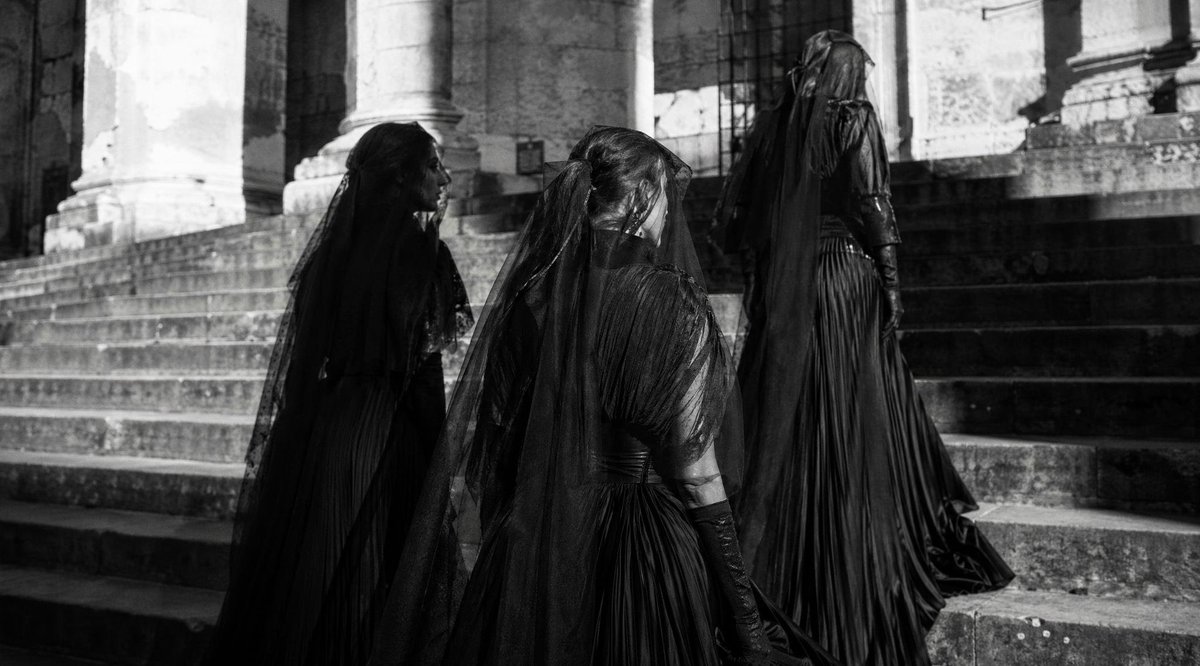
A dark cinematic gothic portrait prompt for creating a Victorian woman lying among roses with ornate mourning fashion and antique religious objects. Change the subject, setting, or lighting one variable at a time.
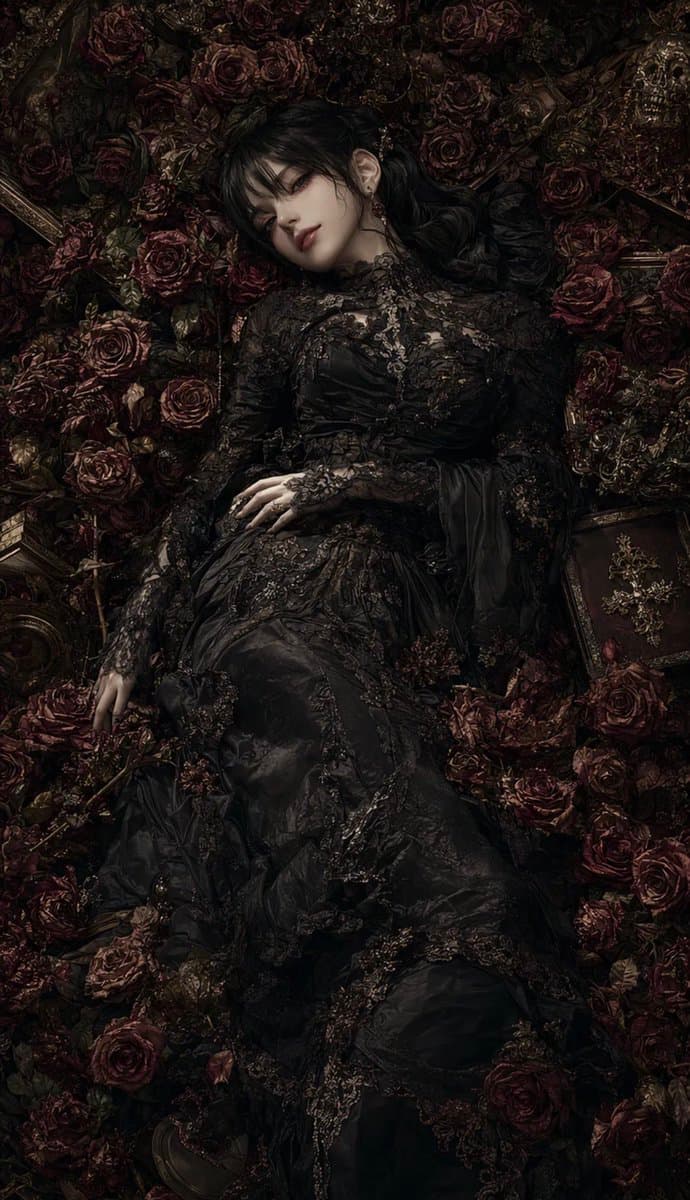
Create a dark gothic fine-art portrait in a vertical 9:16 canvas: one pale adult woman lies supine like an ornate funeral tableau, surrounded by a dense, nearly continuous carpet of deep burgundy-black roses and dark foliage. She wears an elaborate {argument name="dress color" default="black"} Victorian mourning gown with high neck, long lace sleeves, embroidered floral appliqué, sheer panels, layered satin and tulle, and intricate beadwork. Her long {argument name="hair color" default="black"} hair spreads around her head; one ear with delicate earrings is visible, while her face is intentionally covered by a centered soft-edged square blur/censor block in muted brown tones. Pose: one hand rests on her torso, the other arm extends down to the side, body angled slightly diagonally from upper center to lower center. Surround her with three clearly visible antique objects among the roses: one dark ornate book with a metal cross emblem at the lower right, one gilded picture-frame edge at the left side, and one small metallic crucifix or decorative cross near the roses. Use a moody {argument name="lighting style" default="low-key chiaroscuro"} lighting setup with very deep shadows, subtle highlights on lace, skin, and rose petals, a muted palette of black, oxblood, antique gold, and charcoal, hyper-detailed texture, romantic gothic opulence, cinematic realism, top-down composition, solemn atmosphere, no text, no watermark.
Choose the primary action to open PicX Studio with the available template settings. Review the model and format, personalize the creative direction, and generate when ready.
Yes. You can change the subject, setting, lighting, mood, format, and available model controls before creating your image.
This template is free to open and customize. Generation usage is shown in PicX Studio before you create.
Start with GPT Image 2, which is the model associated with this template. You can compare another compatible model for a different finish.
© 2026 PicX Studio. All rights reserved.

Follow a topic to a crawlable collection of related PicX Studio templates.
43,474 public templates available. Verified via the PicX Studio public templates API; refreshed hourly.











![118-google-nano-banana-pro-skincare-product- — A professional skincare shot of a [product container] with [cap/lid], labeled [brand, product, descriptor, volume](/_next/image?url=https%3A%2F%2Fcdn.picxstudio.com%2Fuploads%2Fpost118_img0_332898b8-29ea-42a9-87ab-9ed746a3f944.jpg&w=828&q=100)



![69-untitled — FORMAT: 15s / 145 BPM / 14 SHOTS
SUBJECT: @[image1]
WARDROBE: Clean modern outfit
ENVIRONMENT: Street / indoor transitions
MOOD: Discovery → contr](/_next/image?url=https%3A%2F%2Fcdn.picxstudio.com%2Fuploads%2Fpost69_img0_d45faecf-38c3-4bcb-81a4-f6eb1cf42bb2.jpg&w=828&q=100)







![Minimalist Flat Vector Travel Poster — Premium minimalist flat-vector travel poster for {argument name="city name" default="[CITY_NAME]"}, 3:4 vertical format.](https://cms-assets.youmind.com/media/1787917359711_3ug846_HQX205cbMAA6F6S-300x400.jpg)
























![Movement Sheet - Dance Reference (Seedance 2.0) — [STYLE]
Monochrome grayscale illustration, 3D-rendered character, clean instructional reference sheet, white b](https://pbs.twimg.com/media/HGzSvcnboAA_bjD.jpg?name=orig)