
Code Review English Infographic
Generates a Japanese anime-style English learning poster teaching practical phrases for requesting code reviews.
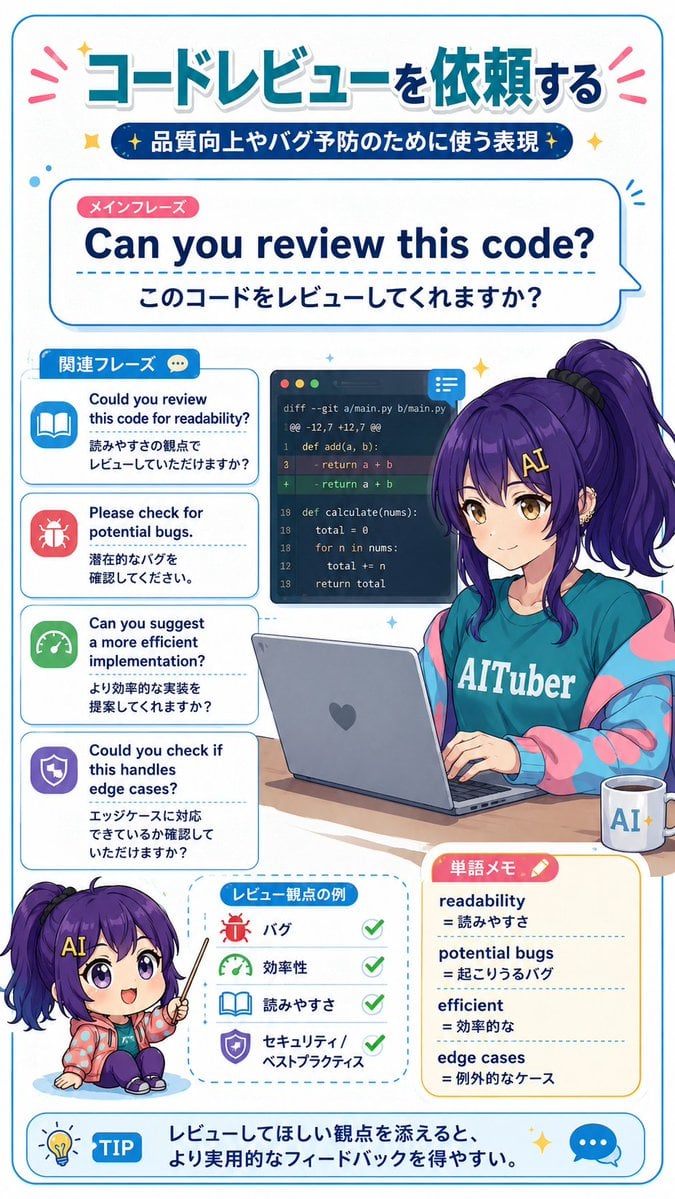
- Prompt included
- Model and format preset
- Free template
The prompt behind this image
Copy the exact prompt behind Code Review English Infographic, or open it in the studio and make it yours.
- Type
- vertical Japanese educational infographic poster, fictional English learning material for programmers
- Style
- bright clean anime illustration, rounded blue borders, white background, teal and navy typography, pink accent marks, cute textbook layout, glossy vector icons, soft shadows, high readability, GPT-image-2 style
- Canvas › Orientation
- portrait
- Canvas › Aspect Ratio
- 9:16
- Canvas › Border
- thin rounded cyan outline with small sparkles, dots, speech bubbles and decorative emphasis lines
- Main Topic › Headline
- {argument name="headline text" default="コードレビューを依頼する"}
- Main Topic › Subtitle
- 品質向上やバグ予防のために使う表現
- Main Topic › Theme
- practical English phrases for asking someone to review code
- Main Phrase Section › Position
- upper center
- Main Phrase Section › Label
- メインフレーズ
- Main Phrase Section › English Phrase
- {argument name="main English phrase" default="Can you review this code?"}
- Main Phrase Section › Japanese Translation
- このコードをレビューしてくれますか?
- Main Phrase Section › Design
- large rounded speech-card with dashed divider line, big bold navy English text
- Related Phrases Section › Position
- left middle
- Related Phrases Section › Title
- 関連フレーズ
- Related Phrases Section › Count
- 4
- Related Phrases Section › Items › 0 › Icon
- blue open book
- Related Phrases Section › Items › 0 › English
- Could you review this code for readability?
- Related Phrases Section › Items › 0 › Japanese
- 読みやすさの観点でレビューしていただけますか?
- Related Phrases Section › Items › 1 › Icon
- red bug
- Related Phrases Section › Items › 1 › English
- Please check for potential bugs.
- Related Phrases Section › Items › 1 › Japanese
- 潜在的なバグを確認してください。
- Related Phrases Section › Items › 2 › Icon
- green speedometer
- Related Phrases Section › Items › 2 › English
- Can you suggest a more efficient implementation?
Raw JSON
{"type":"vertical Japanese educational infographic poster, fictional English learning material for programmers","style":"bright clean anime illustration, rounded blue borders, white background, teal and navy typography, pink accent marks, cute textbook layout, glossy vector icons, soft shadows, high readability, GPT-image-2 style","canvas":{"orientation":"portrait","aspect_ratio":"9:16","border":"thin rounded cyan outline with small sparkles, dots, speech bubbles and decorative emphasis lines"},"main_topic":{"headline":"{argument name=\"headline text\" default=\"コードレビューを依頼する\"}","subtitle":"品質向上やバグ予防のために使う表現","theme":"practical English phrases for asking someone to review code"},"main_phrase_section":{"position":"upper center","label":"メインフレーズ","english_phrase":"{argument name=\"main English phrase\" default=\"Can you review this code?\"}","japanese_translation":"このコードをレビューしてくれますか?","design":"large rounded speech-card with dashed divider line, big bold navy English text"},"related_phrases_section":{"position":"left middle","title":"関連フレーズ","count":4,"items":[{"icon":"blue open book","english":"Could you review this code for readability?","japanese":"読みやすさの観点でレビューしていただけますか?"},{"icon":"red bug","english":"Please check for potential bugs.","japanese":"潜在的なバグを確認してください。"},{"icon":"green speedometer","english":"Can you suggest a more efficient implementation?","japanese":"より効率的な実装を提案してくれますか?"},{"icon":"purple shield","english":"Could you check if this handles edge cases?","japanese":"エッジケースに対応できているか確認していただけますか?"}]},"character":{"description":"anime-style young woman programmer mascot seated at a desk, long vivid purple hair in a high side ponytail with loose bangs, face intentionally covered by a square blur/mosaic censor block, teal T-shirt reading AITuber, oversized pastel pink and blue jacket, typing on a gray laptop with a heart sticker, focused study mood","customization":{"name":"{argument name=\"character name\" default=\"Nike-chan\"}","hair_color":"{argument name=\"hair color\" default=\"deep purple\"}","shirt_text":"{argument name=\"shirt text\" default=\"AITuber\"}"}},"central_visuals":{"code_review_window":{"position":"center behind character","description":"dark code editor window showing a git diff with red removed line and green added line, small chat/comment icon in the top right"},"desk_objects":{"count":2,"items":["open gray laptop","white mug labeled AI with coffee"]}},"bottom_sections":{"chibi_character":{"position":"lower left","description":"small chibi version of the same purple-haired mascot sitting and pointing with a teacher pointer, face also covered by a square blur, tiny yellow letter A on hair accessory"},"review_points":{"position":"lower center","title":"レビュー観点の例","count":4,"items":[{"icon":"red bug","label":"バグ","checkmark":true},{"icon":"green speedometer","label":"効率性","checkmark":true},{"icon":"blue book","label":"読みやすさ","checkmark":true},{"icon":"purple shield","label":"セキュリティ / ベストプラクティス","checkmark":true}]},"vocabulary_memo":{"position":"lower right","title":"単語メモ","count":4,"items":[{"term":"readability","meaning":"読みやすさ"},{"term":"potential bugs","meaning":"起こりうるバグ"},{"term":"efficient","meaning":"効率的な"},{"term":"edge cases","meaning":"例外的なケース"}]},"tip_bar":{"position":"very bottom","label":"TIP","text":"レビューしてほしい観点を添えると、より実用的なフィードバックを得やすい。","icons":"lightbulb on the left and blue chat bubble on the right"}},"composition_notes":"Make every card rounded with cyan outlines; use crisp readable text; balance Japanese headline and English teaching phrases; include exactly 4 related phrase cards, exactly 4 review-point items, exactly 4 vocabulary entries, and exactly 2 desk objects. Maintain a cheerful learning-material look with sparkles and stickers."}How to use Code Review English Infographic in 3 steps
- 1Upload ImagePNG, JPG or paste
Add your photo
Upload the photo the template builds on. The prompt, model and format are already set.
- 2…a portrait of your subject in softgolden-hour light, 85mm…
Personalize
Edit the subject and creative details for your destination.
- 3Generate
Generate
Press Generate — your image is created in PicX Studio, so you can compare it with the original and refine one variable at a time.
More like this
Templates with the same subject, style or setup. Open one to see its prompt.

Japan Travel Brochure Poster

Isometric Process Educational Diorama

Isometric Vehicle Teardown Infographic Template
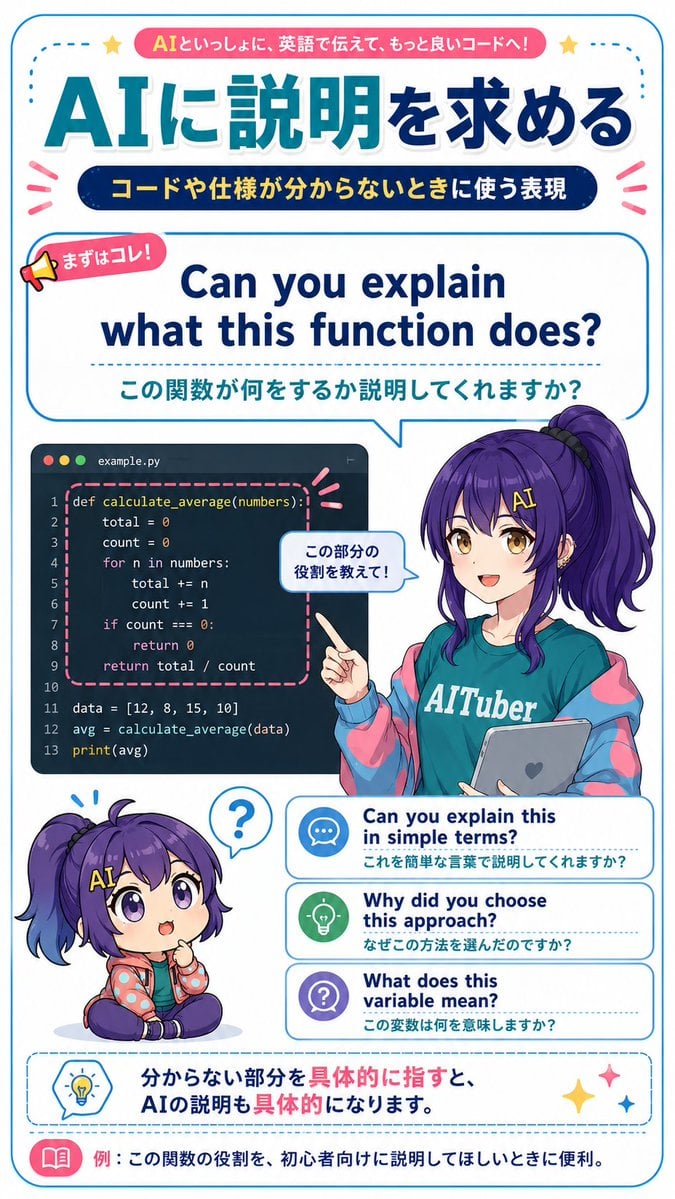
AI Code Explanation English Poster

Gpt2 E Commerce Main Image Earbuds E Commerce Infographic

Gpt2 Infographic Edu Visual Alishan One Day Travel Poster

Gpt2 Infographic Edu Visual Ethnographic Plate for Tibetan Ceremonial Hat

Gpt2 Infographic Edu Visual Earth Signs Zodiac Character Poster

Gpt2 Infographic Edu Visual Water Signs Zodiac Character Poster

Gpt2 Infographic Edu Visual Ink Wash Tribute Poster for Chen Uen

Gpt2 Infographic Edu Visual Vintage Claude Shannon Infographic Poster

Gpt2 Infographic Edu Visual Taoist Three Souls Seven Po Poster
Make it yours
Code Review English Infographic works as-is. These are the safest ways to change it without losing the look.
Change one field
Copy a single group, rewrite it, and generate again so you can see what that field is doing.
Keep the frame, change the subject
Hold the composition and light of Code Review English Infographic, then swap wardrobe, props or the person for a new take.
| If the result… | Why | Fix |
|---|---|---|
| The result drifts from the preview | Too many fields changed at once. | Reuse Code Review English Infographic as-is first, then change one group — subject, light, or setting. |
| GPT Image 2 ignores part of the JSON | Some models flatten or skip nested keys. | Keep the same values and paste them as a short paragraph instead. |
More GPT Image 2 templates
Other prompts made for GPT Image 2.

Six VTuber Japanese Logo Sheet

Realistic Portrait of Woman and Deer

The Vista Modular Condo Poster

AI Model Routing Comparison Infographic

2.5D Anime Art Board

Isometric Productivity Desk Scene

New York Double Exposure Poster

Four-Panel AI Landscape Comparison

Japanese Tatami Lifestyle Magazine Cover

NESCAFÉ Coffee Map Poster
More image prompts
Fresh picks from across the catalog.

Twilight Geese Over Cappadocia

Beige Menswear Lookbook Collage

Stillness in Chaos Cinematic Portrait

Ultra-Realistic Café Portrait Prompt for Nano Banana 2

High-Resolution 3x3 Grid Photo Collage for Female Travel Photography

Dreamy Glam Portrait with Soft Focus Vintage Realism
Y2K Japanese Street Editorial Poster

Viral TikTok Mirror Selfie Prompt

Three Variations of a Blonde Woman in Black Clothing
15th-Century Antique Portolan Chart
Browse template categories
Code Review English Infographic questions
How do I use the Code Review English Infographic template?
Add your photo if the template asks for one, edit the prompt if you like — the template's model and format are already selected — and press Generate. Your version opens in PicX Studio.
Can I customize the Code Review English Infographic template?
Yes. You can change the subject, setting, lighting, mood, format, and available model controls before creating your image.
Is the Code Review English Infographic template free?
Opening and editing this template is free. Generating uses credits, shown on the Generate button when you are signed in.
Which AI model should I use?
Start with GPT Image 2, which is the model associated with this template. You can compare another compatible model for a different finish.
Looking for something else? Browse all templates.

Your photo, any look
Thousands of ready templates for every top image and video model, from one credit balance.