How do I use the Surreal Floral Petal Portrait template?
Choose the primary action to open PicX Studio with the available template settings. Review the model and format, personalize the creative direction, and generate when ready.
A romantic surreal square portrait of a woman formed from swirling rose and ivory petals, suitable for fine art or dreamy fashion imagery. Change the subject, setting, or lighting one variable at a time.
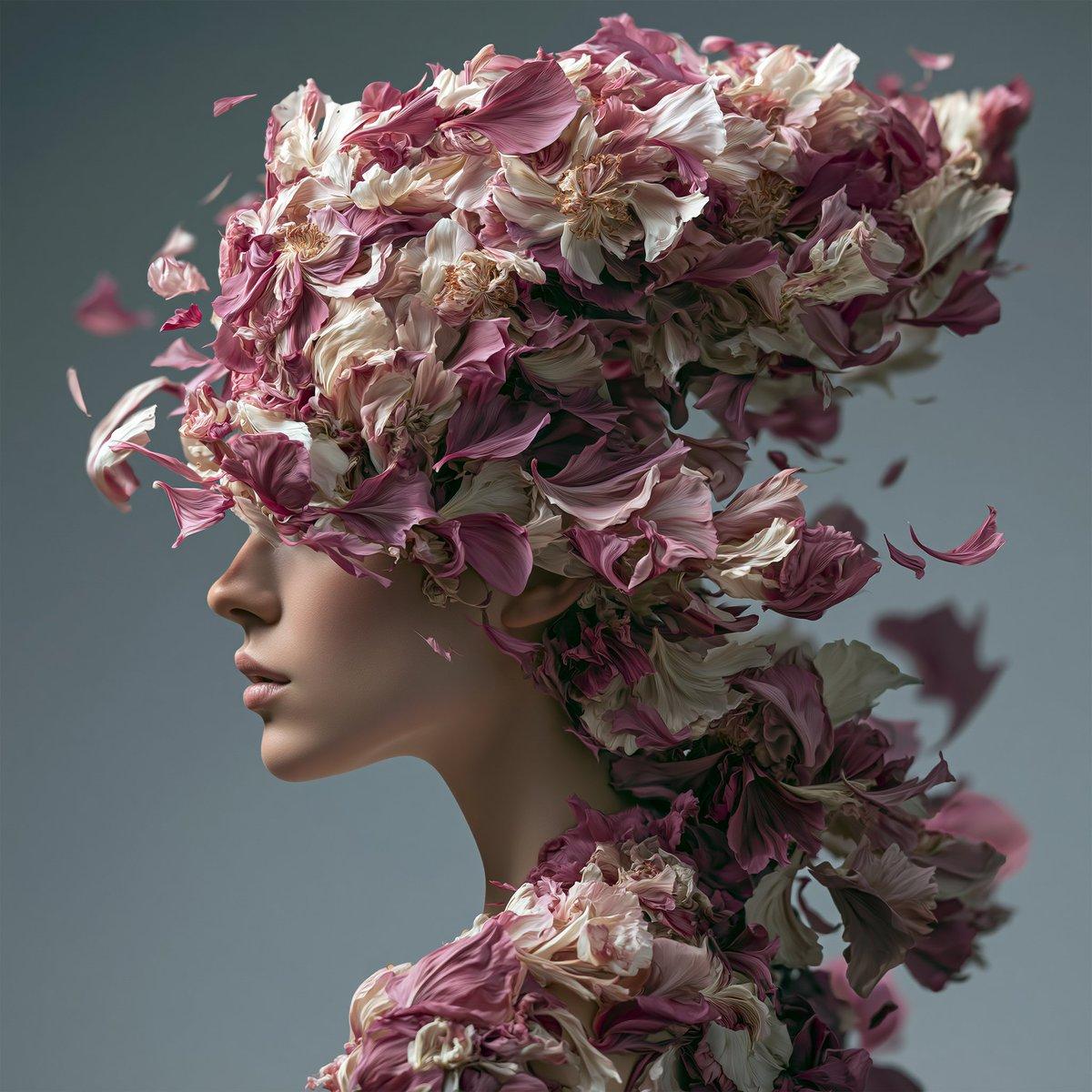
Create a square 1:1 painterly fine art fashion portrait of a graceful feminine figure made almost entirely from thousands of floating flower petals, with the body shown in elegant three-quarter profile facing left. The figure’s head and hair should be a dense sculptural mass of layered blossoms and petals in {argument name="petal color palette" default="dusty rose pink, ivory white, muted mauve, and deep shadow gray"}, with petals forming the neck, shoulders, and upper torso like a fragmented floral gown. Use soft realistic brushwork, high-detail floral textures, romantic surreal atmosphere, moody studio lighting, and a subdued {argument name="background color" default="blue gray"} background. Add many individual drifting petals around the head and shoulders, especially to the left and right edges, as if wind is pulling the figure apart. Place one large opaque square censor-like block over the central face and upper chest area, colored muted brownish mauve, with clean straight edges and no text. Keep the composition elegant, melancholic, and high-fashion, with shallow depth of field, no logo, no watermark, and no written text.
Choose the primary action to open PicX Studio with the available template settings. Review the model and format, personalize the creative direction, and generate when ready.
Yes. You can change the subject, setting, lighting, mood, format, and available model controls before creating your image.
This template is free to open and customize. Generation usage is shown in PicX Studio before you create.
Start with GPT Image 2, which is the model associated with this template. You can compare another compatible model for a different finish.
© 2026 PicX Studio. All rights reserved.

Follow a topic to a crawlable collection of related PicX Studio templates.
43,474 public templates available. Verified via the PicX Studio public templates API; refreshed hourly.



![118-google-nano-banana-pro-skincare-product- — A professional skincare shot of a [product container] with [cap/lid], labeled [brand, product, descriptor, volume](/_next/image?url=https%3A%2F%2Fcdn.picxstudio.com%2Fuploads%2Fpost118_img0_332898b8-29ea-42a9-87ab-9ed746a3f944.jpg&w=828&q=100)




![69-untitled — FORMAT: 15s / 145 BPM / 14 SHOTS
SUBJECT: @[image1]
WARDROBE: Clean modern outfit
ENVIRONMENT: Street / indoor transitions
MOOD: Discovery → contr](/_next/image?url=https%3A%2F%2Fcdn.picxstudio.com%2Fuploads%2Fpost69_img0_d45faecf-38c3-4bcb-81a4-f6eb1cf42bb2.jpg&w=828&q=100)















![Minimalist Flat Vector Travel Poster — Premium minimalist flat-vector travel poster for {argument name="city name" default="[CITY_NAME]"}, 3:4 vertical format.](https://cms-assets.youmind.com/media/1787917359711_3ug846_HQX205cbMAA6F6S-300x400.jpg)