How do I use the Anime Punk Rock Festival Stage template?
Choose the primary action to open PicX Studio with the available template settings. Review the model and format, personalize the creative direction, and generate when ready.
Generates a high-energy anime illustration of a punk vocalist leading a three-member band on a sunny outdoor festival stage. Change the subject, setting, or lighting one variable at a time.
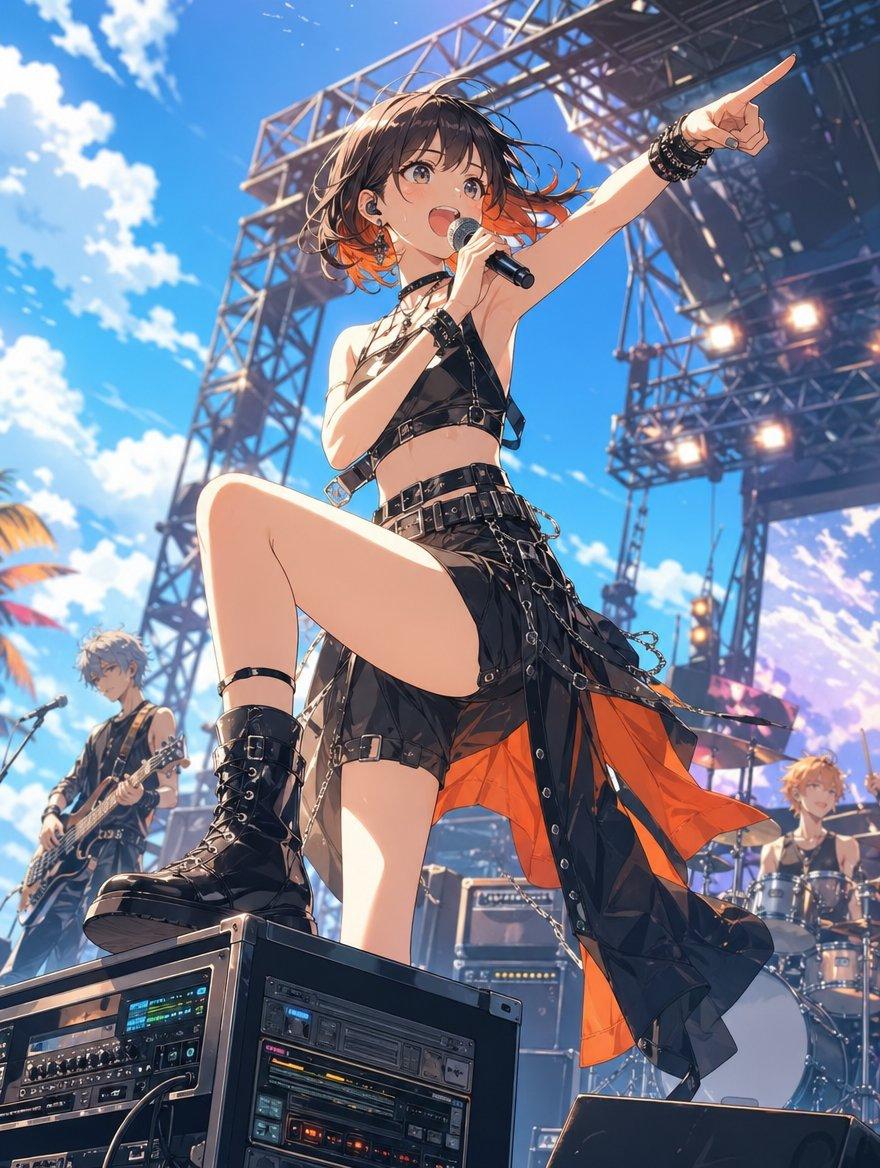
Create a dynamic anime-style outdoor rock festival scene under a vivid blue sky with scattered white clouds, using a dramatic low-angle perspective from the front of the stage. The main subject is {argument name="lead singer" default="a young punk rock female vocalist"} standing powerfully with one knee raised and one black combat boot planted on a large front-stage audio equipment rack, holding one handheld microphone near her chest and pointing her right arm high toward the crowd. Give her {argument name="hair color" default="short tousled dark brown hair with bright orange tips"}, a black leather strappy crop top, layered chokers, studded bracelets, fingerless gloves, a black asymmetrical skirt with belts, buckles, chains, straps, silver rings, and an orange inner lining that flutters in the wind. Include exactly three visible band members: the central lead singer in the foreground, one guitarist on the left background playing an electric guitar near a microphone stand, and one drummer on the right background seated behind a drum kit. Render all faces as intentionally anonymized smooth blurred rectangles with no facial features. Surround them with a large metal truss festival stage, overhead scaffolding, hanging speakers, amplifiers, cables, and stage lighting; include four bright circular stage lights glowing on the right-side rig. Add two prominent stacked audio rack units in the lower foreground with detailed knobs, screens, meters, and colored LEDs. The mood should be energetic, summery, and festival-like, with crisp sunlight, high contrast, wind-swept clothing and hair, cinematic depth, detailed linework, vibrant colors, and polished modern Japanese anime illustration quality. Use {argument name="festival theme" default="spring golden-week music festival"} atmosphere with no readable text or logos.
Choose the primary action to open PicX Studio with the available template settings. Review the model and format, personalize the creative direction, and generate when ready.
Yes. You can change the subject, setting, lighting, mood, format, and available model controls before creating your image.
This template is free to open and customize. Generation usage is shown in PicX Studio before you create.
Start with GPT Image 2, which is the model associated with this template. You can compare another compatible model for a different finish.
© 2026 PicX Studio. All rights reserved.

Follow a topic to a crawlable collection of related PicX Studio templates.
43,474 public templates available. Verified via the PicX Studio public templates API; refreshed hourly.















![Minimalist Flat Vector Travel Poster — Premium minimalist flat-vector travel poster for {argument name="city name" default="[CITY_NAME]"}, 3:4 vertical format.](https://cms-assets.youmind.com/media/1787917359711_3ug846_HQX205cbMAA6F6S-300x400.jpg)




















![Procedural Book Nook Diorama Generation Prompt — <instructions> Input Variable: [INSERT TOPIC HERE] (e.g., History of Space Exploration)
Syst…](https://pbs.twimg.com/media/G9mPO2WXgAAXUg8.jpg)