
Four-Game Crossover Event Promo Poster
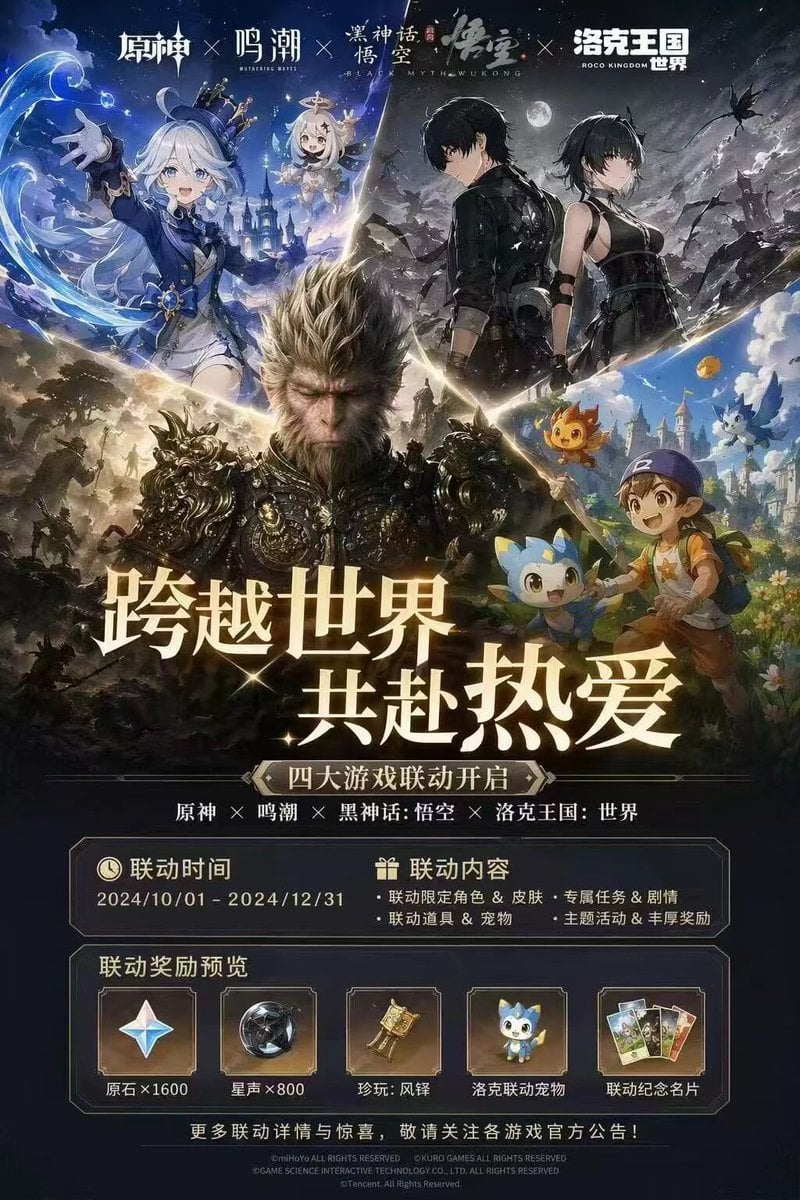
Generates a highly detailed promotional poster for a multi-game crossover event, featuring a character collage, event dates, and a rewards preview panel.
- Prompt included
- Model and format preset
- Free template
The prompt behind this image
Copy the exact prompt behind Four-Game Crossover Event Promo Poster, or open it in the studio and make it yours.
- Type
- video game crossover promotional poster
- Layout › Header › Description
- 4 distinct game logos separated by 'X' marks
- Layout › Header › Logos
- 原神, 鸣潮, 黑神话:悟空, 洛克王国:世界
- Layout › Character Collage › Description
- A dynamic V-shaped collage merging 4 distinct game art styles
- Layout › Character Collage › Sections › 0 › Position
- top-left
- Layout › Character Collage › Sections › 0 › Style
- anime cel-shaded
- Layout › Character Collage › Sections › 0 › Content
- girl with white hair and blue top hat, small floating white-haired companion, water magic effects, fantasy castle background
- Layout › Character Collage › Sections › 1 › Position
- top-right
- Layout › Character Collage › Sections › 1 › Style
- anime cel-shaded
- Layout › Character Collage › Sections › 1 › Content
- male and female protagonists in black tactical outfits, dark night sky with full moon, ruined landscape
- Layout › Character Collage › Sections › 2 › Position
- center
- Layout › Character Collage › Sections › 2 › Style
- hyper-realistic 3D
- Layout › Character Collage › Sections › 2 › Content
- monkey king in ornate dark armor, intense expression, epic battlefield background
- Layout › Character Collage › Sections › 3 › Position
- bottom-right
- Layout › Character Collage › Sections › 3 › Style
- bright anime
- Layout › Character Collage › Sections › 3 › Content
- young boy in blue cap holding a wooden staff, accompanied by 3 small cute elemental mascot monsters, vibrant fantasy town
- Layout › Center Typography › Main Headline
- {argument name="main headline" default="跨越世界 共赴热爱"}
- Layout › Center Typography › Subtitle
- {argument name="subtitle" default="四大游戏联动开启"}
- Layout › Center Typography › Game List
- 原神 × 鸣潮 × 黑神话:悟空 × 洛克王国:世界
- Layout › Information Panels › Event Details Panel › Columns
- 2
- Layout › Information Panels › Event Details Panel › Left Column › Title
- 联动时间
- Layout › Information Panels › Event Details Panel › Left Column › Value
- {argument name="event dates" default="2024/10/01 - 2024/12/31"}
- Layout › Information Panels › Event Details Panel › Right Column › Title
- 联动内容
- Layout › Information Panels › Event Details Panel › Right Column › Bullet Points Count
- 4
Raw JSON
{
  "type": "video game crossover promotional poster",
  "layout": {
    "header": {
      "description": "4 distinct game logos separated by 'X' marks",
      "logos": ["原神", "鸣潮", "黑神话:悟空", "洛克王国:世界"]
    },
    "character_collage": {
      "description": "A dynamic V-shaped collage merging 4 distinct game art styles",
      "sections": [
        {
          "position": "top-left",
          "style": "anime cel-shaded",
          "content": "girl with white hair and blue top hat, small floating white-haired companion, water magic effects, fantasy castle background"
        },
        {
          "position": "top-right",
          "style": "anime cel-shaded",
          "content": "male and female protagonists in black tactical outfits, dark night sky with full moon, ruined landscape"
        },
        {
          "position": "center",
          "style": "hyper-realistic 3D",
          "content": "monkey king in ornate dark armor, intense expression, epic battlefield background"
        },
        {
          "position": "bottom-right",
          "style": "bright anime",
          "content": "young boy in blue cap holding a wooden staff, accompanied by 3 small cute elemental mascot monsters, vibrant fantasy town"
        }
      ]
    },
    "center_typography": {
      "main_headline": "{argument name=\"main headline\" default=\"跨越世界 共赴热爱\"}",
      "subtitle": "{argument name=\"subtitle\" default=\"四大游戏联动开启\"}",
      "game_list": "原神 × 鸣潮 × 黑神话:悟空 × 洛克王国:世界"
    },
    "information_panels": {
      "event_details_panel": {
        "columns": 2,
        "left_column": {
          "title": "联动时间",
          "value": "{argument name=\"event dates\" default=\"2024/10/01 - 2024/12/31\"}"
        },
        "right_column": {
          "title": "联动内容",
          "bullet_points_count": 4,
          "details": ["联动限定角色 & 皮肤", "专属任务 & 剧情", "联动道具 & 宠物", "主题活动 & 丰厚奖励"]
        }
      },
      "rewards_preview_panel": {
        "title": "联动奖励预览",
        "count": 5,
        "items": [
          { "icon": "four-pointed star gem", "label": "原石×1600" },
          { "icon": "dark metallic sphere", "label": "星声×800" },
          { "icon": "golden bell relic", "label": "珍玩:风铎" },
          { "icon": "blue mascot pet", "label": "洛克联动宠物" },
          { "icon": "set of 3 cards", "label": "联动纪念名片" }
        ]
      }
    },
    "footer": "copyright text and official announcement disclaimer in small print"
  }
}How to use Four-Game Crossover Event Promo Poster in 3 steps
- 1Upload ImagePNG, JPG or paste
Add your photo
Upload the photo the template builds on. The prompt, model and format are already set.
- 2…a portrait of your subject in softgolden-hour light, 85mm…
Personalize
Edit the subject and creative details for your destination.
- 3Generate
Generate
Press Generate — your image is created in PicX Studio, so you can compare it with the original and refine one variable at a time.
More like this
Templates with the same subject, style or setup. Open one to see its prompt.
Game Crossover Promotional Poster

Trendy Cafe Drink Promo Poster

Gpt2 Youtube Thumbnail Anime Music Bootcamp Promo Poster
Cyberpunk Game Crossover Poster
Anime Game Character Promo Poster

Japan Travel Brochure Poster

Cartoon TV Show Poster Pack

Urban Fashion Editorial Collage Streetwear Poster

Premium Fashion Editorial Cover Layout System

Polo Ralph Lauren Luxury American Heritage Fashion Campaign

Monochrome Halftone Editorial Fashion Poster

Retro Mirror Luxury Fashion Campaign Poster
Make it yours
Four-Game Crossover Event Promo Poster works as-is. These are the safest ways to change it without losing the look.
Change one field
Copy a single group, rewrite it, and generate again so you can see what that field is doing.
Keep the frame, change the subject
Hold the composition and light of Four-Game Crossover Event Promo Poster, then swap wardrobe, props or the person for a new take.
| If the result… | Why | Fix |
|---|---|---|
| The result drifts from the preview | Too many fields changed at once. | Reuse Four-Game Crossover Event Promo Poster as-is first, then change one group — subject, light, or setting. |
| GPT Image 2 ignores part of the JSON | Some models flatten or skip nested keys. | Keep the same values and paste them as a short paragraph instead. |
More GPT Image 2 templates
Other prompts made for GPT Image 2.

Six VTuber Japanese Logo Sheet

Realistic Portrait of Woman and Deer

The Vista Modular Condo Poster

AI Model Routing Comparison Infographic

2.5D Anime Art Board

Isometric Productivity Desk Scene

New York Double Exposure Poster

Four-Panel AI Landscape Comparison

Japanese Tatami Lifestyle Magazine Cover

NESCAFÉ Coffee Map Poster
More image prompts
Fresh picks from across the catalog.
Candid iPhone Photo of Ice Sculpture Installation
Japanese Golf Fashion Magazine Cover
Cyberpunk City Block Collectible Diorama

Yakuza Portrait with Irezumi Tattoos

Historical Macro Diorama: Culinary Atlas Grid
Ultra-Realistic Studio Fashion Model Portrait Prompt

Ultra-Realistic Cinematic Winter Portrait

Low-Angle Wedding Editorial with Heart Hands
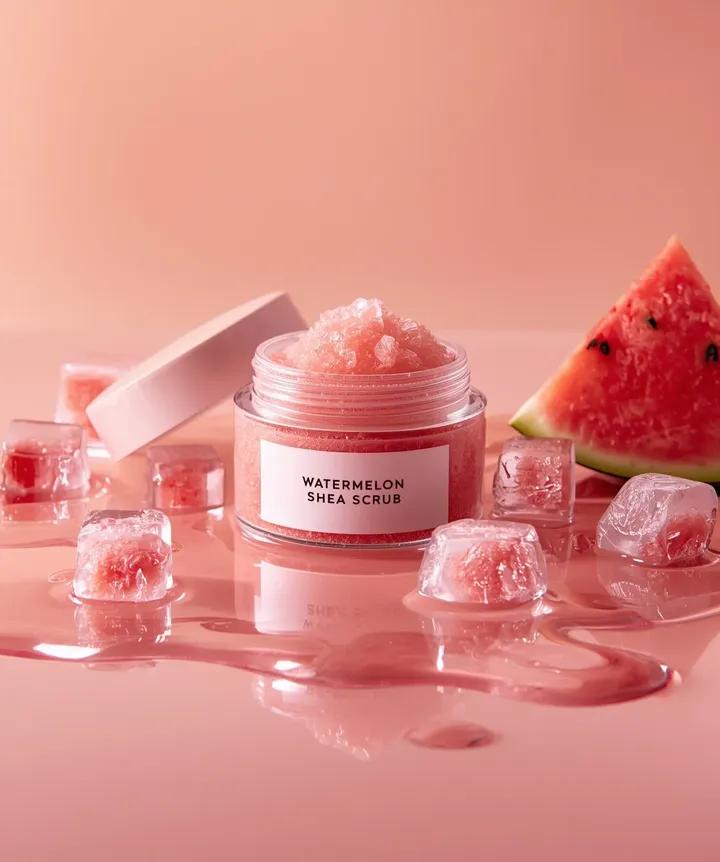
Hyper-photorealistic cosmetic skincare jar product shot with watermelon and ice cubes

Micro City Floating on Coffee Foam
Browse template categories
Four-Game Crossover Event Promo Poster questions
How do I use the Four-Game Crossover Event Promo Poster template?
Add your photo if the template asks for one, edit the prompt if you like — the template's model and format are already selected — and press Generate. Your version opens in PicX Studio.
Can I customize the Four-Game Crossover Event Promo Poster template?
Yes. You can change the subject, setting, lighting, mood, format, and available model controls before creating your image.
Is the Four-Game Crossover Event Promo Poster template free?
Opening and editing this template is free. Generating uses credits, shown on the Generate button when you are signed in.
Which AI model should I use?
Start with GPT Image 2, which is the model associated with this template. You can compare another compatible model for a different finish.
Looking for something else? Browse all templates.

Your photo, any look
Thousands of ready templates for every top image and video model, from one credit balance.