How do I use the Vintage Saint Quote Card template?
Choose the primary action to open PicX Studio with the available template settings. Review the model and format, personalize the creative direction, and generate when ready.
Generates a devotional-style antique portrait card with a haloed figure, ornate floral border, customizable quote, and nameplate. Change the subject, setting, or lighting one variable at a time.
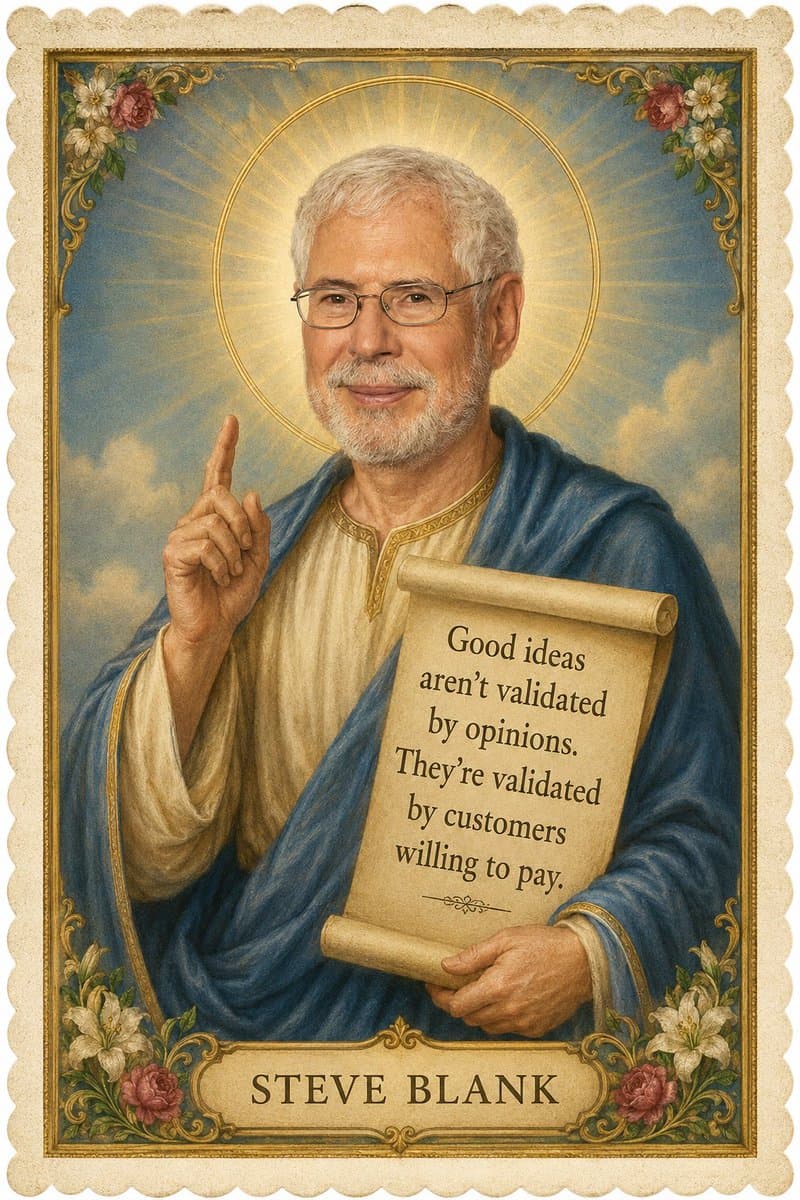
Create a vertical vintage religious icon-style portrait card of an elderly male saint or philosopher, painted like a Renaissance devotional illustration on aged parchment. The central figure has short gray hair and a partial gray beard, with his face deliberately covered by a flat opaque tan rectangle, standing before a radiant golden halo with sunburst rays against a soft blue sky with clouds. He wears a cream tunic with gold trim and a deep blue draped robe, raises his left hand with one finger pointing upward, and holds a curled parchment scroll in his right arm. The scroll contains a centered serif quote in 5 visible lines: “{argument name="quote" default="Good ideas aren't validated by opinions. They're validated by customers willing to pay."}” with a small ornamental divider beneath. At the bottom, include a cream nameplate with large spaced serif capitals reading “{argument name="person name" default="STEVE BLANK"}”. Frame the image with an ornate gold rectangular border, scalloped cream outer edge, and exactly 4 decorative floral corner clusters: top-left, top-right, bottom-left, and bottom-right, each with roses, white lilies, green leaves, and gold filigree. Use warm muted colors, aged paper grain, hand-painted brush texture, devotional holy-card composition, soft glow, symmetrical layout, and elegant antique typography.
Choose the primary action to open PicX Studio with the available template settings. Review the model and format, personalize the creative direction, and generate when ready.
Yes. You can change the subject, setting, lighting, mood, format, and available model controls before creating your image.
This template is free to open and customize. Generation usage is shown in PicX Studio before you create.
Start with GPT Image 2, which is the model associated with this template. You can compare another compatible model for a different finish.
© 2026 PicX Studio. All rights reserved.

Follow a topic to a crawlable collection of related PicX Studio templates.
43,474 public templates available. Verified via the PicX Studio public templates API; refreshed hourly.










![Minimalist Flat Vector Travel Poster — Premium minimalist flat-vector travel poster for {argument name="city name" default="[CITY_NAME]"}, 3:4 vertical format.](https://cms-assets.youmind.com/media/1787917359711_3ug846_HQX205cbMAA6F6S-300x400.jpg)




















![Ultra-Realistic 3D Render of a Furry Logo — Ultra-realistic 3D render of the official [{argument name="brand name" default="BRAND NAME"}] logo, exact original s](https://pbs.twimg.com/media/HAjlHnJacAEf8YV.jpg)