
Scientific Neuron Anatomy Poster
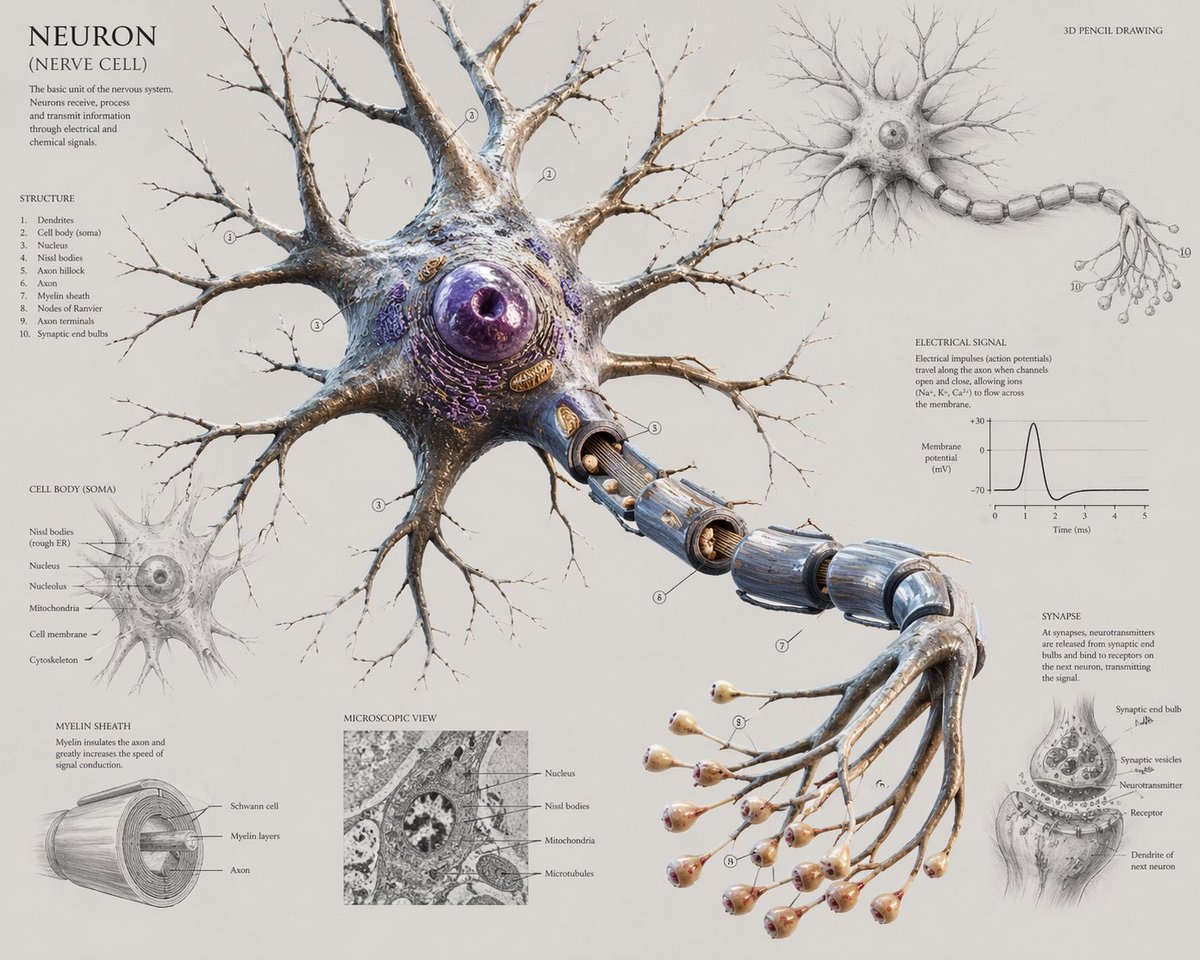
This prompt generates a detailed educational neuron infographic poster with a central 3D biological rendering and multiple labeled anatomical inset diagrams for textbook, editorial, or classroom use.
- Prompt included
- Model and format preset
- Free template
The prompt behind this image
Copy the exact prompt behind Scientific Neuron Anatomy Poster, or open it in the studio and make it yours.
Create a highly detailed scientific anatomical poster of a {argument name="subject" default="neuron"} on a clean warm off-white paper background, presented as a museum-quality hybrid of 3D pencil drawing and ultra-realistic biological illustration. The composition centers on one large neuron in three-quarter view, with an oversized spherical purple nucleus inside a textured cell body, many branching dendrites spreading outward like winter tree branches, and a long axon extending diagonally down to the right. The axon is partially cut away to reveal its internal structure and is wrapped in segmented blue-gray myelin sheaths with visible gaps at the nodes of Ranvier. At the far end, the axon branches into exactly 15 thin terminal fibers, each ending in a rounded synaptic bulb with pale peach and pink tips. The main central figure should look sculptural, organic, and slightly glossy, with intricate membrane textures, subtle beige, ivory, silver, brown, and violet coloration, and extremely fine linework for the distal branches. Surround the centerpiece with 6 labeled educational inset sections arranged like a textbook infographic: top left a title block reading {argument name="title text" default="NEURON (NERVE CELL)"} with a short explanatory paragraph and a numbered structure list containing exactly 10 items; upper right a smaller monochrome full-neuron sketch labeled {argument name="style note" default="3D PENCIL DRAWING"}; lower left a cell body soma detail diagram with labels pointing to internal organelles; bottom left a myelin sheath cross-section cylinder diagram; lower center a square grayscale microscopic view panel with 4 labels; right center an electrical signal section with a small action potential graph showing membrane potential versus time; lower right a synapse close-up drawing with receptor and neurotransmitter labeling. Include fine serif typography, delicate leader lines, small circled numbers on the main neuron, and the feel of an elegant old scientific plate mixed with modern biomedical visualization. Keep the layout airy and balanced, with the central neuron dominating most of the canvas, landscape orientation, extremely high resolution, crisp educational poster design, and a refined neutral aesthetic.
How to use Scientific Neuron Anatomy Poster in 3 steps
- 1Upload ImagePNG, JPG or paste
Add your photo
Upload the photo the template builds on. The prompt, model and format are already set.
- 2…a portrait of your subject in softgolden-hour light, 85mm…
Personalize
Edit the subject and creative details for your destination.
- 3Generate
Generate
Press Generate — your image is created in PicX Studio, so you can compare it with the original and refine one variable at a time.
More like this
Templates with the same subject, style or setup. Open one to see its prompt.
Scientific Bayberry Anatomy Poster

Japan Travel Brochure Poster

Cartoon TV Show Poster Pack

Trendy Cafe Drink Promo Poster

Urban Fashion Editorial Collage Streetwear Poster

Premium Fashion Editorial Cover Layout System

Polo Ralph Lauren Luxury American Heritage Fashion Campaign

Monochrome Halftone Editorial Fashion Poster

Retro Mirror Luxury Fashion Campaign Poster

Luxury Fashion Campaign Typography Poster System

Premium Fashion Editorial Campaign Poster System

Ultra-Stylized High-Fashion Streetwear Poster
Make it yours
Scientific Neuron Anatomy Poster works as-is. These are the safest ways to change it without losing the look.
Change one field
Copy a single group, rewrite it, and generate again so you can see what that field is doing.
Keep the frame, change the subject
Hold the composition and light of Scientific Neuron Anatomy Poster, then swap wardrobe, props or the person for a new take.
| If the result… | Why | Fix |
|---|---|---|
| The result drifts from the preview | Too many fields changed at once. | Reuse Scientific Neuron Anatomy Poster as-is first, then change one group — subject, light, or setting. |
| The model over-stylizes the scene | The prose prompt leaves finish and camera underspecified. | Add one camera or lighting sentence and stay on GPT Image 2. |
More GPT Image 2 templates
Other prompts made for GPT Image 2.

Six VTuber Japanese Logo Sheet

Realistic Portrait of Woman and Deer

The Vista Modular Condo Poster

AI Model Routing Comparison Infographic

2.5D Anime Art Board

Isometric Productivity Desk Scene

New York Double Exposure Poster

Four-Panel AI Landscape Comparison

Japanese Tatami Lifestyle Magazine Cover

NESCAFÉ Coffee Map Poster
More image prompts
Fresh picks from across the catalog.

Photorealistic Moodboard Generation Prompt (Nano Banana 2)

Full Body Cinematic Studio Portrait
Technical Outerwear Campaign Poster Generation Prompt

3D Caricature from Uploaded Face
Retro Meme Design Poster Collage

mirror
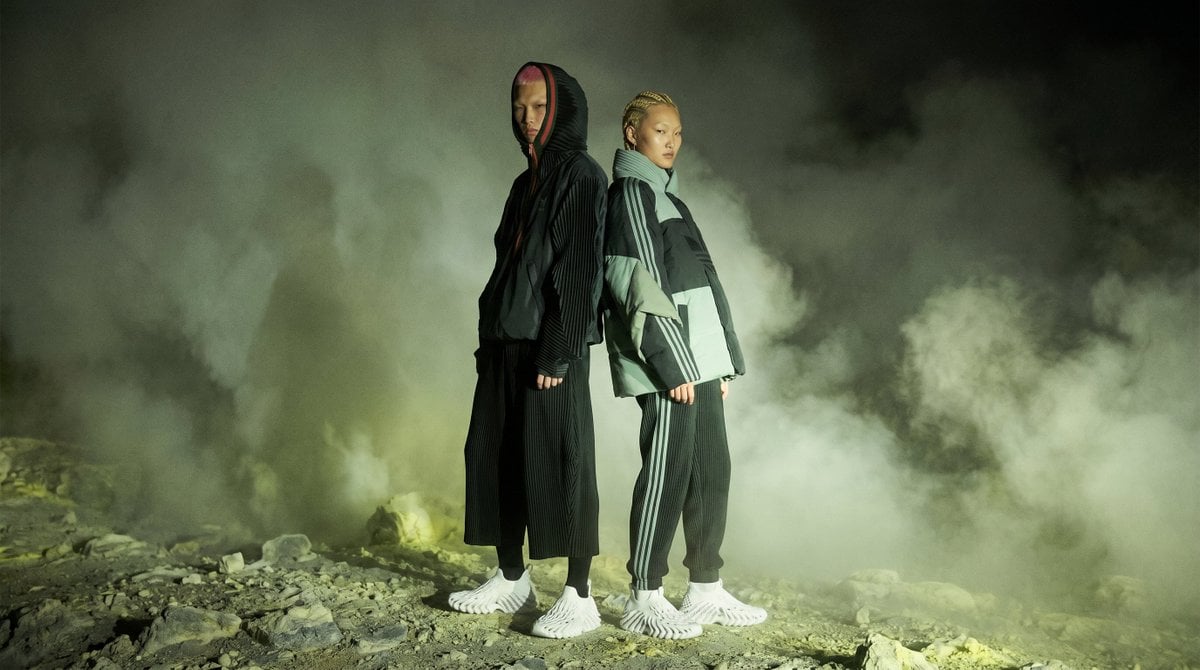
Volcanic Streetwear Fashion Editorial

Prompt for Converting Subject into a Beach Volleyball Player

LINE Sticker Generation Prompt

8K Food Photography Prompt for Mango Popsicles
Browse template categories
Scientific Neuron Anatomy Poster questions
How do I use the Scientific Neuron Anatomy Poster template?
Add your photo if the template asks for one, edit the prompt if you like — the template's model and format are already selected — and press Generate. Your version opens in PicX Studio.
Can I customize the Scientific Neuron Anatomy Poster template?
Yes. You can change the subject, setting, lighting, mood, format, and available model controls before creating your image.
Is the Scientific Neuron Anatomy Poster template free?
Opening and editing this template is free. Generating uses credits, shown on the Generate button when you are signed in.
Which AI model should I use?
Start with GPT Image 2, which is the model associated with this template. You can compare another compatible model for a different finish.
Looking for something else? Browse all templates.

Your photo, any look
Thousands of ready templates for every top image and video model, from one credit balance.